Secon 5 - Engineer’s Program
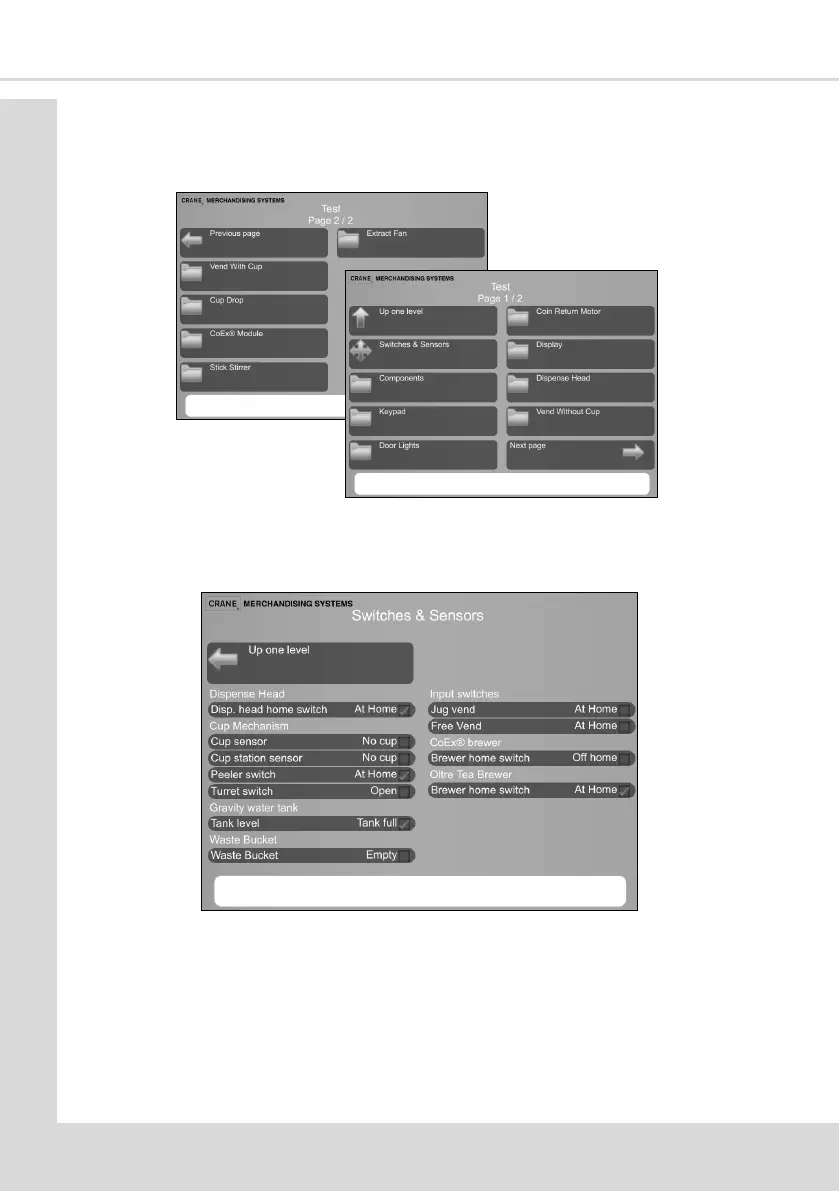
5.5 Test
This menu enables the engineer to test individual components and switch inputs to ensure
correct operaon.
5.5.1 Switches & Sensors
This screen displays the current state of all switches and sensors.
1. This live informaon can be used to determine the operaon of each switch and
sensor by manually changing their state.
5.5.2 Components
This menu enables the engineer to test the operaon of valves and motors. When running
any component test it will run for 4 seconds and oen while the tests are running a text
box will be show to advise what is happening. On a successful compleon of the test the
screen returns to the previous screen.



 To Next Page