Secon 4 - Customising the User Interface
4.14 ADA Mode
This feature changes the workow of the drink selecon menu to meet the American
Disability Associaon regulaons and enable wheelchair users to navigate the drink
selecon menu.
The feature is either Disabled or Enabled
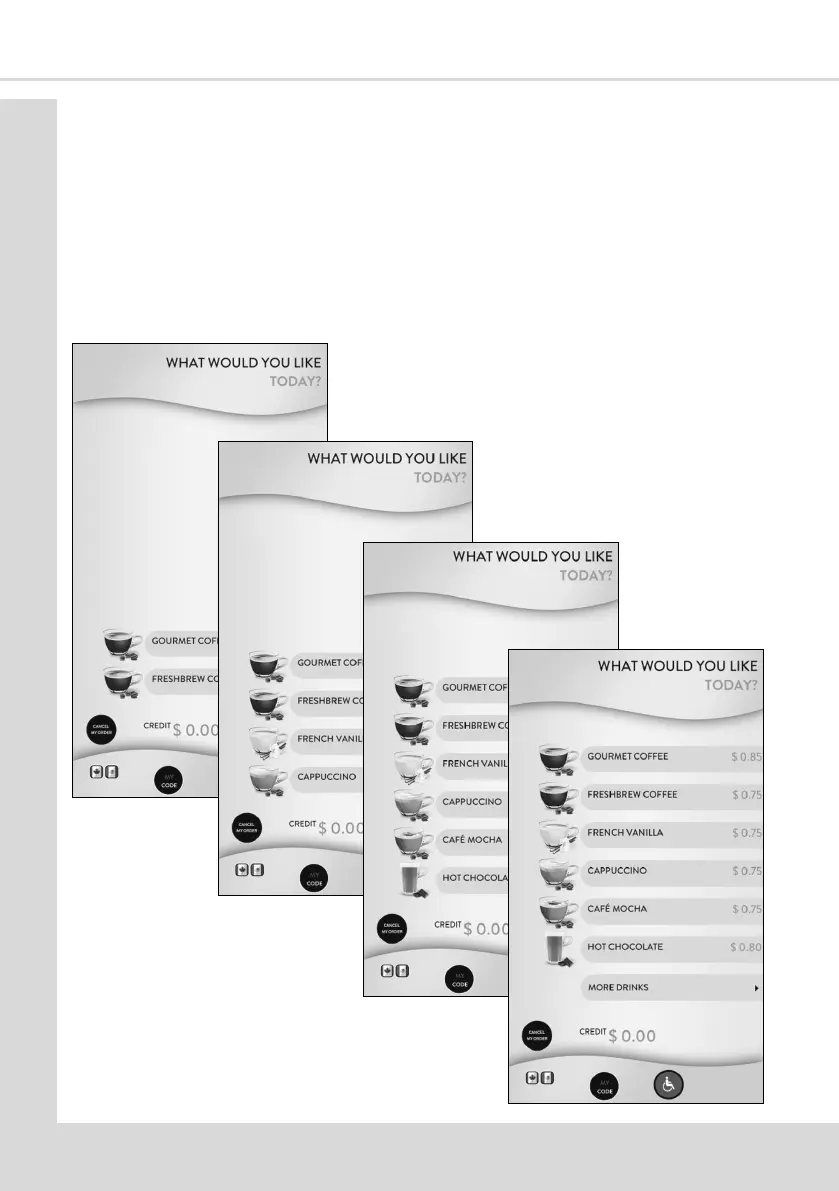
If the feature is enabled the Internaonal Symbol of Access also known as the Wheelchair
Symbol buon appears on the User Interface. Once customer presses this buon they will
see the screens below with each subsequent press advancing to the next screen. The lowest
two selecons are within the allowed height restricons.



 To Next Page