Secon 4 - Customising the User Interface
4.2 Image Locaons / Screens - COTI
Key: Descripon
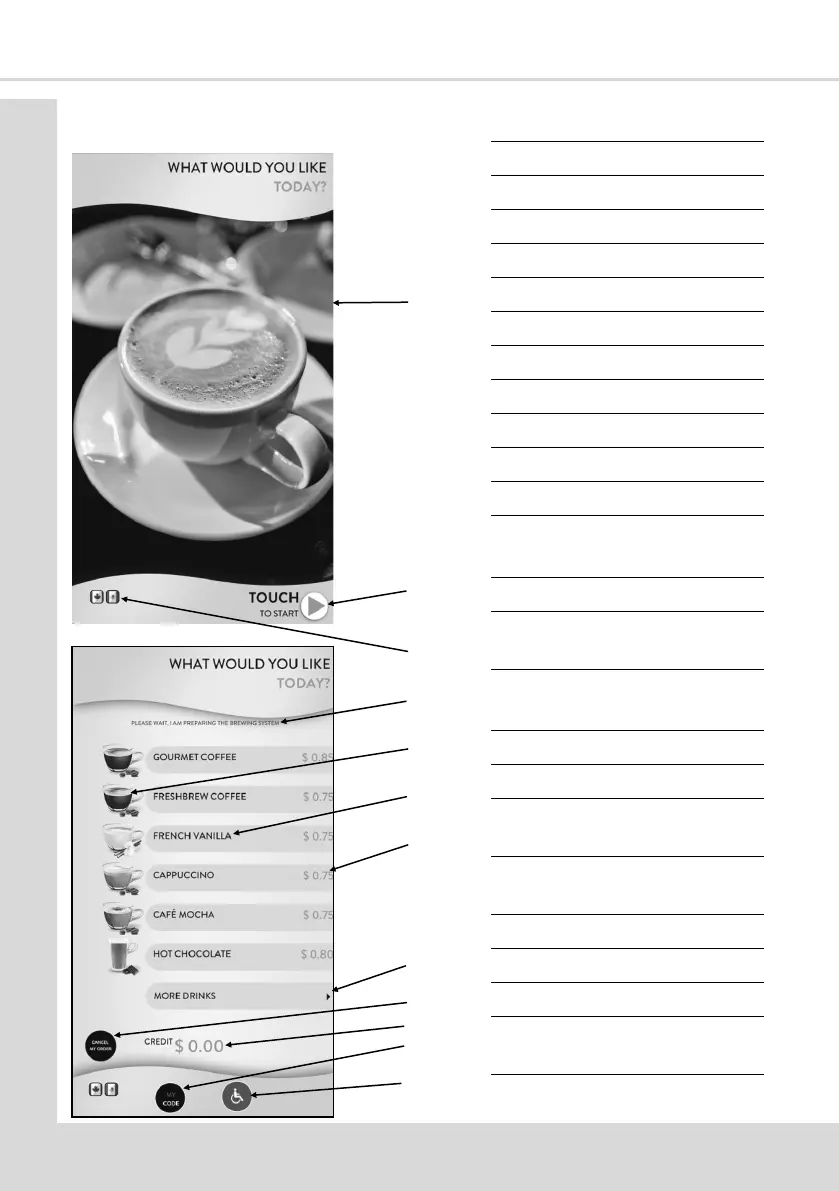
1 Standby Image / Video
2 Open 1st Selecon Screen
3 Available Languages
4 Machine Status Message
5 Small Icon
6 Product Name
7 Price
8 Menu Next Page Buon
9 Cancel Buon
10 Credit Inserted
11 MY CODE Buon
12 ADA Mode Selecon Buon
(oponal)
13 Strength Buons
14 Nutrion informaon
(oponal)
15 Allergen Informaon
(oponal)
16 Large Icon
17 Back to Menu
18 Price (Including Extras if the
Feature is in use)
19 Nutrion Informaon Buon
20 Start Buon
21 MY CODE Number
22 Vend in Progress Spinner
23 Background Picture Video/
Image
24 End of Vend Image/Video
1
2
3
4
5
6
7
8
9
10
11
12



 To Next Page