Secon 5 - Engineer’s Program
5.7.23.2 Drop Sck Srrer
This opon species when the srrer is dispensed, by selecng either:
1. At the end of Vend
2. At the start of Vend
5.7.24 Low Water Reset
In normal operaon a machine will only allow the main (gravity) tank to ll for two minutes
aer which the inlet valve will be closed and the machine turned o unl the machine door
is opened. This feature enables the water inlet valve to be opened for two minutes every
thirty minutes unl the tank senses it is full.
It is not recommended to enable this feature in most environments as it could have adverse
eects if there were a leak from the internal pipe work of the machine.
5.7.25 Allergens
This enables any allergens in the selected drink to be displayed, refer to Secon 4.14 for
more informaon.
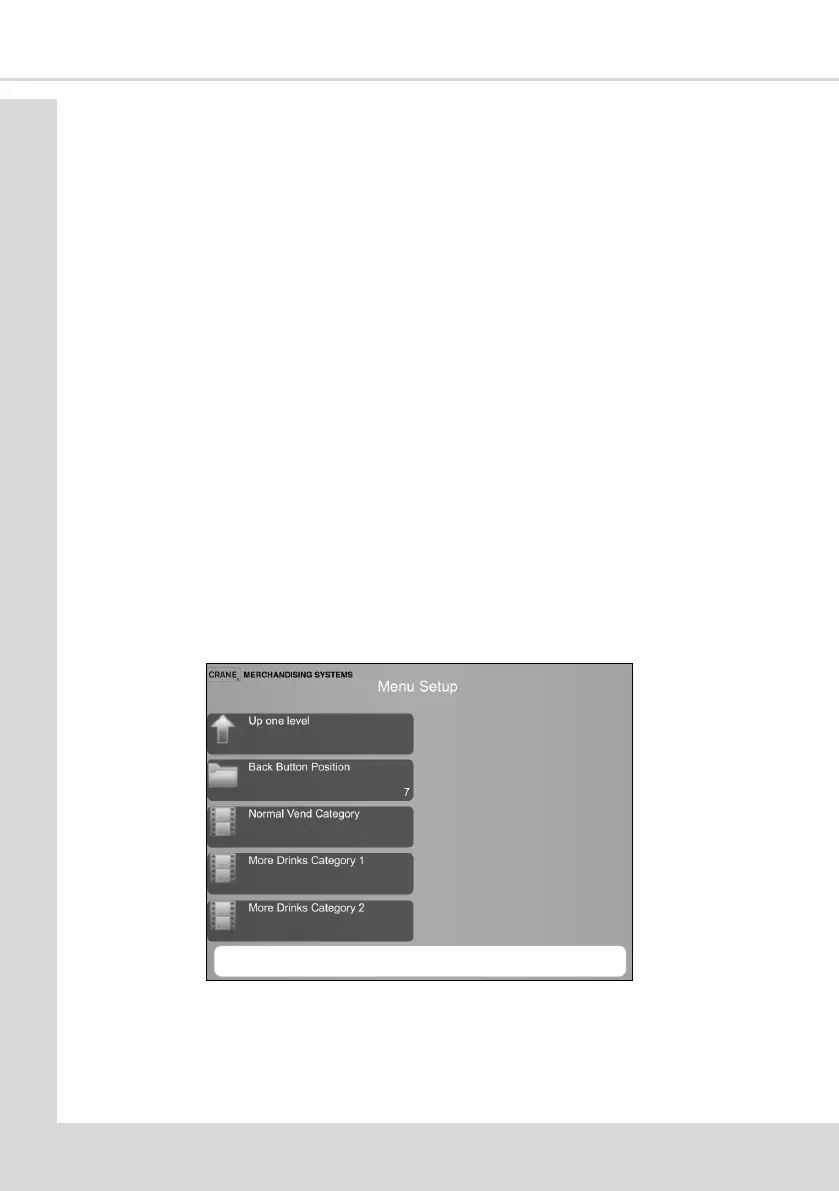
5.8 Menu Setup
This menu enables the posion of the available drinks on the drink selecon menu to be
changed.
Back Buon Posion - if the drink selecon menu runs over to addional screens this
opon enables you to choose the posion of the Back Buon (which allows you to move
forwards and backwards through the screens).
1. Normal Vend Category – these are the drinks available from the rst page of the drink
selecon menu.



 To Next Page