Secon 4 - Customising the User Interface
Technical Manual
3. In the following example the Small Icon to be changed for Espresso from Beans on the
User Interface menu, the other opons and images are selected in the same way.
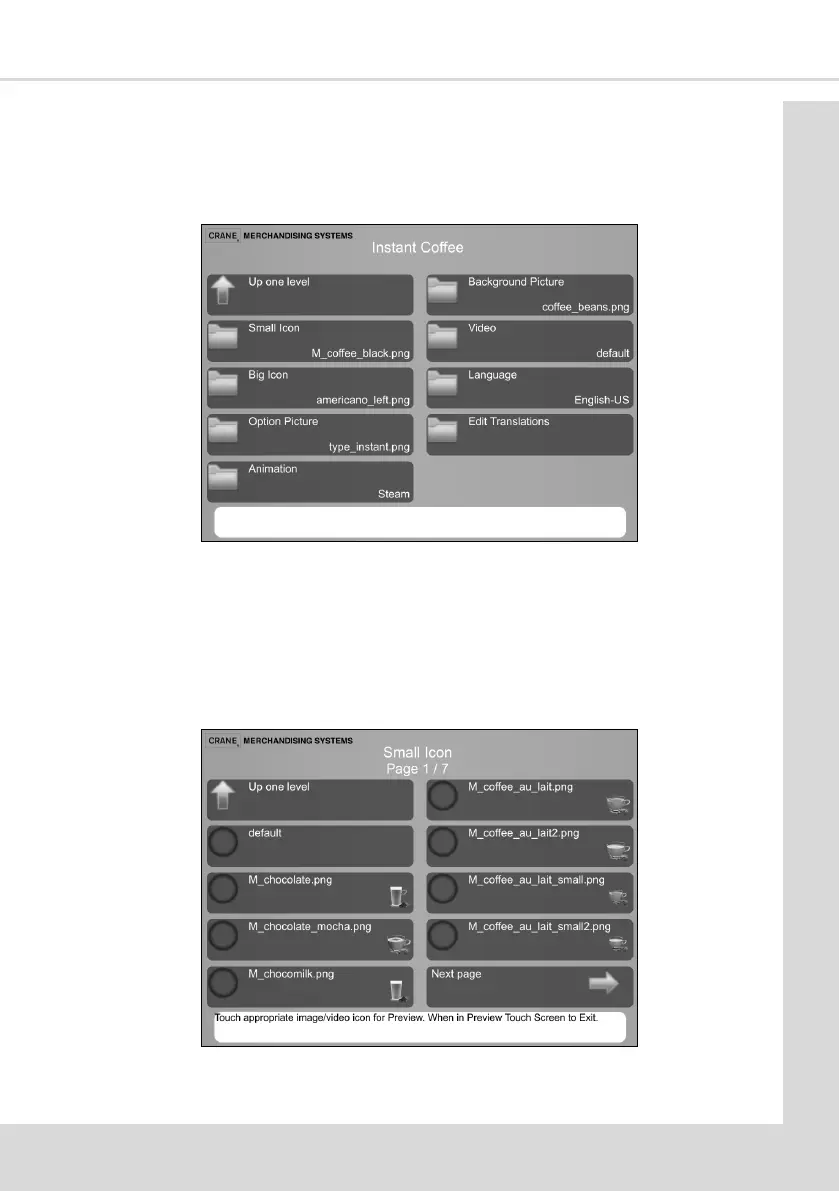
4. From the Change Product Informaon (previous screen) select Instant Coee to display
the following screen.
This screen displays all the images/videos which can be changed.
The current image le name appears alongside each opon.
5. To apply or change the image displayed against the selected product type, select the
image type from the screen above.
6. For this example select the Small Icon opon to display all the available small images
that can be used on the drink selecon (menu) screens.



 To Next Page