Secon 4 - Customising the User Interface
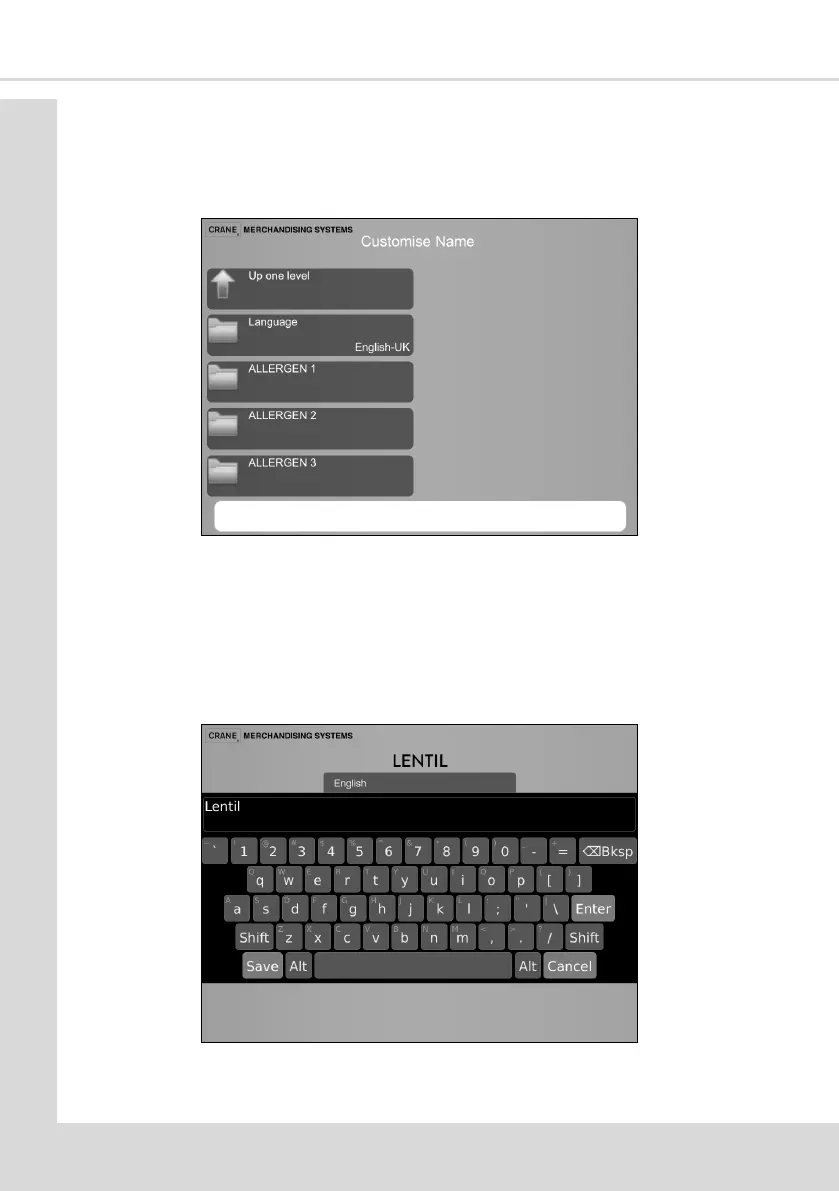
4.12.1 Customise Name
This allows you to add up to three more allergens to those shown to the customer to suit
local requirements
1. Select Customise Name
2. Select Language only if mulple languages have been installed on the machine, each
new allergen name will need a separate translaon for each of the languages, select
the language in which you want to add your allergen.
3. Select the one of the available opons and type in the name required. E.g. Lenl
4. Press Save, the name of your new allergen will now be seen and available to be
displayed to the customer.



 To Next Page