6.3.8 Monitor the formulation
Ov
erview
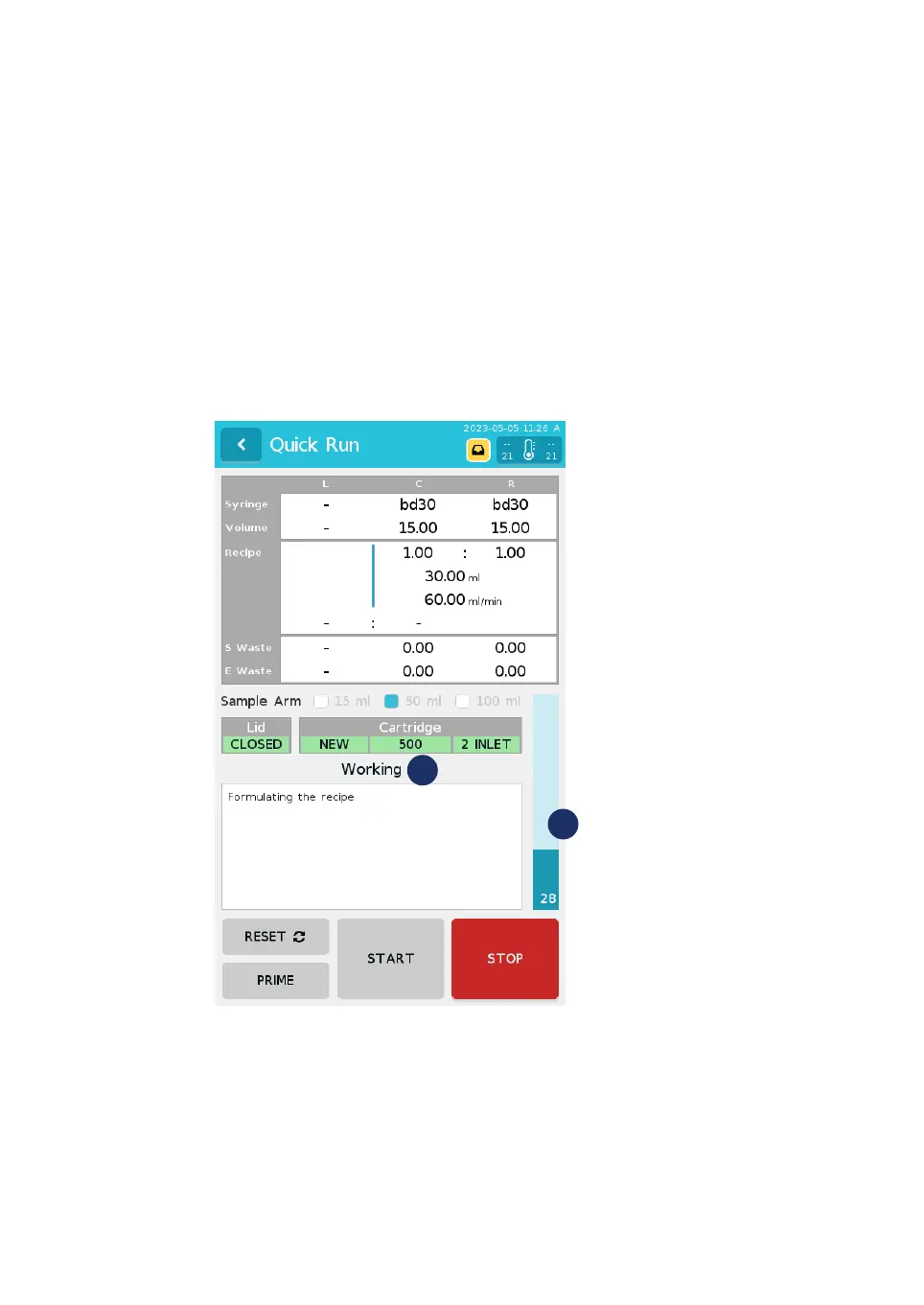
Monitor the status of the procedure on the screen.
The status text (1) displays one of the following:
• Working: The formulation is ongoing.
• Interrupted: The lid has been lifted or STOP has been pressed.
• Completed: The formulation is complete.
The progress is displayed in the blue progress bar (2) to the right of the screen.
Interrupt the formulation
Du
ring the formulation, the user can interrupt the formulation at any time. If the lid of
the instrument its opened at any time during the formulation, the formulation is also
interrupted. Follow the steps below to interrupt the formulation.
6 Operation
6
.
3 Run a procedure
6.3.8 Monitor the formulation
NanoAssemblr Ignite and Ignite+ Operating Instructions NIN1134 AA 102











 To Next Page