6.3.4 Initiate a run
In
troduction
There are two ways to initiate a run on the Ignite and Ignite+ systems:
• Select a recipe: Select a set of saved parameters from the Recipes screen.
• Quick run: Enter all parameters manually on the Quick Run screen. This option is
useful for unique formulations, or when a set of parameters are being refined.
Select a recipe
Follow the steps below to select a recipe.
Step Action
1 Tap R
ecipes
on the main menu.
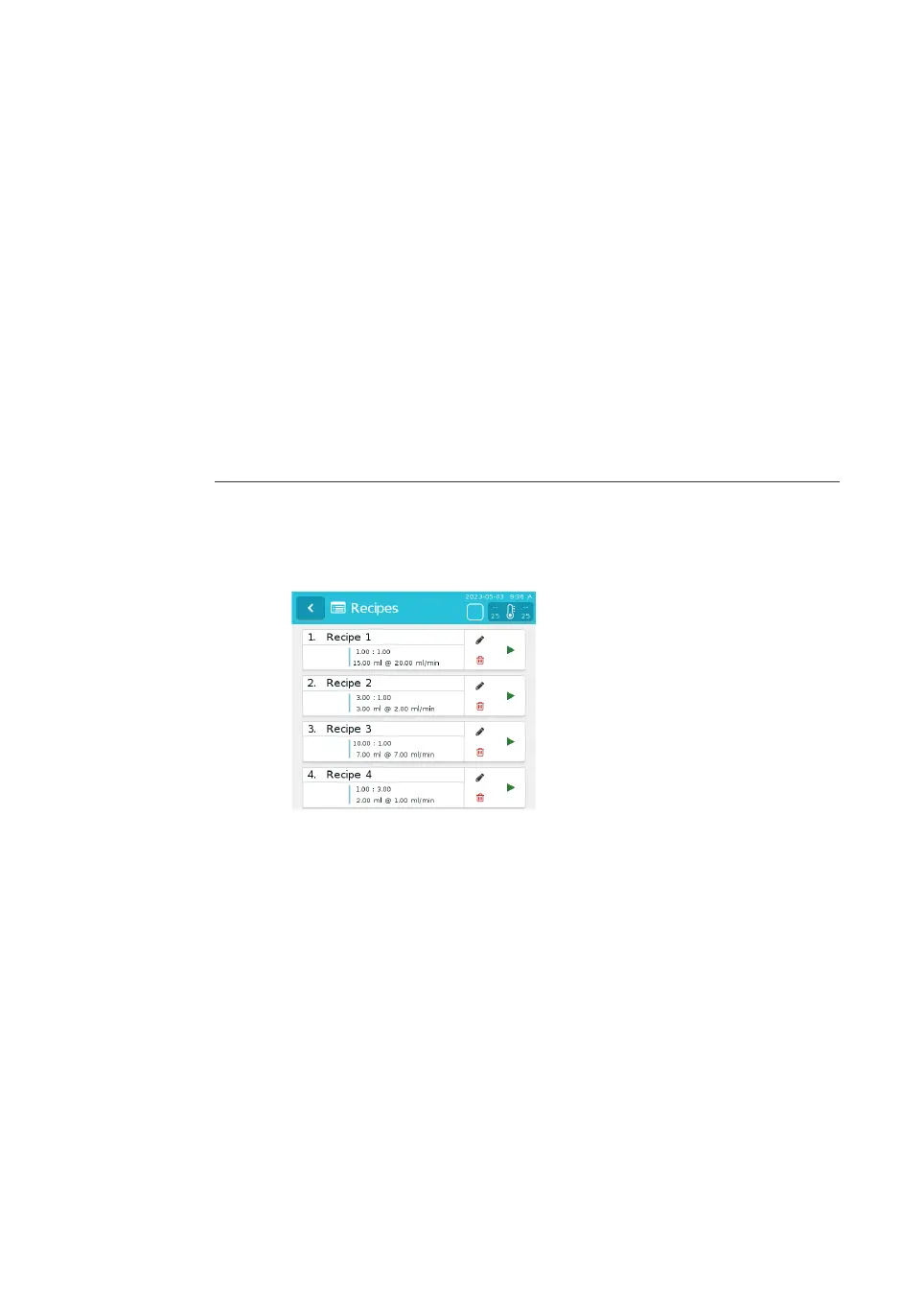
Result:
The Recipes screen is shown. The recipe name and key parameters are
shown for each recipe.
2 Tap the run button to the right of the chosen recipe.
Result:
The formulation screen is shown. The recipe name is shown in the informa-
tion bar at the top of the screen. The chosen parameters and next steps are
also displayed on the screen.
6 Operation
6.
3 Run a procedure
6.3.4 Initiate a run
NanoAssemblr Ignite and Ignite+ Operating Instructions NIN1134 AA 87











 To Next Page