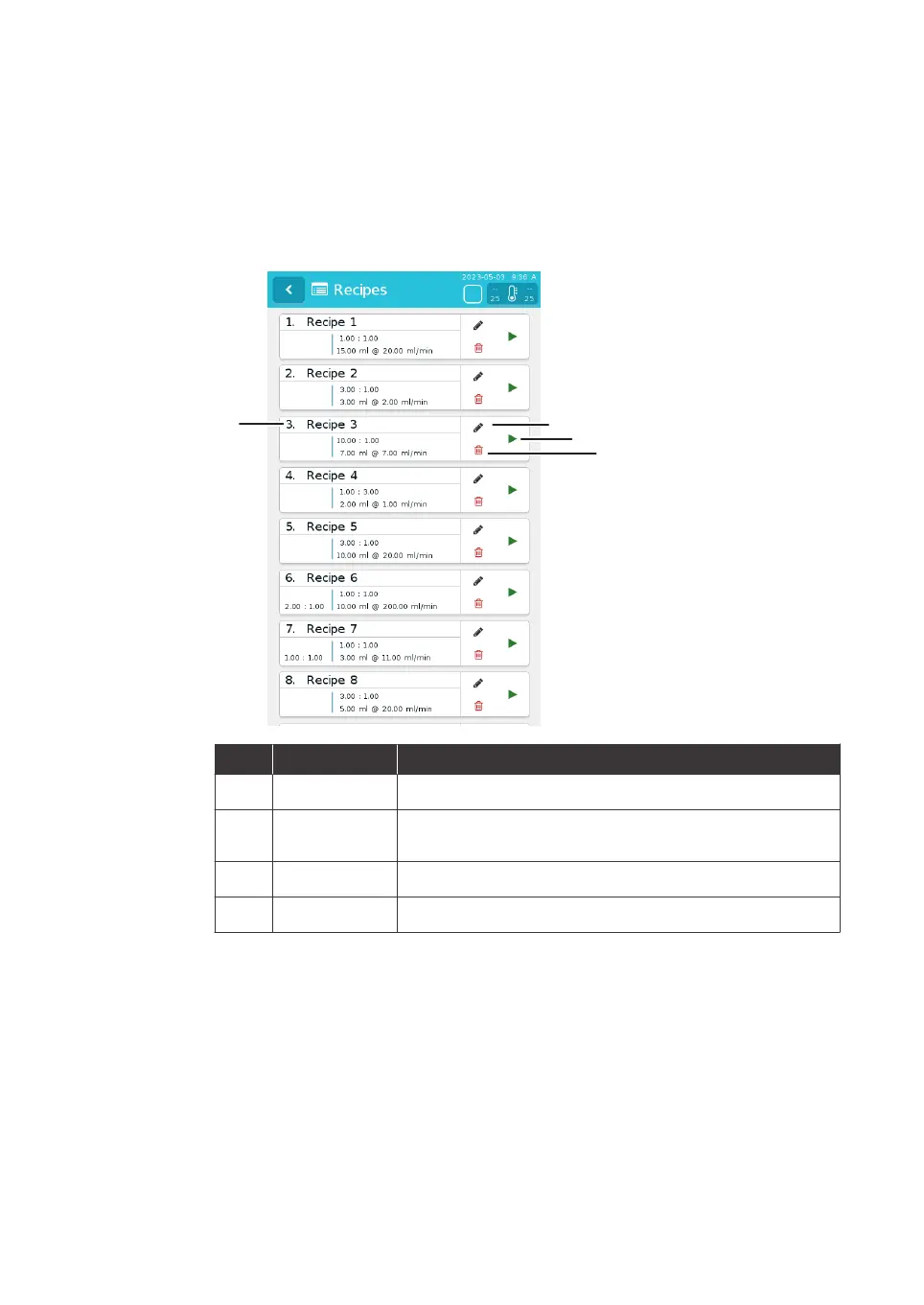
3.4.2 Recipes
menu
The illustration below shows the Recipes menu.
Note:
Unavailable buttons appear dimmed on the user interface. It is not possible
to
tap the unavailable buttons.
Part Description Function
1
Recipe name User input recipe name and summary or key parameters
2
Edit button Opens the parameters menu for the user to edit the
pa
rameters of the recipe
3
Run button Runs the selected recipe
4
Delete button Deletes the selected recipe
3 System description
3.
4 User interface
3.4.2 Recipes menu
NanoAssemblr Ignite and Ignite+ Operating Instructions NIN1134 AA 32











 To Next Page