6.3.7 Start the formulation
Fo
llow the steps below to start and monitor the formulation.
Step Action
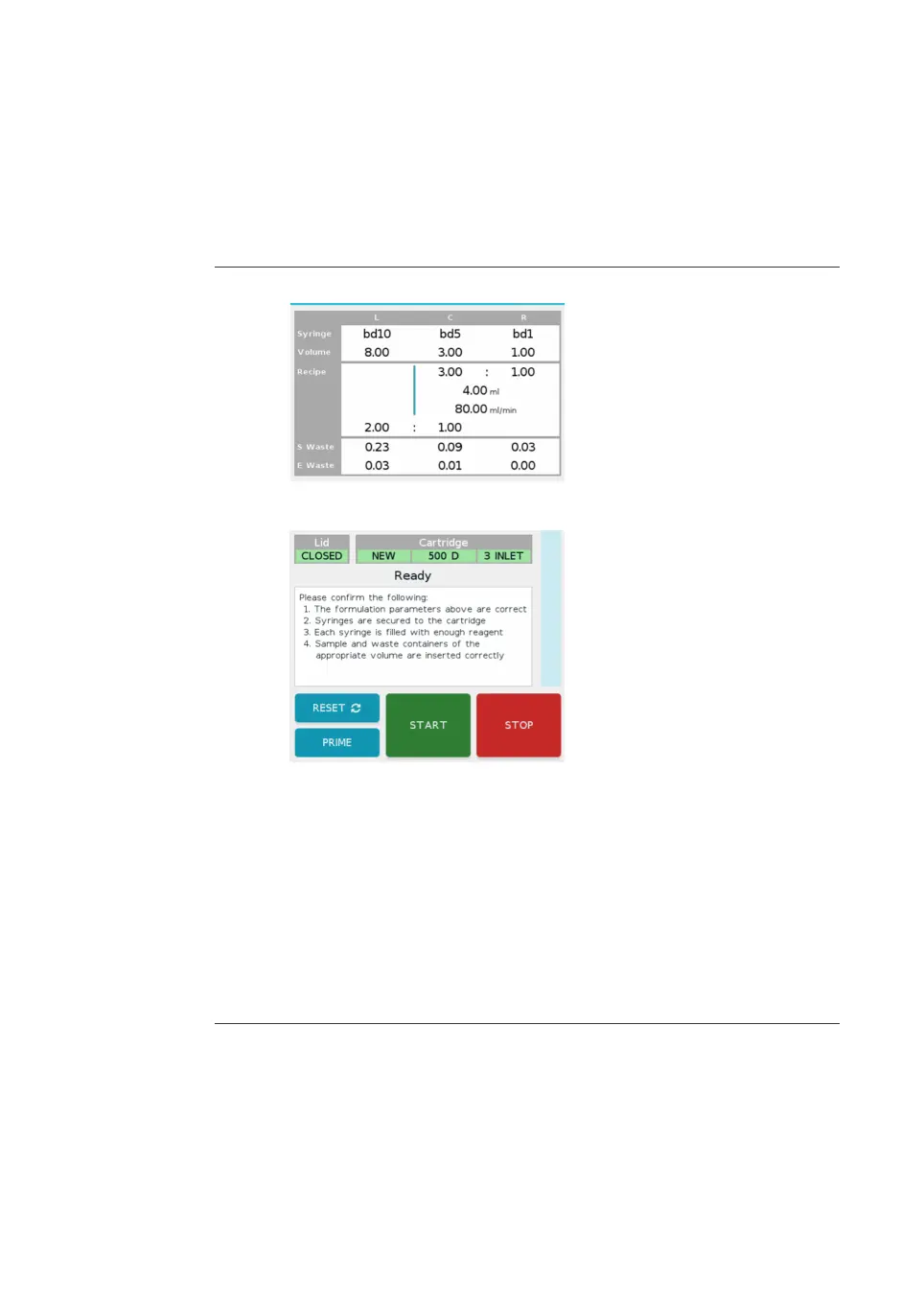
1 Review the parameters displayed on the formulation screen.
2 Make sure that the final actions listed on the screen are complete.
Note:
If
the correct cartridge is installed, and the lid is closed, the START button is
green.
3 If there are any errors listed in red on the screen, the errors must be
co
rrected before proceeding with the formulation. See Error messages and
suggested corrective actions, on page 110 for troubleshooting.
4 Tap START.
Result:
The formulation begins.
6 Operation
6.
3 Run a procedure
6.3.7 Start the formulation
NanoAssemblr Ignite and Ignite+ Operating Instructions NIN1134 AA 101











 To Next Page