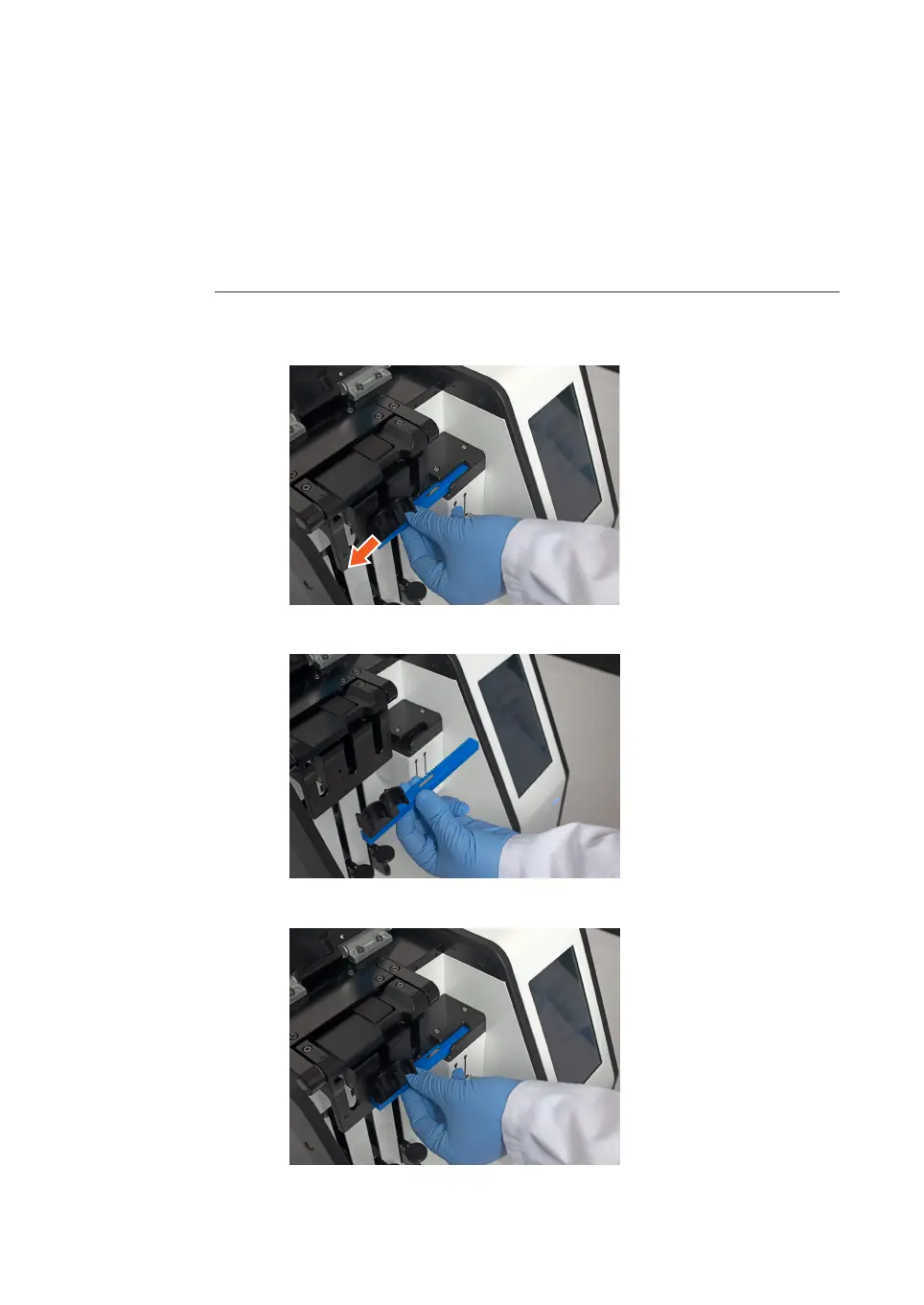
5.4 Replace sample arm
F
o
llow the instructions below to replace the installed sample arm with a different sized
sample arm.
Step Action
1 Open the lid of the instrument.
2 Pull the sample arm horizontally out of the holder.
3 Hold the new sample arm with the tube holders on the left top side.
4 Align the body of the sample arm with the holder on the instrument.
5 Preparation
5.
4 Replace sample arm
NanoAssemblr Ignite and Ignite+ Operating Instructions NIN1134 AA 73











 To Next Page