5.3 Settings
C
h
ange date and time
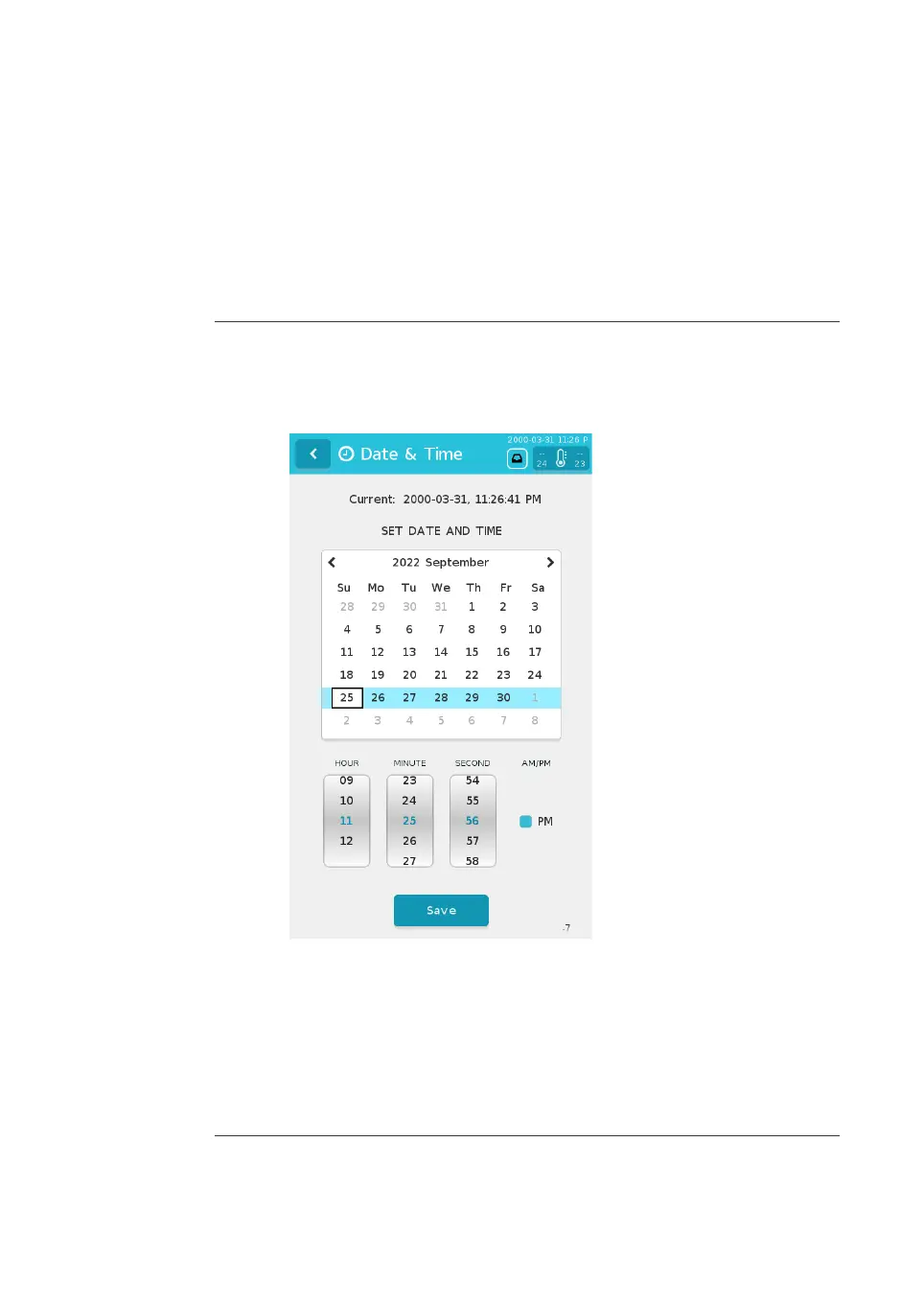
Follow the instructions below to change the date and time
Step Action
1 From the main menu, tap S
e
ttings.
2 Tap Date & Time.
3 S
elect the date from the calendar.
4 Use the three rollers to select the hour, minute, and second.
5 If applicable, check the PM box.
6 Tap Save
to apply the settings.
Result:
The date and time are immediately updated in the Date & Time menu and in
the information bar at the top of the screen.
5 Preparation
5.
3 Settings
NanoAssemblr Ignite and Ignite+ Operating Instructions NIN1134 AA 72











 To Next Page