3.4.4 History
menu
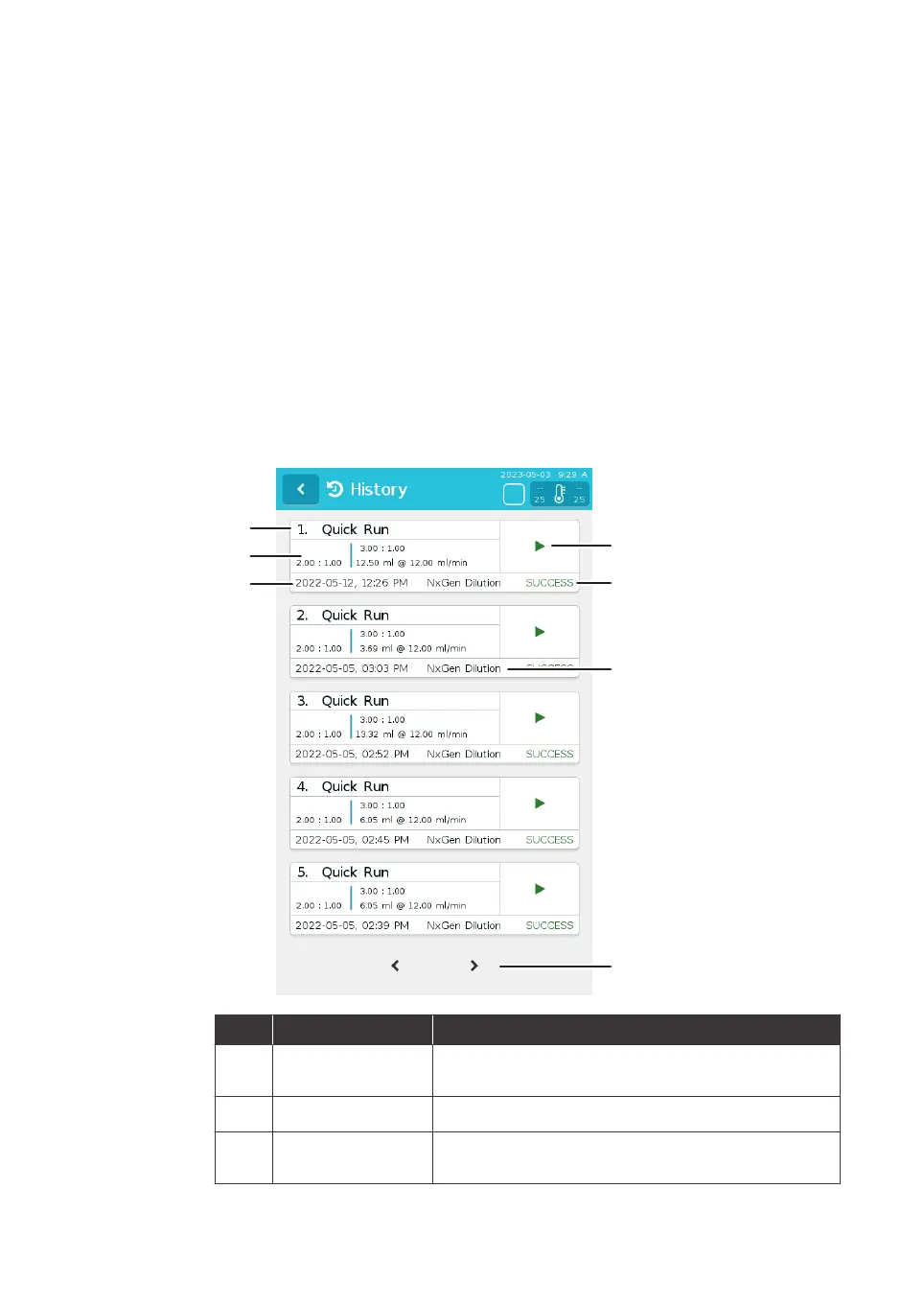
The History menu shows a list of both Quick Run and Recipe formulations, ordered
from newest to oldest.
Each history entry shows:
• Recipe name
• Time and date of the run
• Run parameters
• Result
The parameters found in a history entry can be re-run as a new formulation by tapping
the run button to the right of the entry.
The illustration below shows the History menu.
Part Description Function
1
Quick run or recipe
name
Shows Quick run or user-input recipe name
2
Run parameters Shows key run parameters
3
Time and date of
ru
n
Shows time and date the run was performed
3 System description
3.
4 User interface
3.4.4 History menu
NanoAssemblr Ignite and Ignite+ Operating Instructions NIN1134 AA 34











 To Next Page