Step Action
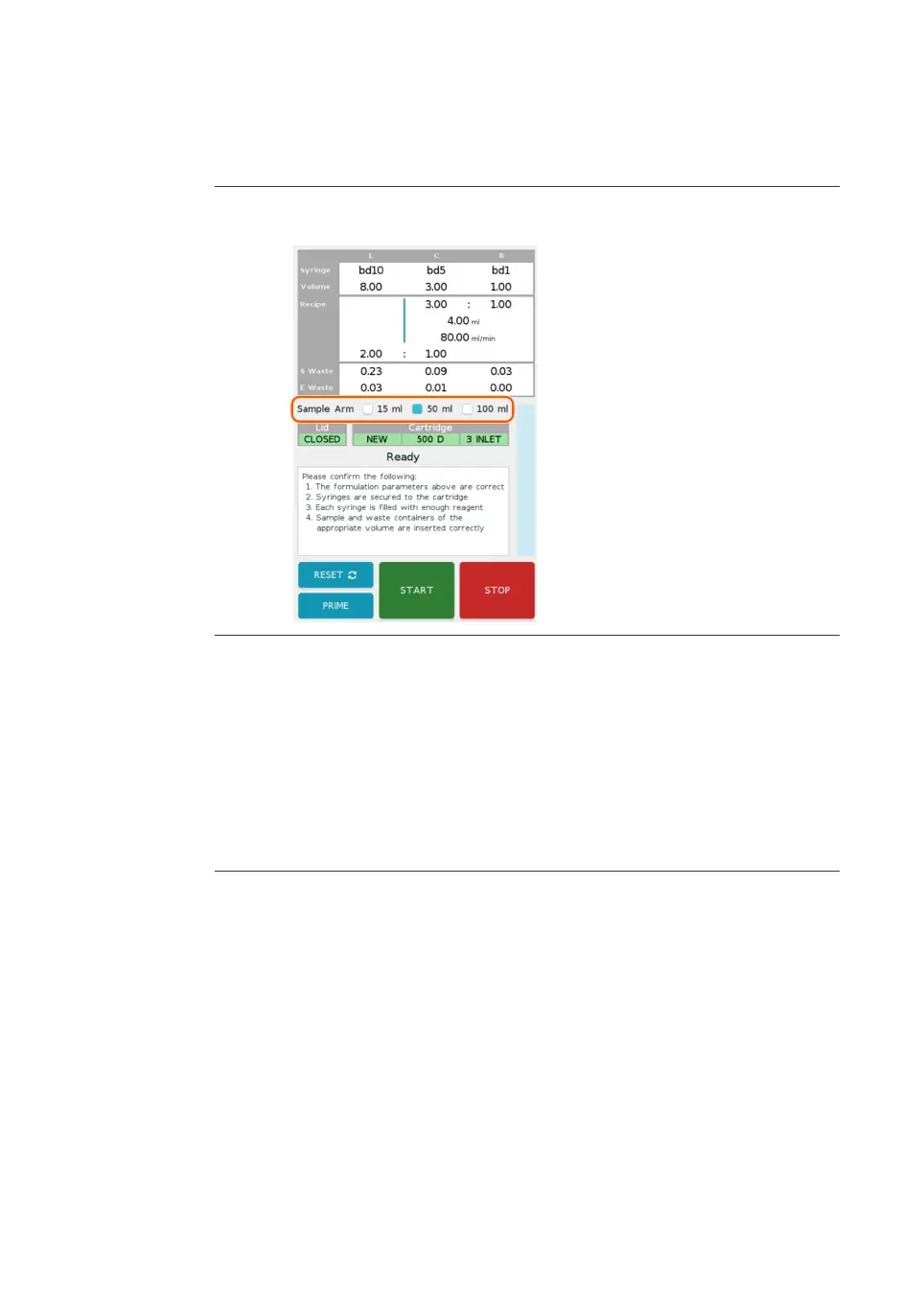
3 If using Ignite+, select the sample arm size by tapping the Sample Arm
check box.
Proceed to the following sections to load the cartridge, syringes, and collection tubes.
R
e
fer to the formulation screen while preparing these items, as the syringes and
required volumes are displayed in the formulation summary in the top half of the
screen.
Quick run
Follow the steps below to perform a quick run.
Step Action
1 Tap Quick Run
on the main menu.
Result:
The Quick Run screen is shown.
2 Enter the syringe selection, mixing parameters, and waste parameters. See
Se
ction 5.1 Parameters, on page 56 for parameter ranges and considera-
tions.
Result:
After all parameters are entered, the system validates the parameter values.
If any validation errors are present, the errors are listed in red at the bottom
of the screen. See Section 5.1.4 Parameter validation, on page 67 for more
information.
3 Tap N
ext
at the bottom right of the screen.
6 Operation
6.
3 Run a procedure
6.3.4 Initiate a run
NanoAssemblr Ignite and Ignite+ Operating Instructions NIN1134 AA 88











 To Next Page