Step Action
Result:
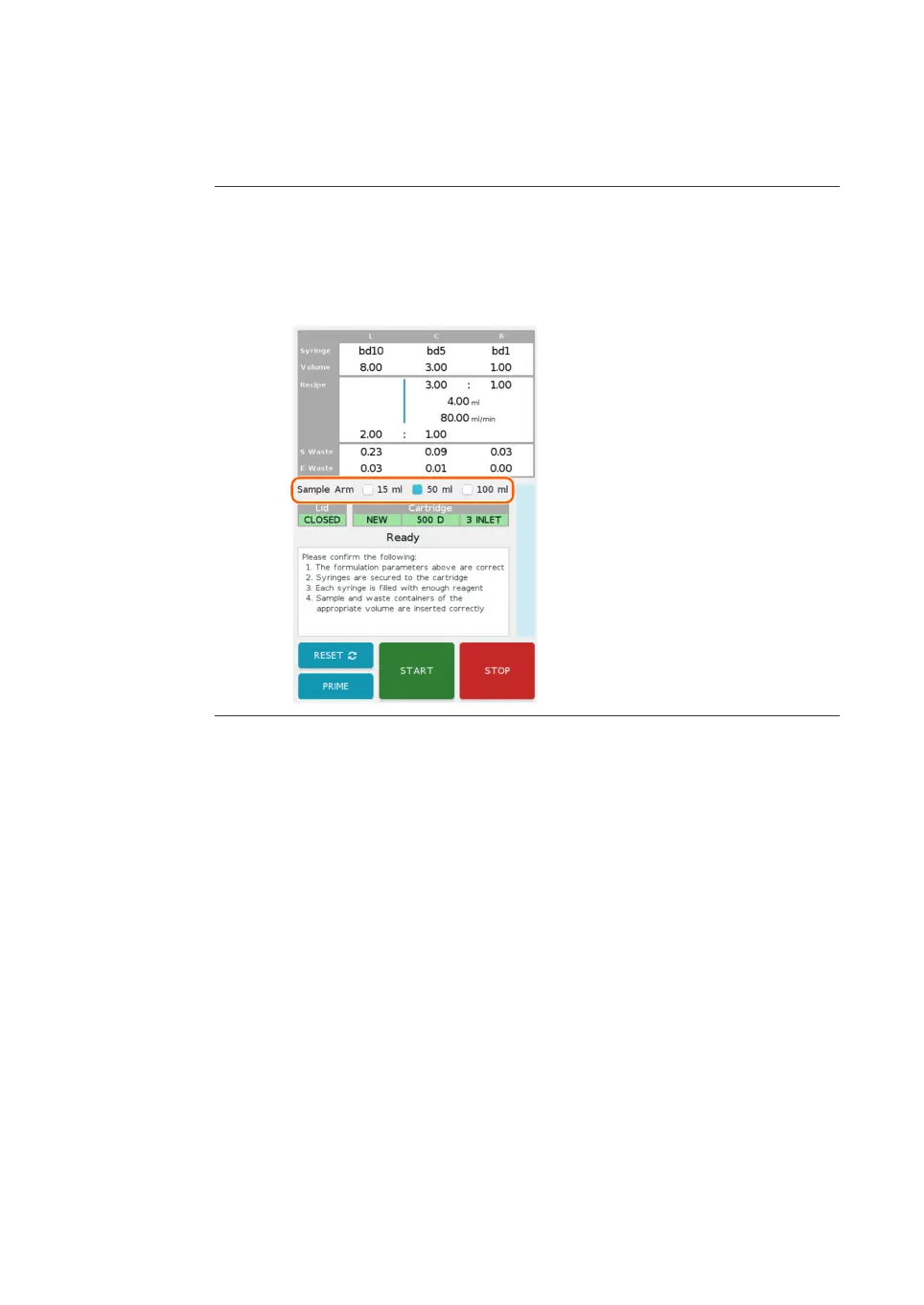
The formulation screen appears. The chosen parameters and next steps are
displayed on the screen.
4 If using Ignite+, select the sample arm size by tapping the Sa
mple Arm
check box.
Proceed to the following sections to load the cartridge, syringes, and collection tubes.
R
e
fer to the formulation screen while preparing these items, as the syringes and
required volumes are displayed in the formulation summary in the top half of the
screen.
6 Operation
6.
3 Run a procedure
6.3.4 Initiate a run
NanoAssemblr Ignite and Ignite+ Operating Instructions NIN1134 AA 89











 To Next Page