Part Name Description
5 Quick Run menu Enables user to directly run formulations, such as
on
e-off formulations or new formulations that
are being refined
6 History menu
E
nables user to access a list of the last 800
f
o
rmulations run on the instrument, including
Quick Run and Recipe formulations
7 Settings menu
E
nables user to adjust the date and time, and
s
y
ringe
Heater control icon
Th
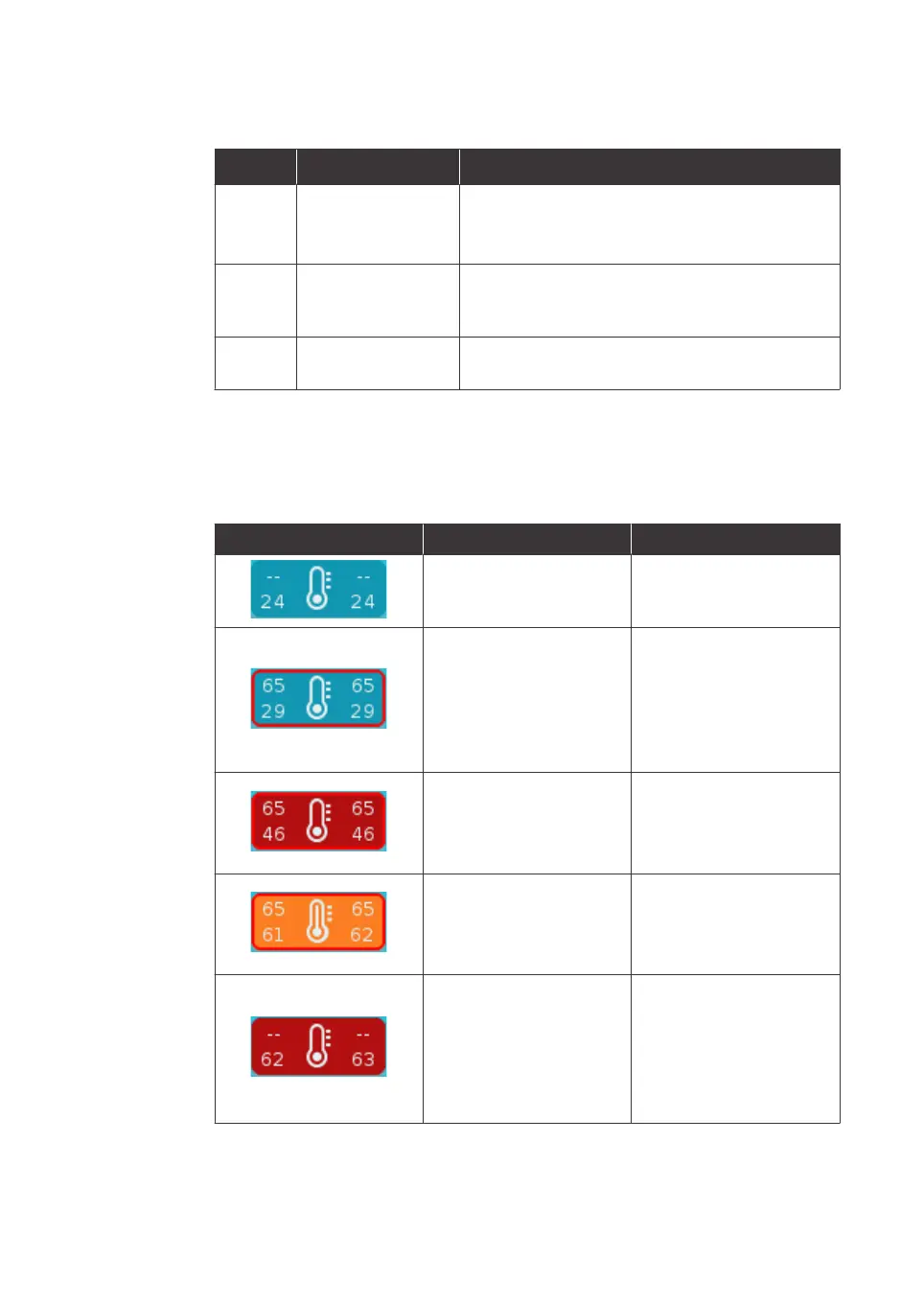
e following table gives examples of how to interpret the information shown in the
heater control icon.
Heater control icon Description Meaning
No setpoints are
di
splayed, no red border,
and background is blue
Both heaters are off. The
temperatures of the
heaters are below 45°C.
Red border with blue
ba
ckground
One or both heaters are
on
, but the temperatures
of the heaters are below
45°C. In this example,
both heaters are on, with
a setpoint of 65°C.
Red border with red
ba
ckground
The red background indi-
ca
tes that the tempera-
ture of one or both
heaters is above 45°C.
Orange background with
r
e
d border
The orange background
i
n
dicates that the
temperature is within 5°C
of the setpoint.
Red background with no
bo
rder
The red border is not
pr
esent because both
heaters are off.
The red background
remains until both
heaters are below 45°C.
Cartridge indicator states
Th
e following table gives the meaning of each cartridge indicator symbol.
3 System description
3.
4 User interface
3.4.1 Main menu
NanoAssemblr Ignite and Ignite+ Operating Instructions NIN1134 AA 30











 To Next Page