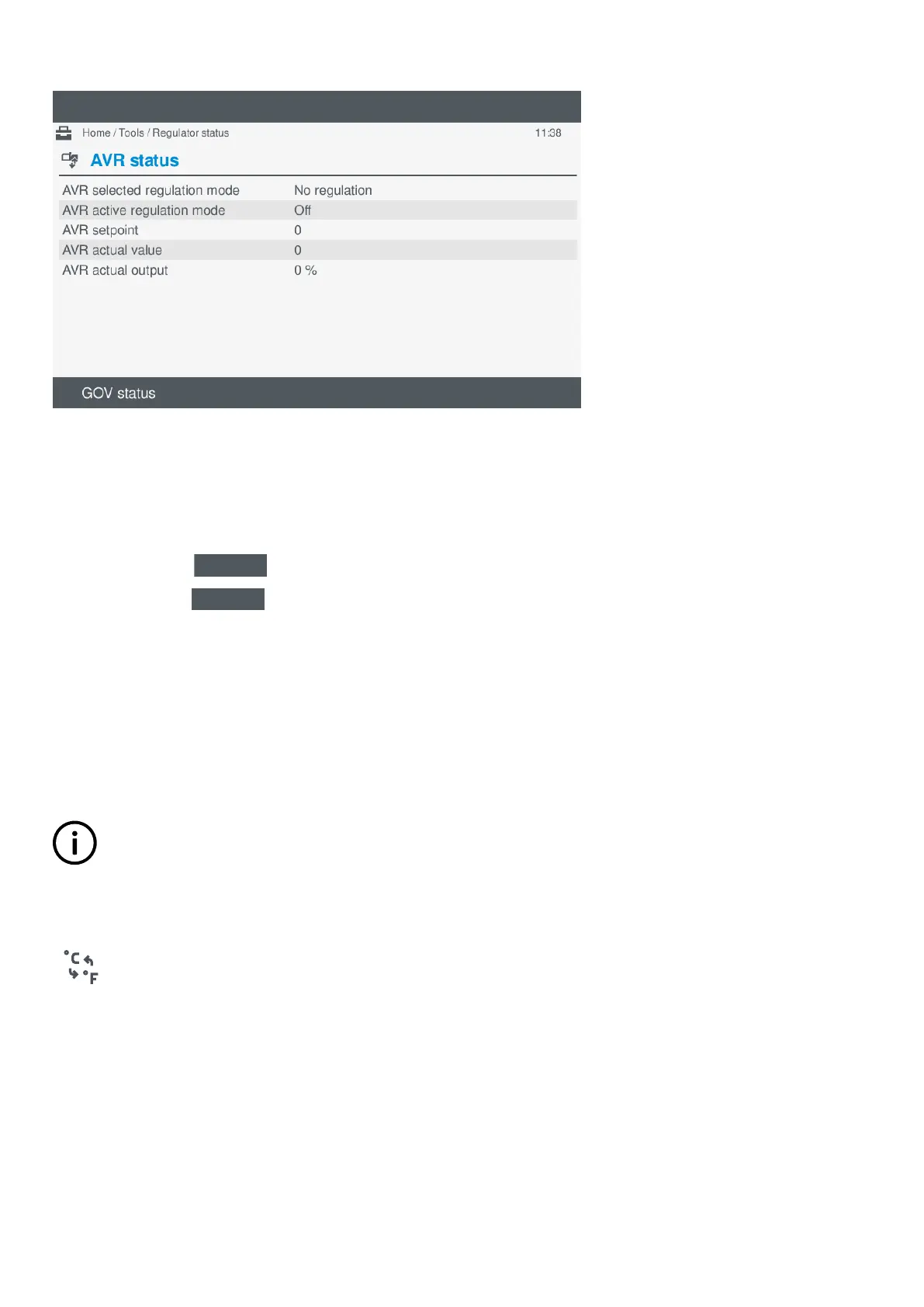
Figure 10.1 Example AVR status screen
Changing status view
To change the status view, perform the following steps:
1. Select Tools, from the Home menu.
2. Select Regulator, from the Tools menu.
3. The AVR status screen is shown by default.
4. Press GOV status
on the AVR status screen to change the view to the GOV status screen.
5. Press AVR status
on the GOV status screen to change the view to the AVR status screen.
10.4 Units
10.4.1 About units
The units page allows you to change the unit of measure for:
• Temperature: C (Celsius) or F (Fahrenheit)
• Pressure: bar or psi
INFO
Changing a unit of measure affects various display unit screens. For example: Live data, parameters, I/O curve
configuration. However, it does not affect PICUS.
10.4.2 View or configure unit settings
View or configure the
Units setting under Tools > Units.
OPERATOR'S MANUAL 4189341099G UK Page 109 of 130



 To Next Page