• ¨
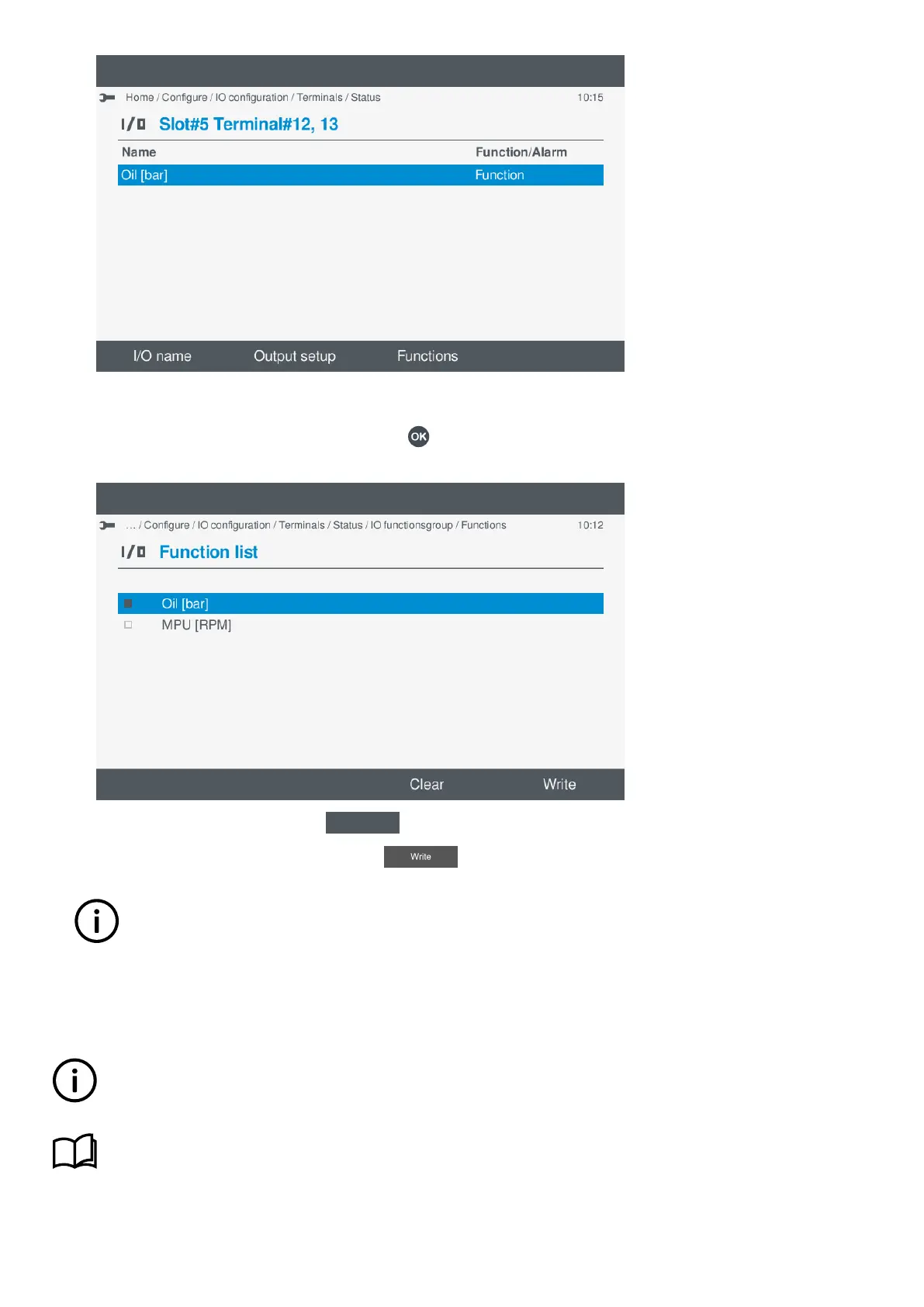
Edit a function or clear function
1. You can re-edit the selected function, by pressing OK
.
• The function is shown on the screen:
•
2. To clear Enabled functions, select Clear
.
3. To save the settings to the controller, select Write
.
INFO
This only applies to the selected functions and does not apply to other I/O change(s).
• The terminal(s) settings are now shown on the screen.
7.10.4 View or configure analogue output (AO) or pulse width modulation (PWM)
INFO
Configure the function before configuring the output setup.
More information
See Analogue output (AO) / Pulse Width Modulation (PWM), Configure function(s) for more information.
OPERATOR'S MANUAL 4189341099G UK Page 81 of 130



 To Next Page