Change date format
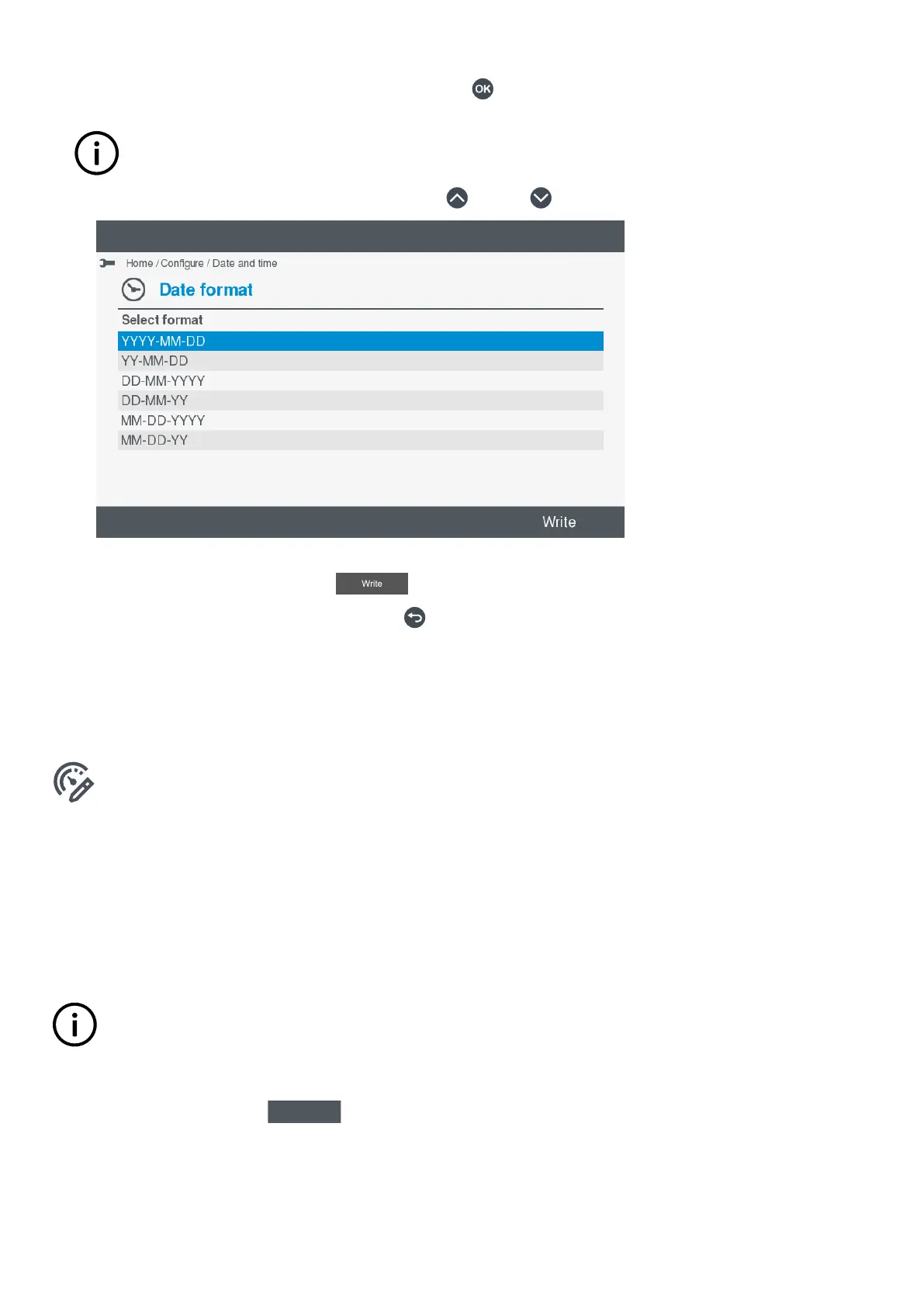
1. To change the date format, highlight Date format and press OK .
INFO
If you are not already logged on, you are prompted to do so.
2. Highlight the date format you wish to select, by pressing Up or Down .
•
3. You can now either:
• Set the date format by selecting Write
.
• Cancel the date format change by pressing Back .
7.2 View design
7.2.1 View or configure View Design
View or configure the controller Live data views under Configure > View design.
From this screen you can:
• Add a new view
• Delete a view
• Rename a view
• Move the views
• Set the displayed range
INFO
Use View design to view or configure the Live data screens for the paired controller.
Add view
1. To add a new view, select Add
.
• A list of available templates is shown on the display.
OPERATOR'S MANUAL 4189341099G UK Page 33 of 130



 To Next Page