Appendix B Accessories|
B-40 Revision August 2008, 03VE, SW V2.04
B.10 Multi-function I/O Extension Card
B.10.1 Functions
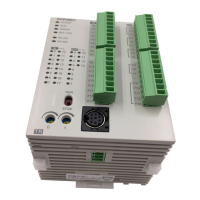
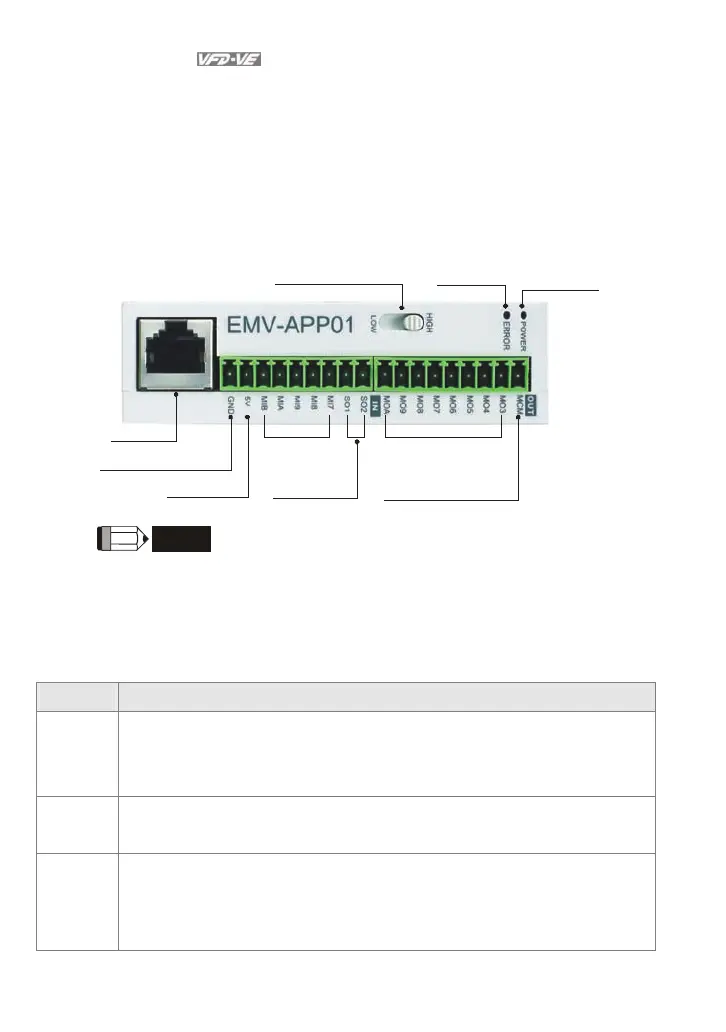
EMV-APP01 optional multi-function I/O extension card is exclusively designed for VFD-VE
series and used with firmware version 2.04 and above. It communicates with the AC motor
drive by RS-485 communication port (COM1). To make sure that the communication is
normal, it needs to set the COM1 communication protocol to RTU mode (8, N, 1), i.e. set
Pr.09-04 to 12 no matter what the baud rate switch is set.
RS485 port
High/Low baud rate switch
Communication
indicator
Power indicator
Analog signal common
Output power
Multi-function
input terminals
Analog output
terminals
Multi-function
output terminals
Multi-function
output common terminal
NOTE
Please operate by the following steps for switching the high/low baud rate,
1. make sure that RS-485 cable is disconnected before operation
2. switch the high/low baud rate
3. set Pr.09-01 to the corresponding baud rate to finish setting
If the RS-485 cable is connected before changing the high/low baud rate, the
communication function will still be invalid even if the communication baud rate (Pr.09-01) is
changed to the corresponding baud rate and the ERROR indicator is normal.
Terminals Description
POWER
Power indicator. It will be ON when EMV-APP01 connects to the AC motor drive
correctly.
ERROR
ERROR indicator. It will be ON when EMV-APP01 can communicate with the AC
motor drive or it will blink.
HIGH/LOW
Baud rate switch for extension card:
HIGH: set the baud rate to 115200
LOW: set the baud rate to 9600


 To Next Page
 Loading...