User Manual for DEVO-12 Page 104 of 238
& Lever Calibration.
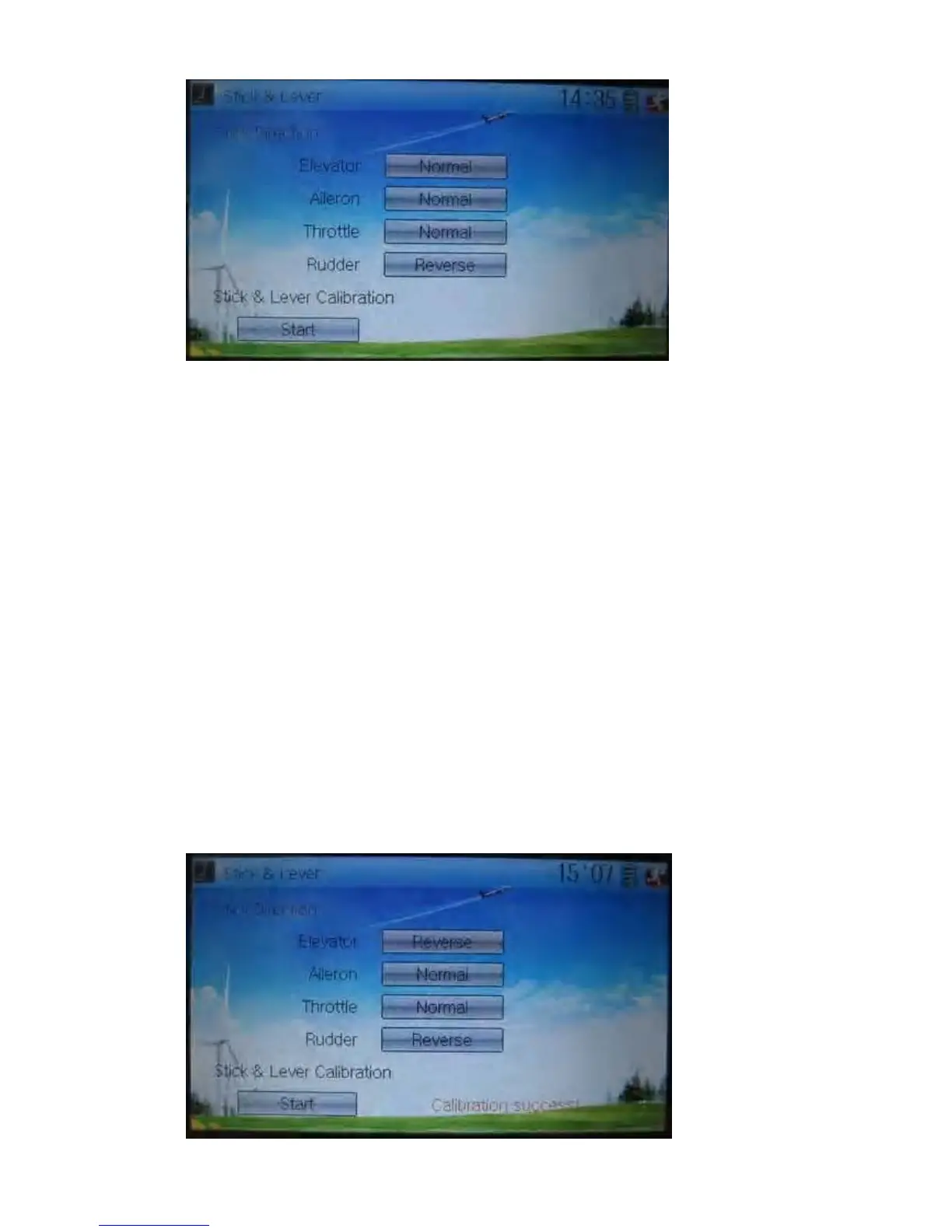
3) Stick direction: there are four options: Elevator, Aileron, Throttle, and Rudder.
Click the item, which you want to reverse, to change the output direction of the
stick. The default setting is Normal.
4) Stick & lever calibration: if variance happened in sticks or levers, it would be
calibrated via this option.
Method for calibration:
Click the display item of Start to enter the status of calibration, and Start will be turned
into Stop.
2.1) Stick calibration: Clockwise or counter clockwise mechanically move the right
stick and left stick from their minimum levels to their maximum levels several times,
and then return the sticks to the neutral positions, respectively.
2.2) Lever calibration: mechanically move the levers of AUX2, AUX3, AUX4, and
AUX5, respectively, from the minimum level to the maximum level several times, and
then return to the neutral positions, respectively.
2.3) Click the display item of Stop. If the calibration is finished, “Calibration success!”
will be shown on the lower of the screen. If the calibration is failed, “Calibration error!
Please try again!” will be shown instead. It need to be calibrated again.



 To Next Page