User Manual for DEVO-12 Page 49 of 238
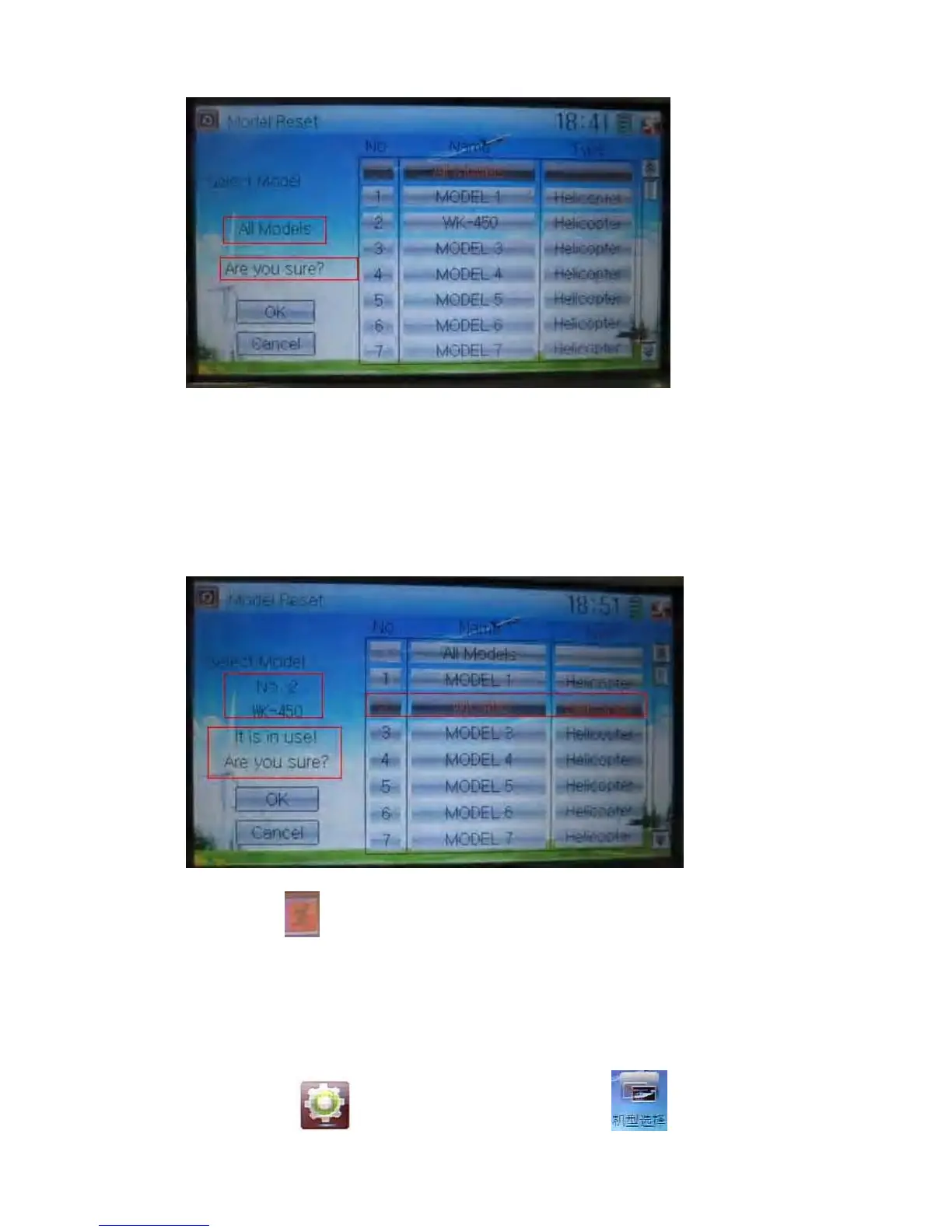
Touch ‘All Models’ in Model Reset interface. Then ‘’All Models” and enquiry “Are you
sure?” appear in the left side. Click OK for reset, or Cancel for rejection.
2) Method for single reset:
Touch the upper or lower navigation mark to move the scroll bar, and then choose the
model you want to restore in the model name list. All the selected model’s name,
serial No and enquiry “It is in use! Are you sure?” will appear in the left side. Click OK
for resetting, or Cancel for rejection.
Click the icon
to exit.
2.6 Type select
This device offers three model types menu. They are helicopter, airplane, and glider,
respectively.
Touch the icon
to enter Model Menu and then click to enter Type



 To Next Page