User Manual for DEVO-12 Page 35 of 238
1.3 Display
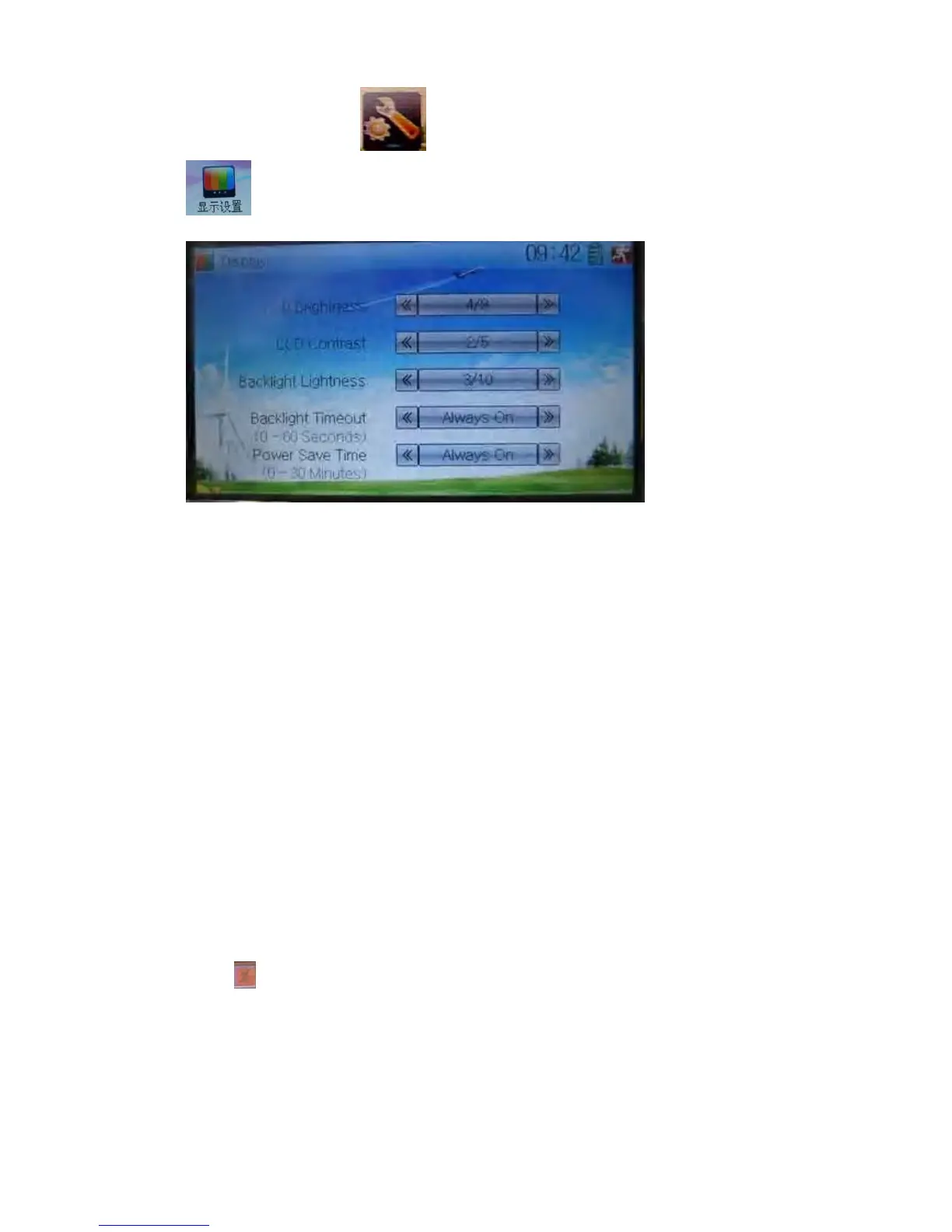
Touch the shortcut icon to enter System Menu and then touch the icon
to enter “Display”.
Five items are available to be set. Below are the setting methods for them:
1) LCD brightness: it is possible to increase or decrease the LCD brightness by
touching the navigation marks. The power consumption will be increased if the
LCD is too bright and the battery cruise duration will also be shortened.
2) LCD contrast: the contrast is adjustable by touching the navigation marks. The
power consumption will be increased if the contrast is too high and the battery
cruise duration will be shortened.
3) Backlight lightness: the backlight lightness is adjustable by touching the
navigation marks. The power consumption will be increased if the backlight
lightness is too bright and the battery cruise duration will be shortened.
4) Backlight time out: it is possible to set the duration which LCD stays at highlight in
the form of “Always on” or any period from 5 to 60 seconds with an interval of 5
seconds.
5) Power save time: it can adjust the duration which turns off the backlight light in
order to prolong the battery cruise time. The setting status contents Always on and
30 grades with an interval of 1 minute.
Touch
to exit.



 To Next Page