User Manual for DEVO-12 Page 209 of 238
Left elevator D62.5%- U62.5%
AUX7 -62.5%- +62.5%
Note: the model names shown will be different with the selected channels different.
Click the icon
to exit after finished.
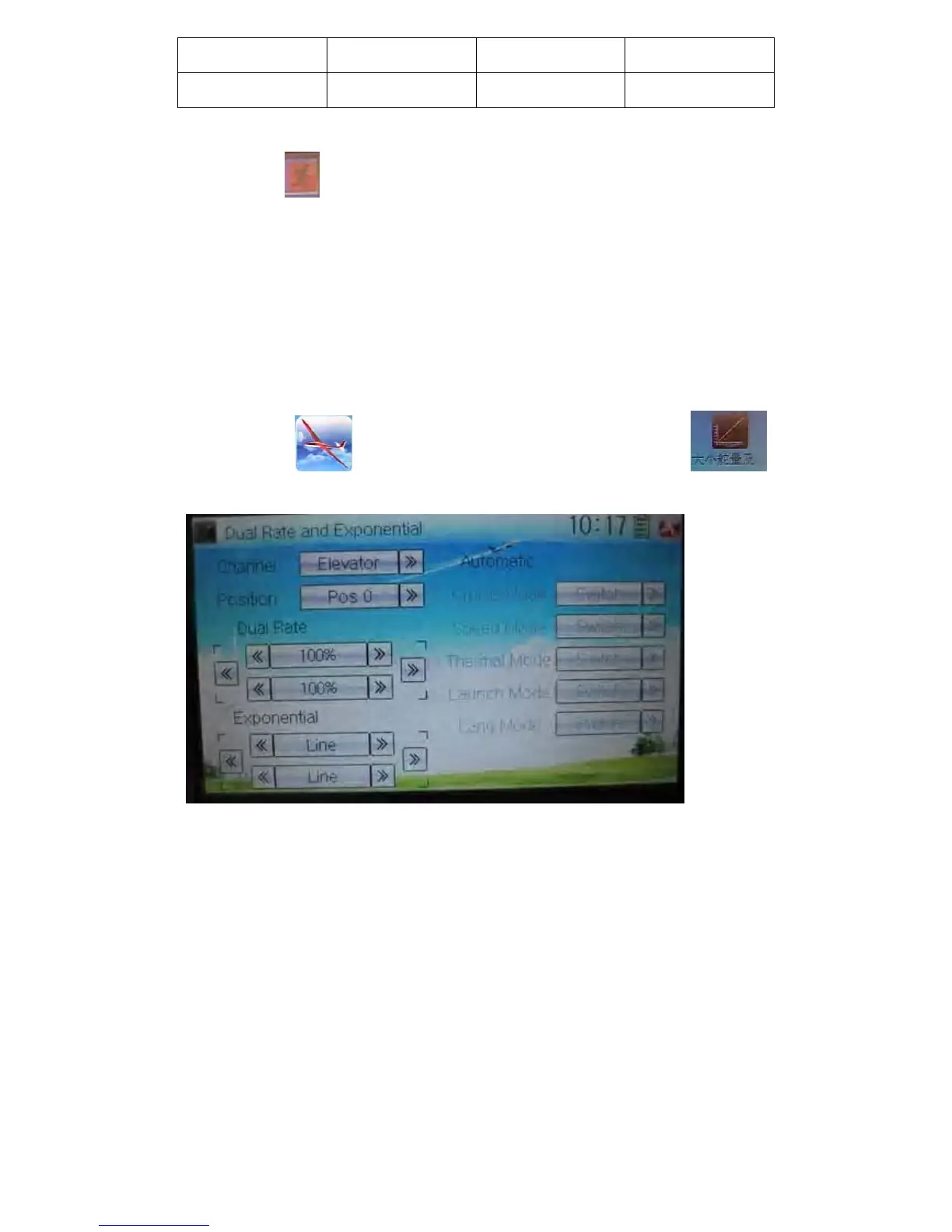
3.4 Dual rate and exponential
It is possible to use D/R switch to control over the dual rate of elevator, aileron, and
rudder after the function of Dual Rate and Exponential is set up. The setting range is
0-125%. Under the help with exponential curve adjustment, it is not only manually but
also automatically to set up various parameters which are suitable for yourself.
Setting method:
Touch the icon
to enter Function Menu and then click the icon
to enter the interface of Dual Rate and Exponential.
1) Channel selection
Touch the navigation mark of Channel and expand a selectable list including Elevator,
Aileron, and Rudder. Click the desired channel which will be shown in Channel.
2) Position selection
Touch the navigation mark of Position and expand a selectable list including Pos 0,
Pos 1, Pos 2, Pos 3, Pos 4, and Pos 5. Click the desired item which will be shown in
Position. There will only show Pos 0, Pos 1, and Pos 2 in manual setting.
3) Dual Rate adjustment
It is possible to modify the value by touching the navigation mark of Dual Rate.



 To Next Page