User Manual for DEVO-12 Page 224 of 238
Setting method:
Touch the icon
to enter Function Menu, and then click the icon
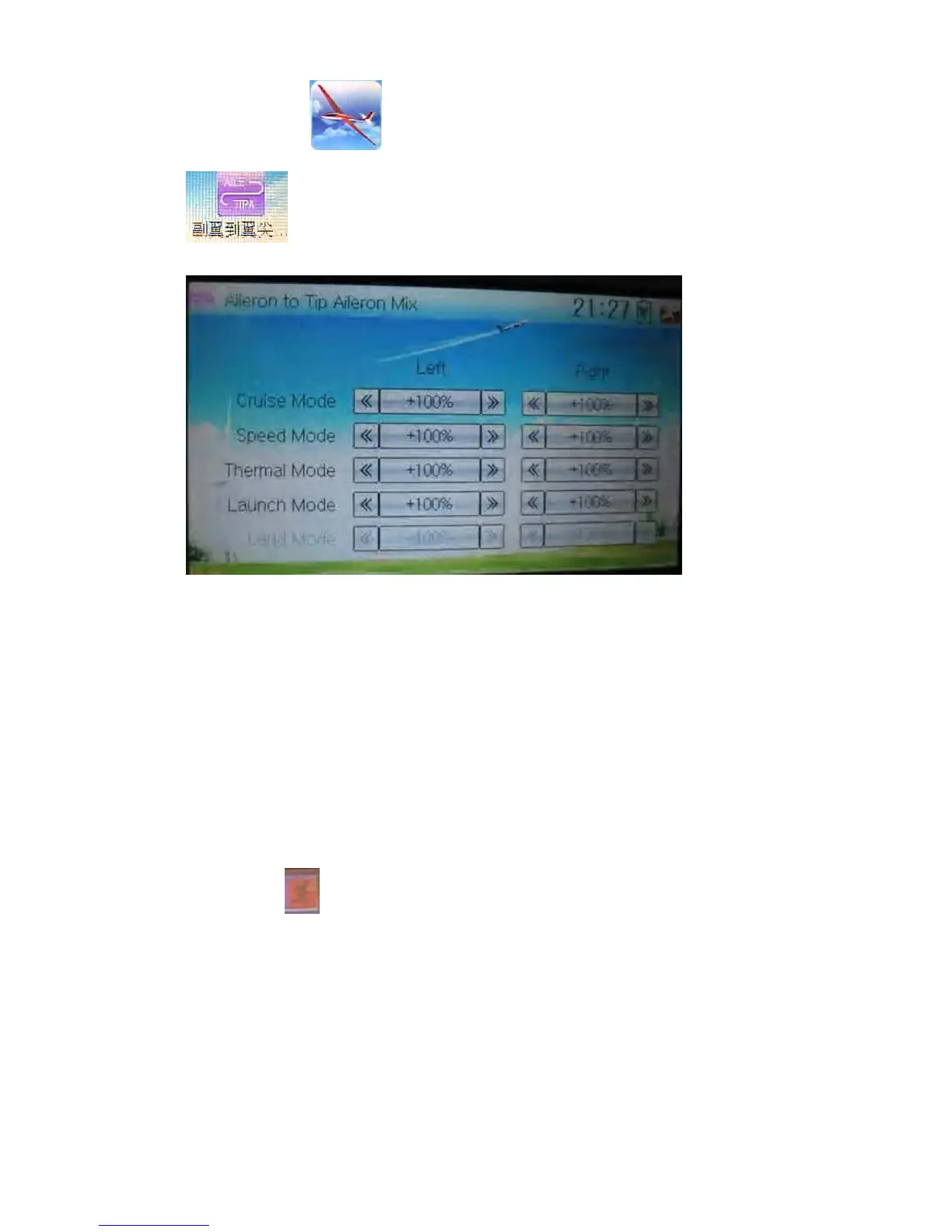
to enter the interface of Flap to Tip Aileron Mix.
There are total five flight modes. The corresponding flight mode should be previously
set at Device Select in Mode Menu (refer to “2.10 Device Select”).
Touch the navigation mark of Left in the flight mode you desire to change the flap mix
value when moving the aileron stick leftward. It is possible to alter the mix direction via
changing the sign before the value. The adjustable mix value is ± 125%. The default
setting is 100%.
Touch the navigation mark of Right in the flight mode you desire to change the flap
mix value when moving the aileron stick rightward. It is possible to alter the mix
direction via changing the sign before the value. The adjustable mix value is ± 125%.
The default setting is 100%.
Click the icon
to exit.
3.16 Flap rate
This function can set the flap rate in all the flight modes. 0% is set as the neutral
center of flap angle. It is possible to set the flap rates of both up and down directions.
There are total five flight modes, each one of which should be previously set at Device
Select in Model Menu (refer to “2.10 Device Select”).
Setting method:



 To Next Page