User Manual for DEVO-12 Page 133 of 238
3.0 Function Menu
Function Menu is used to make personalizedly fine adjustment to the selected models.
It includes Reverse Switch, Travel Adjust, Sub Trim, Dual Rate and Exponential,
Throttle Hold, Throttle Curve, Snap Roll, Differential setting, Balance setting, Gyro
Sensor, Governor, Aileron to Rudder Mix, Elevator to Flap Mix, Rudder to Aileron/
Elevator Mix, Flap System, Aileron to Flaperon Mix, Pitch Curve, Program Mix,
Monitor, Fail Safe, Trainer, and Timer.
3.1 Reverse switch
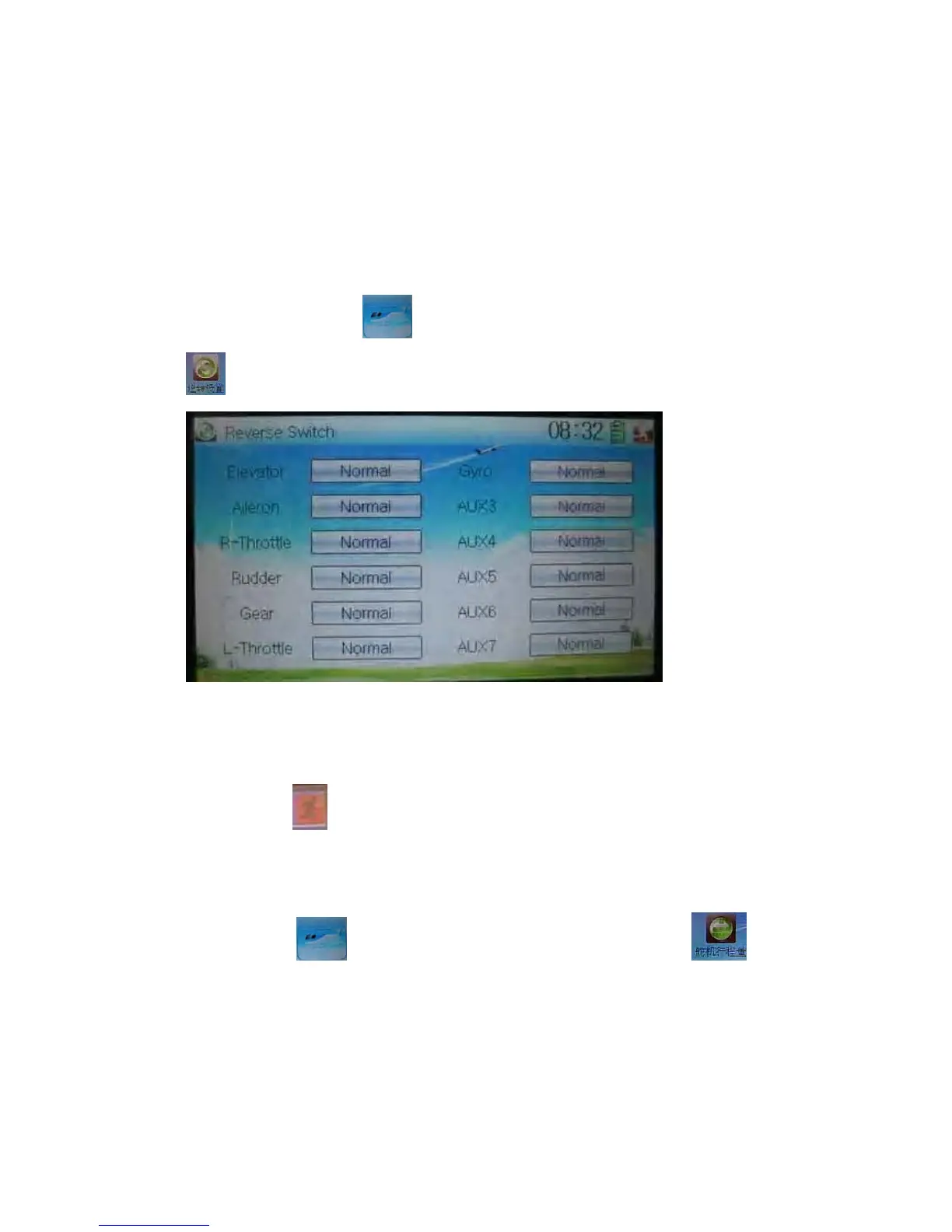
Touch the shortcut icon to enter Function Menu, and then click the icon
to enter the interface of Reverse Switch.
There show all the reverse switches’ statuses of travel channels. Touch the desired
item to reverse its current status. The status includes two types: Normal and Reverse.
The default setting is Normal.
Touch the icon
to exit after finished.
3.2 Travel adjust
Touch the icon to enter Function Menu and then click the icon to
enter the interface of Servo Adjust.



 To Next Page