User Manual for DEVO-12 Page 213 of 238
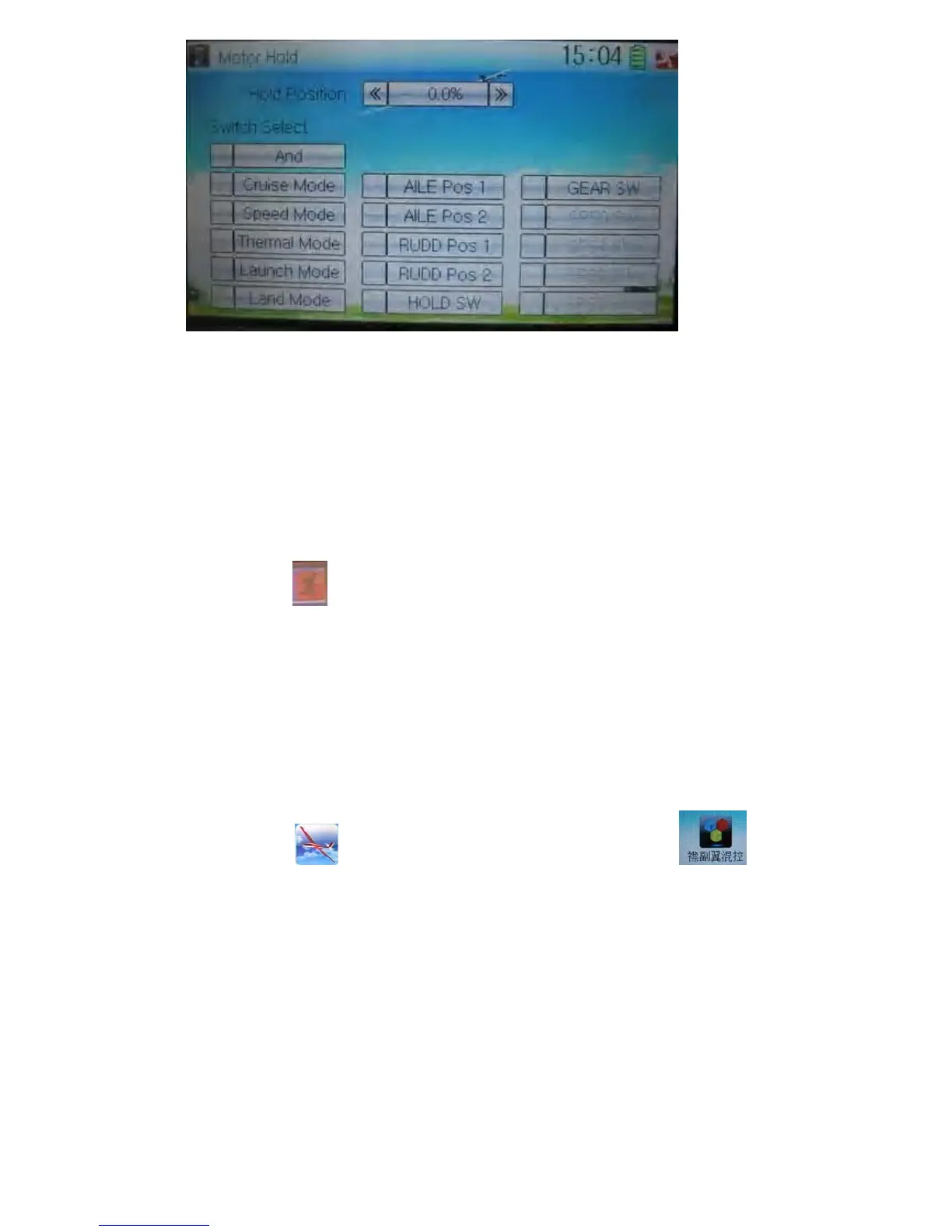
1) Hold Position setting
Touch the left or right navigation mark of Hold Position to decrease or increase,
respectively, the amount. The adjustable range is from -10.0% to 100.0%. the default
setting is 0.0%.
2) Switch select
Touch the switch you want and a “√” will be shown in its left. If two or more switches
are chosen, the item And should be selected.
Touch the icon
to exit.
3.6 Flaperon mix
This function is used to mix Aileron to Flaperon, or mix Elevator to Flaperon. The mix
amount can be independently set in each flight mode.
The output rate of flap in each flight mode should be previously set
Setting method:
Touch the icon
to enter Function Menu, and then click the icon to
enter the interface of Flaperon Mix.



 To Next Page