User Manual for DEVO-12 Page 56 of 238
Refer to “Flight Mode Main Switch”.
2.11 Device Output
Device output is composed of eight items. It can set up output switches and select the
usage of levers, respectively. It can also activate, inhibit or use other functions.
Setting method:
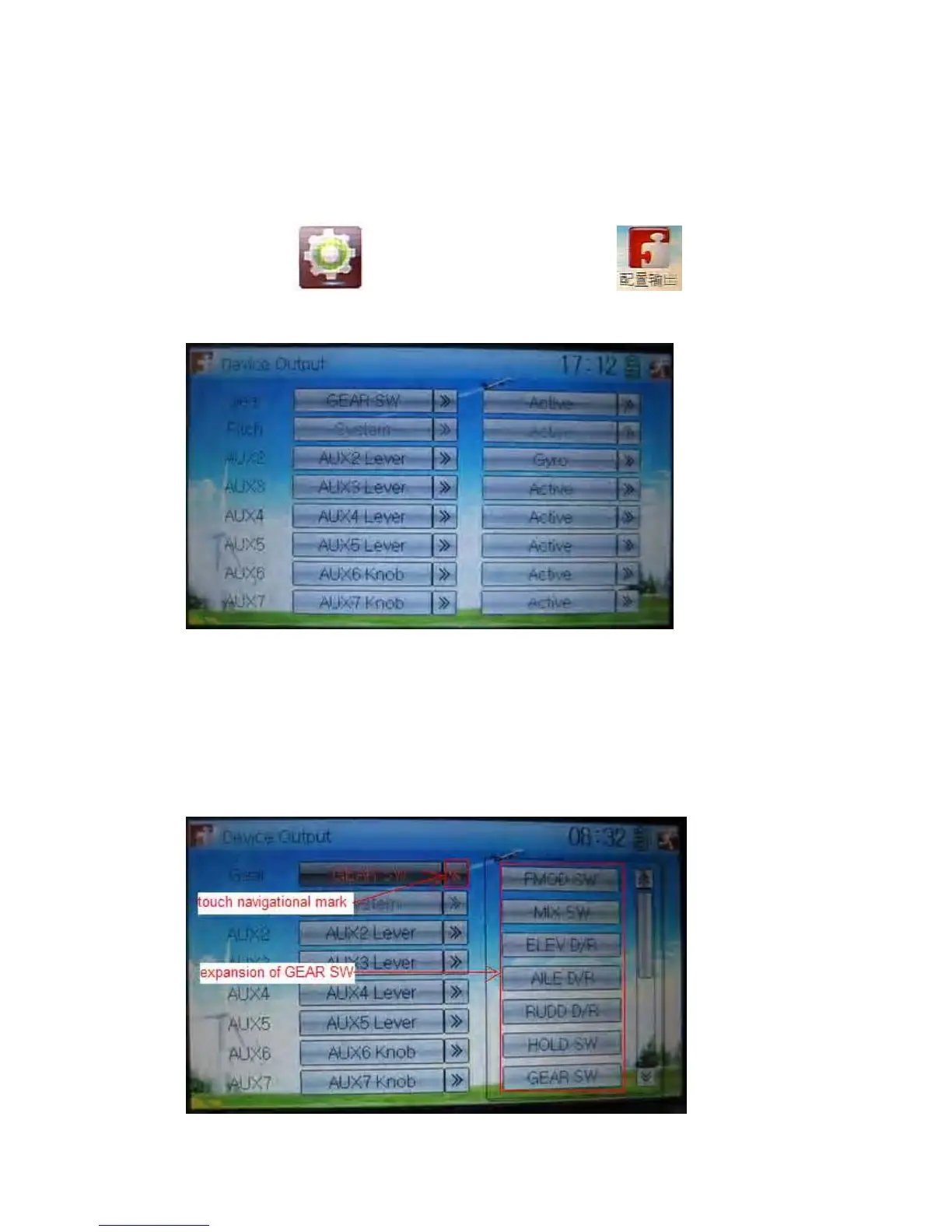
Touch the icon to enter Model Menu and then click to enter the
interface of Device Output.
There are eight adjustable items. They are Gear, Pitch, AUX2, AUX3, AUX4, AUX5,
AUX6, and AUX7, respectively. The setting methods for them are shown below:
1) Gear
Touch the left column navigation mark of Gear and pop up an expansion list including
FMOD SW, MIX SW, ELEV D/R, AILE D/R, RUDD D/R, HOLD D/R, and GERA SW.
Touch the desired item. The default setting is GEAR SW.



 To Next Page