User Manual for DEVO-12 Page 97 of 238
B) Setting for Timer 2 is same as that for timer 1.
Touch the icon
to exit after finished.
Part three: Airplane
1.0 System menu
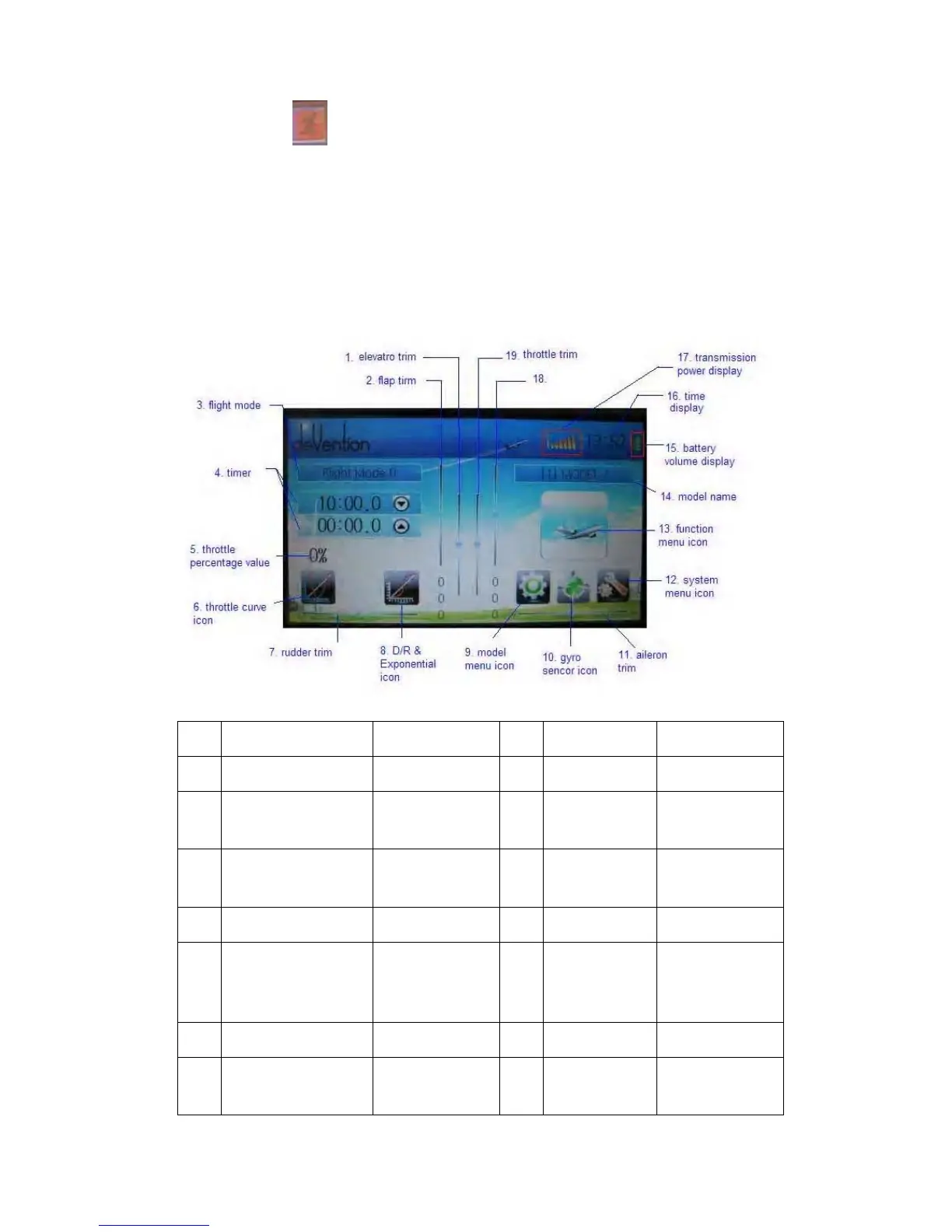
The boot screen of airplane is shown as below:
N/O English Your language N/O English Your language
1 Elevator trim 11 Aileron trim
2 Flap trim 12
System menu
icon
3 Flight mode 13
Function
menu icon
4 Timer 14 Model name
5
Throttle percentage
value
15
Battery
volume
display
6 Throttle curve icon 16 Time display
7 Rudder trim 17
Transmission
power display



 To Next Page