User Manual for DEVO-12 Page 145 of 238
3) Flight mode selection
It can be set in various flight modes whether or not to use the snap roll function. All the
flight modes are shown at the bottom or interface. Click the flight mode you want.
Click the icon
to exit after finished.
3.8 Differential
If want to use this function, Flaperon, DELTA, or 4-Aileron should be previously
selected in Wing Type of Model Menu. Refer to “2.12 Wing Type”.
A. Aileron differential setting:
Touch the shortcut icon
to enter Function Menu, and then click the
icon
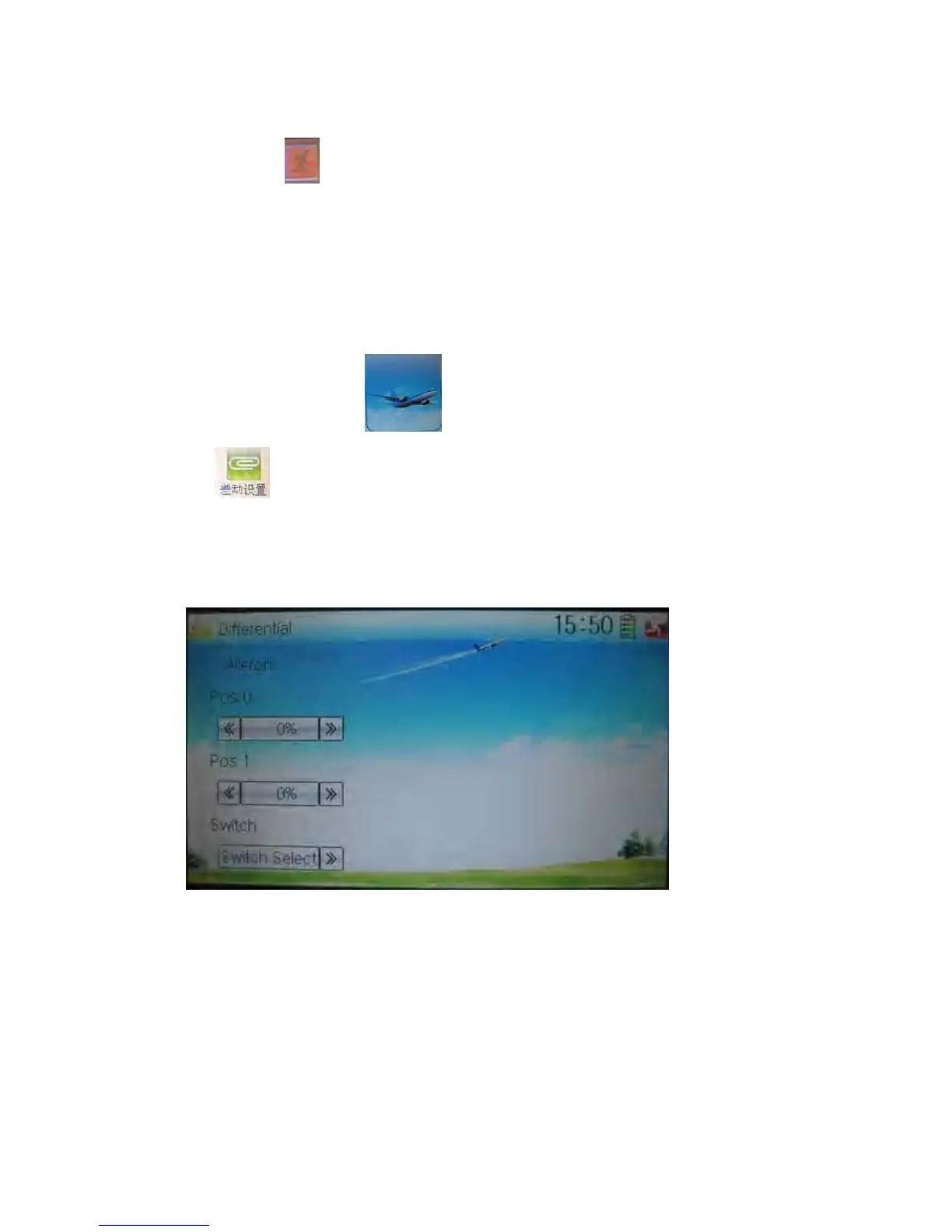
to enter the interface of Differential.
Mounting servos in left and right ailerons are a must if using this function. The
following interface will be shown after Flaperon, DELTA, or 4-Aileron selected in Wing
Type. Refer to “2.12 Wing Type”.
1) Setting for Pos 0
Touch the left or right navigation mark of Pos 0 to decrease or increase, respectively,
differential value. The bigger the value is, the bigger the differential is. The adjustable
range is ± 100%.
2) Setting for Pos 1
The setting is same as above.
3) Switch selection



 To Next Page