User Manual for DEVO-12 Page 144 of 238
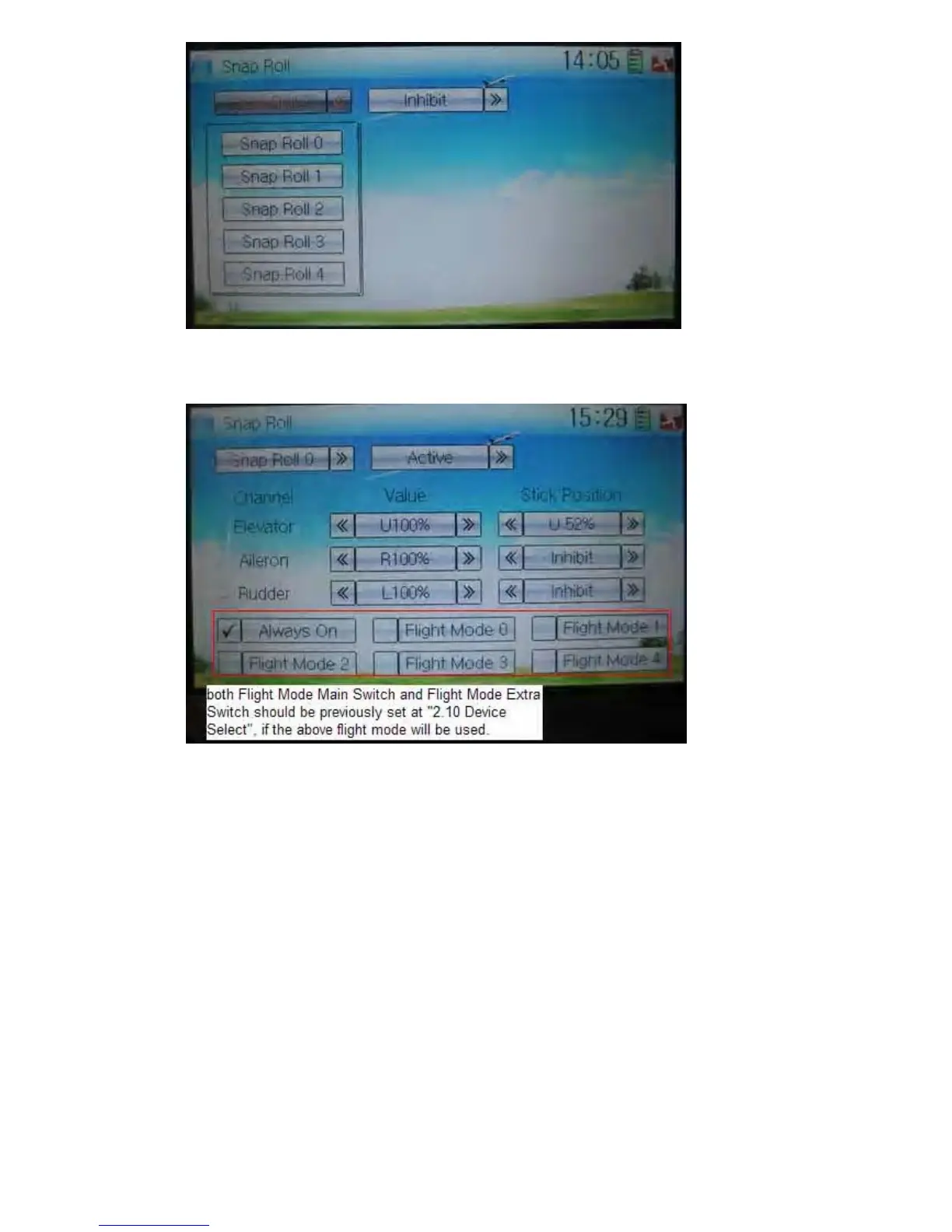
Touch the navigation mark of Inhibit and expand two options: Inhibit and Active. A
dropdown menu will be expanded after Active selected.
There show such items as Channel, Value, Stick Position and the flight mode (if both
Flight Mode Main Switch and Flight Mode Extra Switch should be previously set at
Device Select in Model Menu, if the flight mode will be used. Refer to “2.10 Device
Select”). Through changing the amounts of Elevator, Aileron, and Rudder, respectively,
set the snap roll flight in the actions of left or right ascending, or left or right
descending. The snap roll flying can be controlled by the Training lever, or by setting
the corresponding stick position.
1) Value setting
Change the value, by touching the left or right navigation mark of Elevator, Aileron, or
Rudder, to set the corresponding servo lever’s angle and the control direction. The
adjustable range is 0-125%.
2) Stick position setting
Change the position, by touching the left or right navigation mark of Elevator, Aileron,
or Rudder, to set the stick position and the control direction. If Stick Position is set as
Inhibit, only Training lever can control over the snap roll flying.



 To Next Page