User Manual for DEVO-12 Page 22 of 238
Note: pay attention to the strength when removing and adjusting the screws.
Excessive strength may damage them.
9.0 Training function
Two DEVO-12 working together can execute the training function to meet the
requirements for the beginners. The setting method is shown as below:
1) Data copy
Using the wireless copy function of the two DEVO-12 transmitters, the model data
saved in the trainer’s transmitter can be transmitted to the trainee’s to ensure the
model parameters are exactly same. Regarding the copying method, refer to 2.4
Model Wireless Copy at “Part Two: Helicopter”. Then fallow the steps below:
2) Linkage
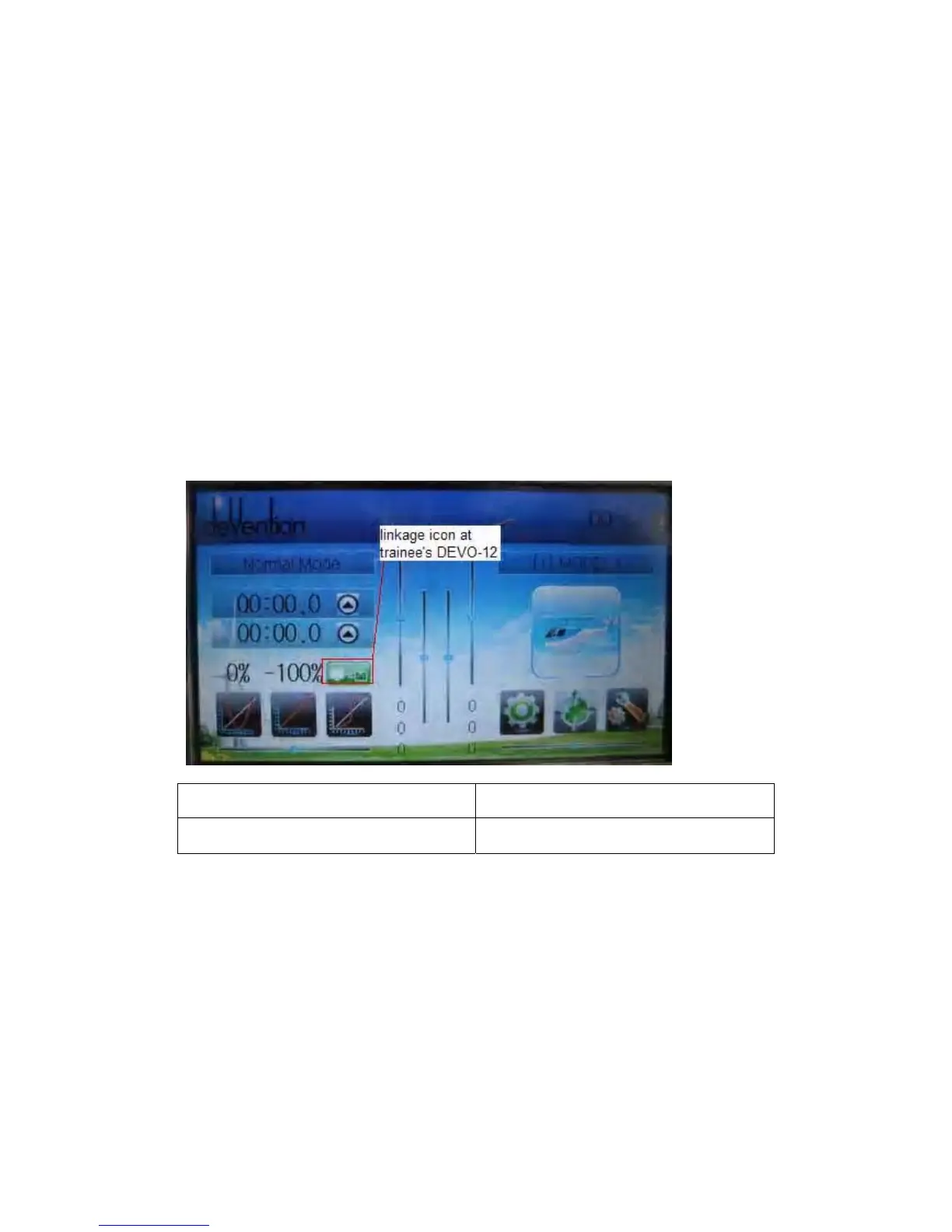
Insert one end of the signal wire into DSC socket at the rear face of the trainee’s
DEVO-12, and then turn on the power. A linkage icon will be shown on the boot screen.
Find out the trainee’s model data.
English Your language
Linkage icon at trainee’s icon
Turn on the power of the trainer’s DEVO-12. Find out the trainee’s model data, and let
the trainer’s DEVO-12 fly the aircraft model normally. Then turn off the power.
Insert the other end of the digital signal wire into the trainer’s DEVO-12, and then turn
on its power. A linkage icon will be shown as below:



 To Next Page