User Manual for DEVO-12 Page 117 of 238
English Your language
Switch status
“Position” and switch status appear under
“Channel”
Click the icon
to exit after the setting finished.
2.9 Warning
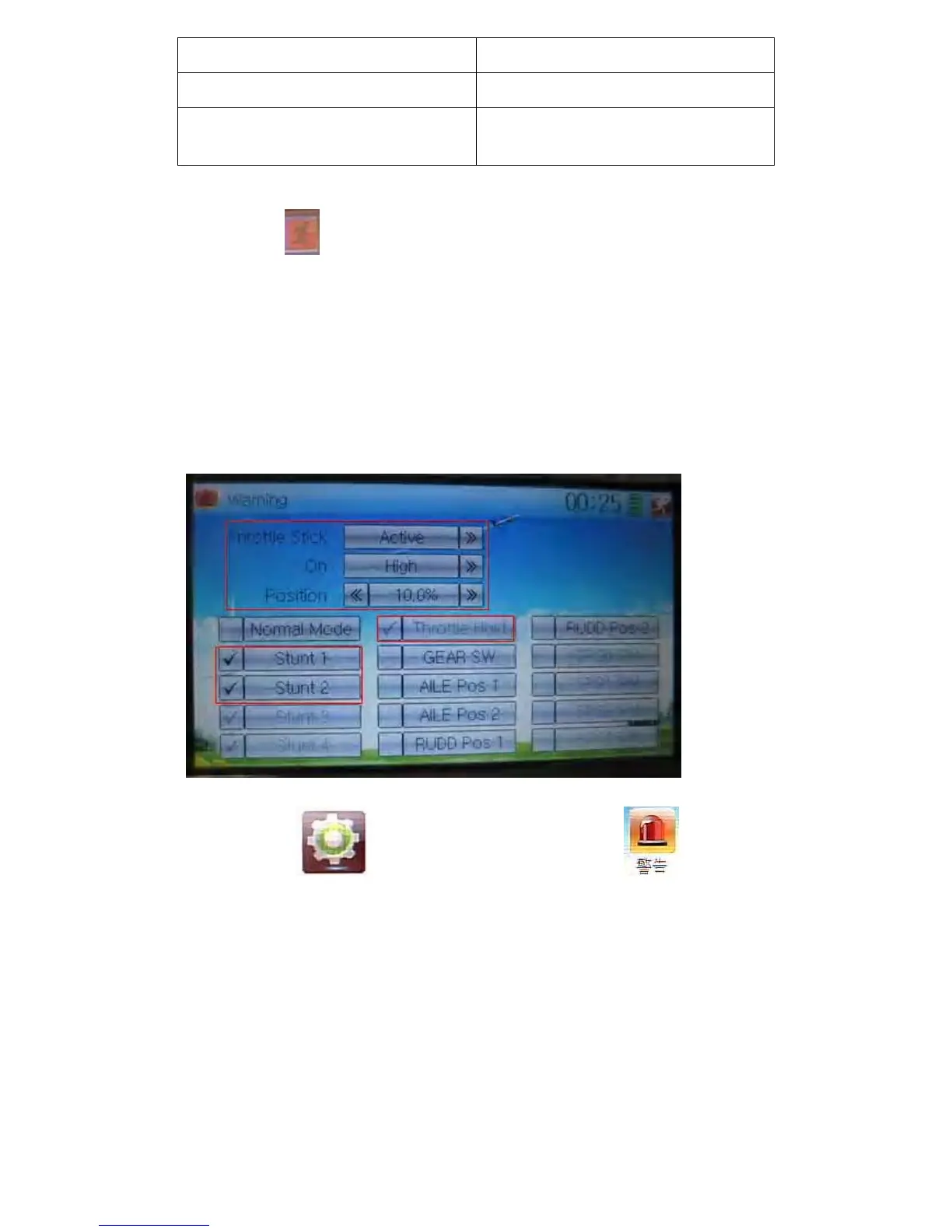
This function can set the warning for unsafety of which stick, switch status, or flight
mode stay at the position while turning on the device, or is used as start-up warning in
special purpose.
The factory default is set Throttle Stick as Active, High direction at 10.0% Position, set
flight mode as Stunt, and set Throttle Hold at on position.
Touch the icon
to enter Model Menu and then click to enter the
interface of Warning.



 To Next Page