User Manual for DEVO-12 Page 147 of 238
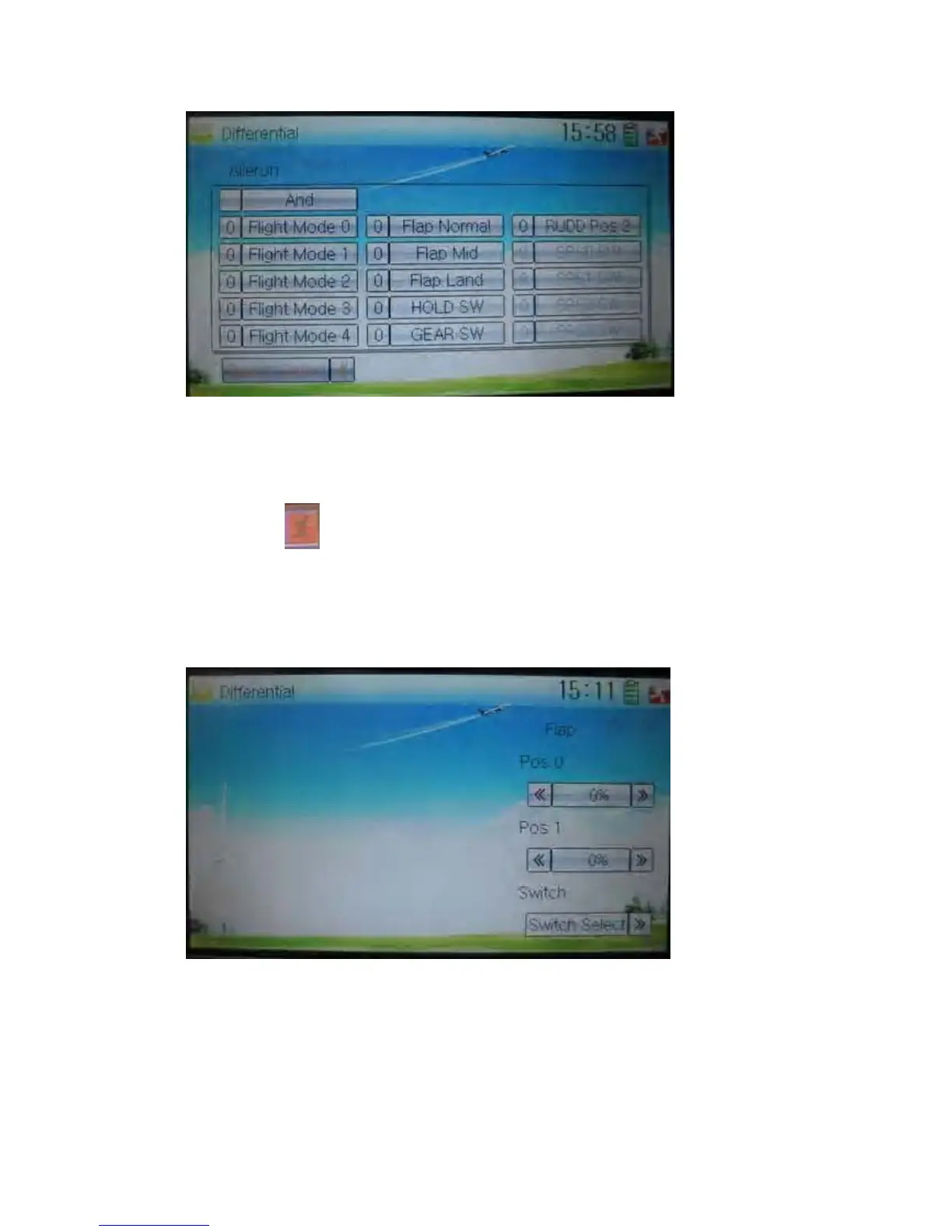
3) Switch selection
It is possible to switch by setting switch when differential is in use.
Touch the navigation mark of Switch and expand a selectable list. Click the switch
item, which you desire, to change “0” into “1”. If two or more switch items are selected,
And should be chosen. Then click the navigation mark to return.
Click the icon
to exit after finished.
C. Flap differential setting
It should be previously set the flap dual channel function in Device Output at Model
Menu (refer to “2.12 Wing Type”) in order to activate the menu of Flap Differential.
1) Setting for Pos 0
Touch the left or right navigation mark of Pos 0 to decrease or increase, respectively,
differential value. The bigger the value is, the bigger the differential is. The adjustable
range is ± 100%.
2) Setting for Pos 1
The setting is same as above.



 To Next Page