User Manual for DEVO-12 Page 155 of 238
Aileron/ Elevator Mix.
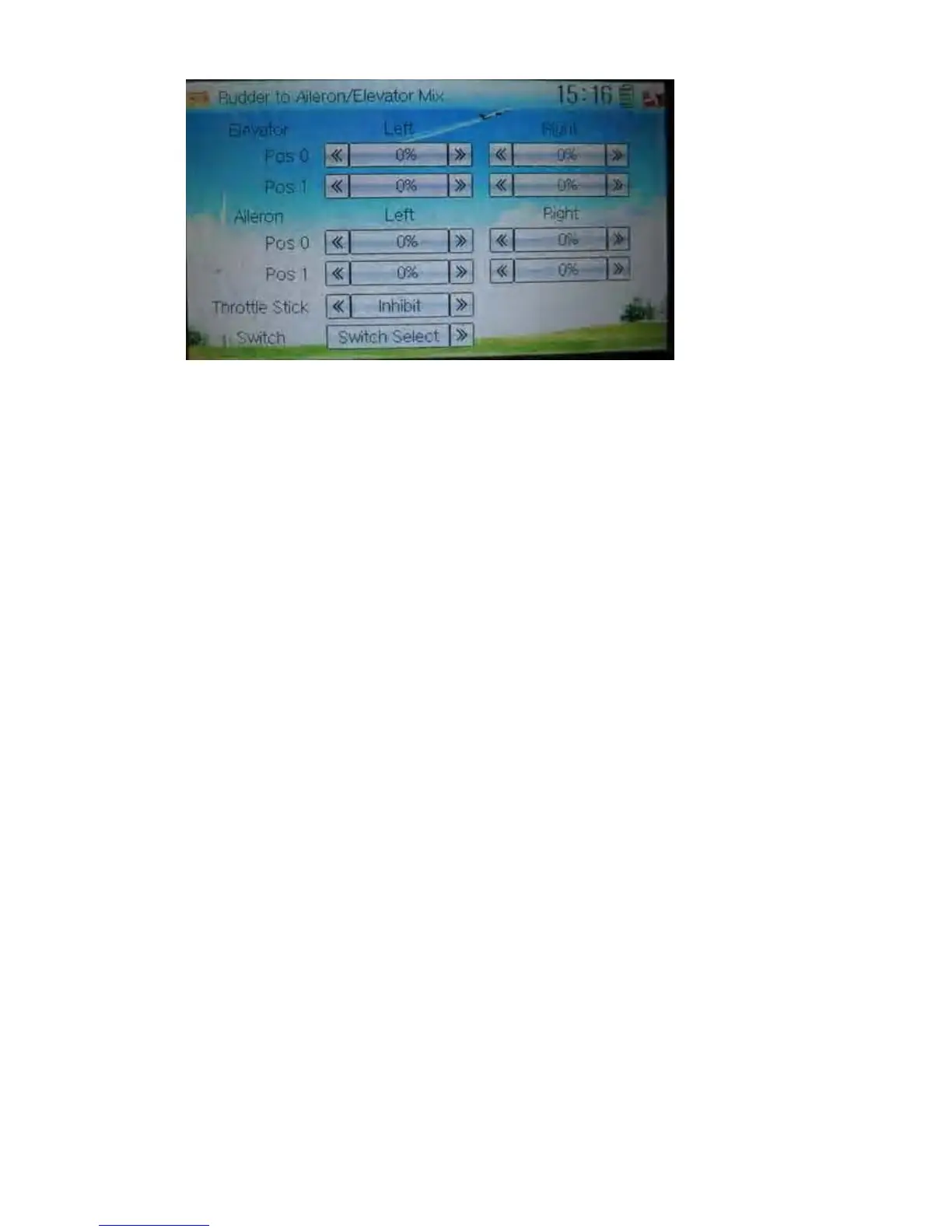
1) Elevator setting
1.1) Pos 0 setting:
Touch the left or right navigation mark of Left at Pos 0 to change the value, and the
leftward mix value of rudder to elevator will be changed.
Touch the left or right navigation mark of Right at Pos 0 to change the value, and the l
rightward mix value of rudder to elevator will be changed.
The mix direction will be revised by changing the symbol of plus or minus before the
value. The adjustable range is ±125%.
1.2) Pos 1 setting
Setting is same as above.
2) Aileron setting
Setting is same as above.
3) Throttle stick setting
The switch between Pos 0 and Pos 1 can be realized by setting the position of throttle
stick. Touch the left or right navigation mark of Throttle Stick to the position amount of
throttle stick. The default setting is Inhibit. The adjustable range is 0.0-100.0%.
4) Switch setting
Touch the navigation mark of Switch and expand a dropdown menu including some
selectable items. Click the desired item and “0” before the item will be changed into
“1”. If two or more items are selected, And should be selected. Then touch the
navigation mark to return back.



 To Next Page