User Manual for DEVO-12 Page 172 of 238
Take countdown manner as an example to explain.
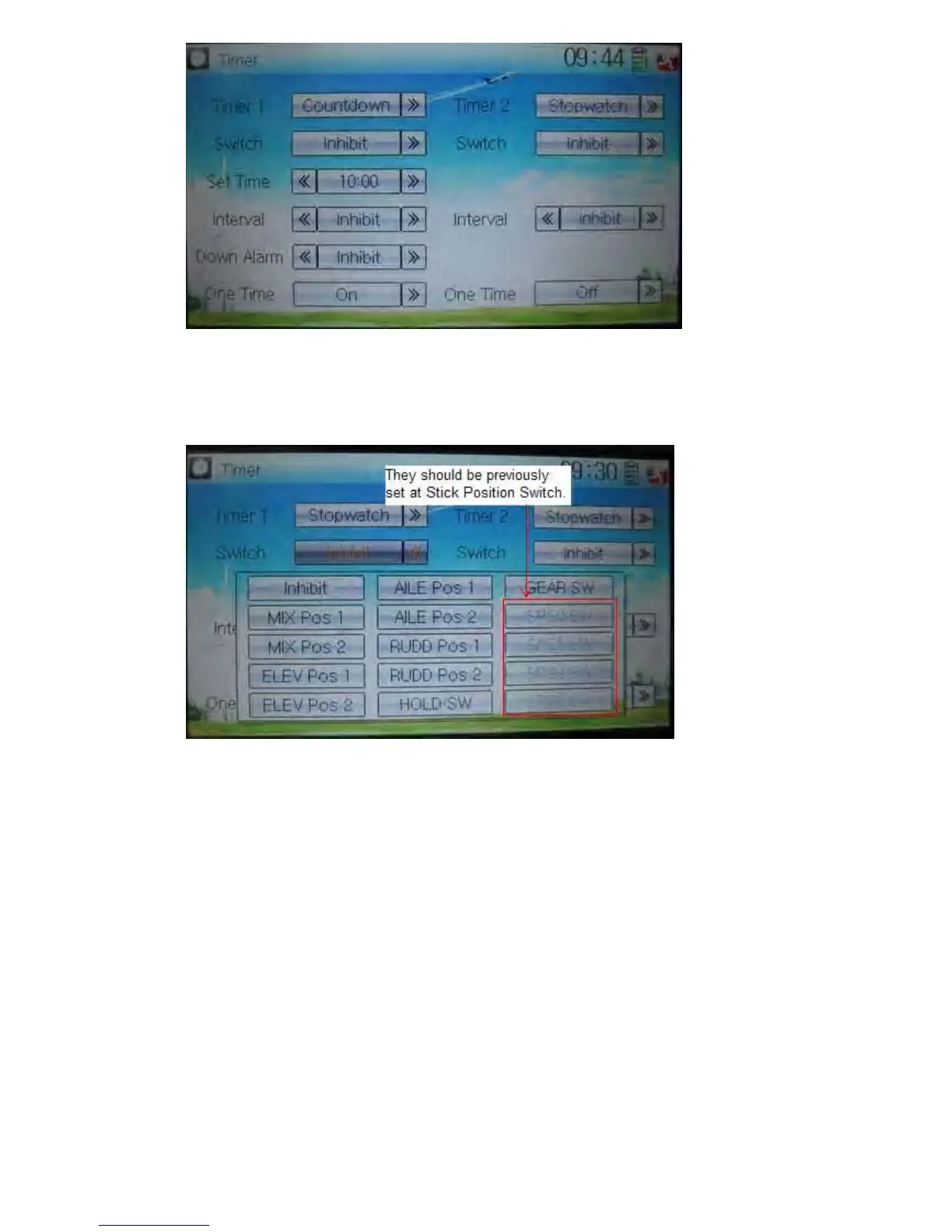
8) Switch selection
Touch the navigation mark of Switch and get a selectable dropdown
We can select the desired item but these items of SPS0 SW, SPS1 SW, SPS2, and
SPS3 which should be previously set at Stick Position Switch at Model Menu (refer to
“2.8 Stick Position Switch”).
9) Set time
The settable countdown time range is from 00:05 to 59:55.
10) Interval
This item offers the possibility to set the warning interval. It will warn once every
interval time. The adjustable range is from 00.05 to 05:00. The default setting is
Inhibit.
11) Down alarm
It is possible to set the down alarm in countdown. The setting range is from 00:01 to
03:00. The default setting is Inhibit.
12) One time
If this function is turned on, counting down cannot be stopped once the countdown
works. The default setting is Off.



 To Next Page