User Manual for DEVO-12 Page 197 of 238
English Your language
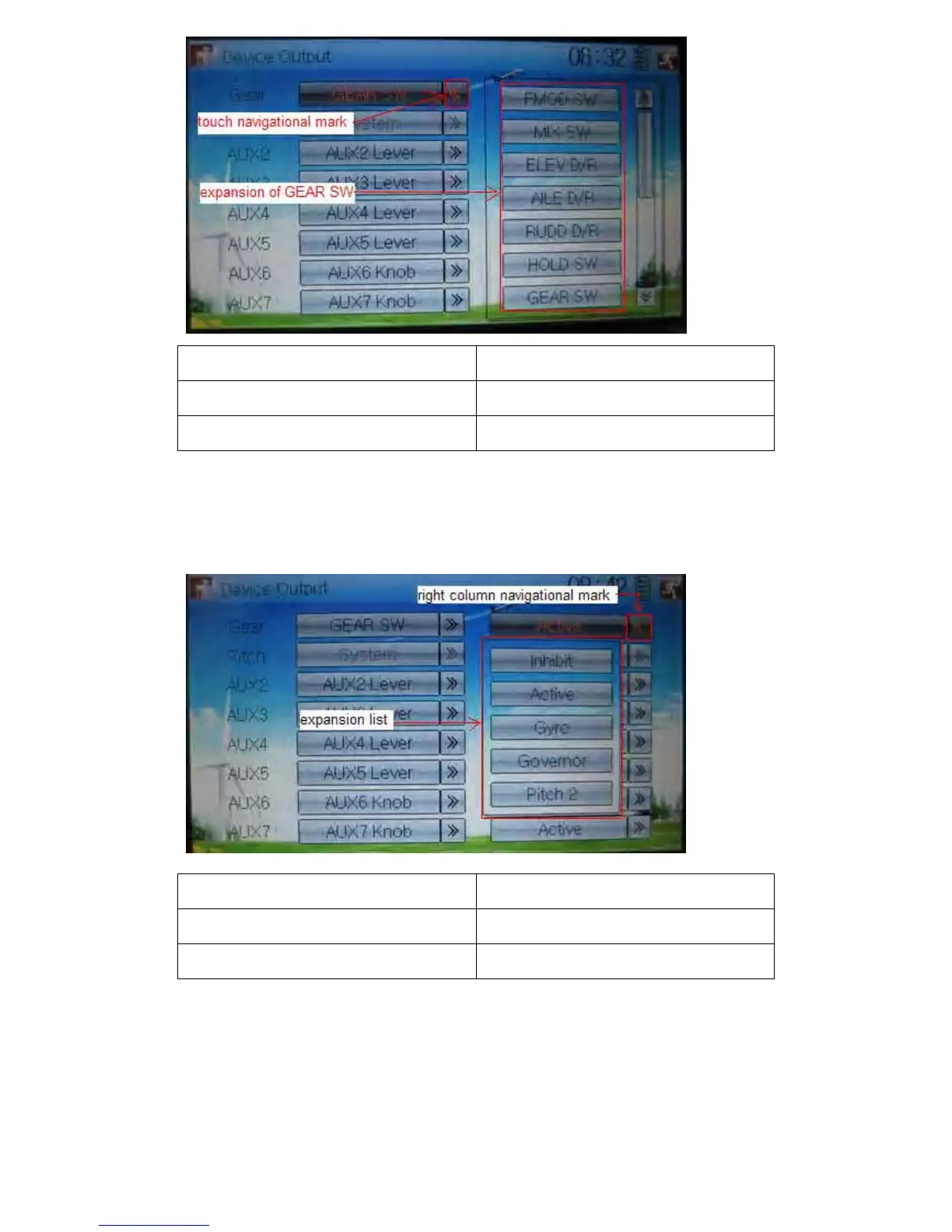
Touch navigation mark
Expansion of GEAR SW
Touch the right column navigation mark of Gear. Pop up an expansion including Inhibit,
Active, Gyro, Governor, and Pitch 2. Touch the desired item. The default setting is
Active.
English Your language
Right column navigation mark
Expansion list
8) Flap
There will show the switch option only after the right column of Flap is selected. Touch
the right column of Flap and expand a dropdown menu including Inhibit, Active, and
System.



 To Next Page