User Manual for DEVO-12 Page 66 of 238
125%. Under the help with exponential curve adjustment, it is possible to make both
customized settings and automatic settings.
The switch between Dual Rate and Exponential can be performed via pushing or
pulling the Flight Mode lever.
Setting method:
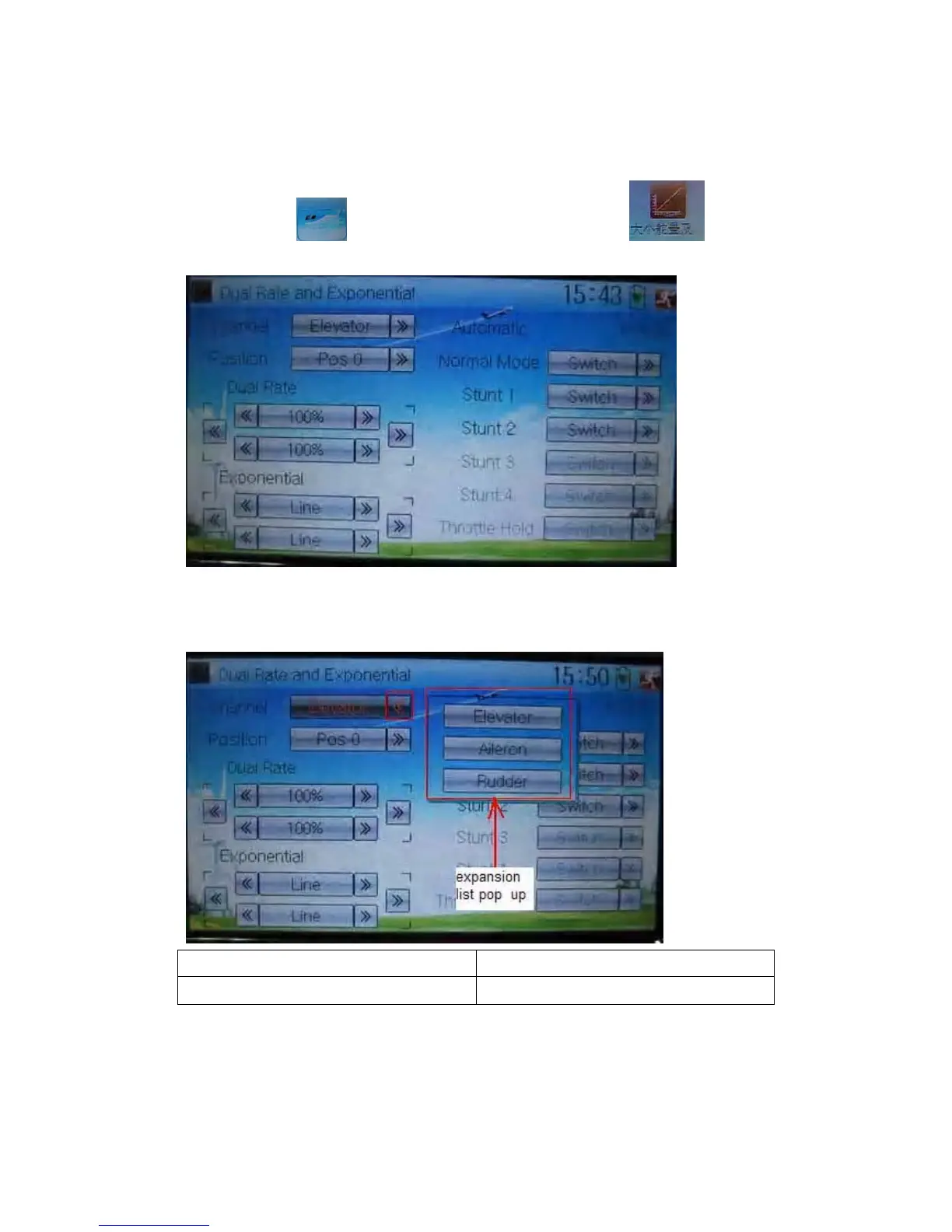
Touch the icon
to enter Function Menu and then click to enter
the interface of Dual Rate and Exponential.
1) Channel selection
Touch the navigation mark of Channel. An expansion list pops up, which contents
Elevator, Aileron, and Rudder. Choose the desired channel for setting.
English Your language
Expansion list pops up
2) Position selection
Touch the navigation mark of Position. An expansion list pops up, where there are six
points for you choosing from Pos0 through 5. Chose the position you want to set. The



 To Next Page