User Manual for DEVO-12 Page 68 of 238
English Your language
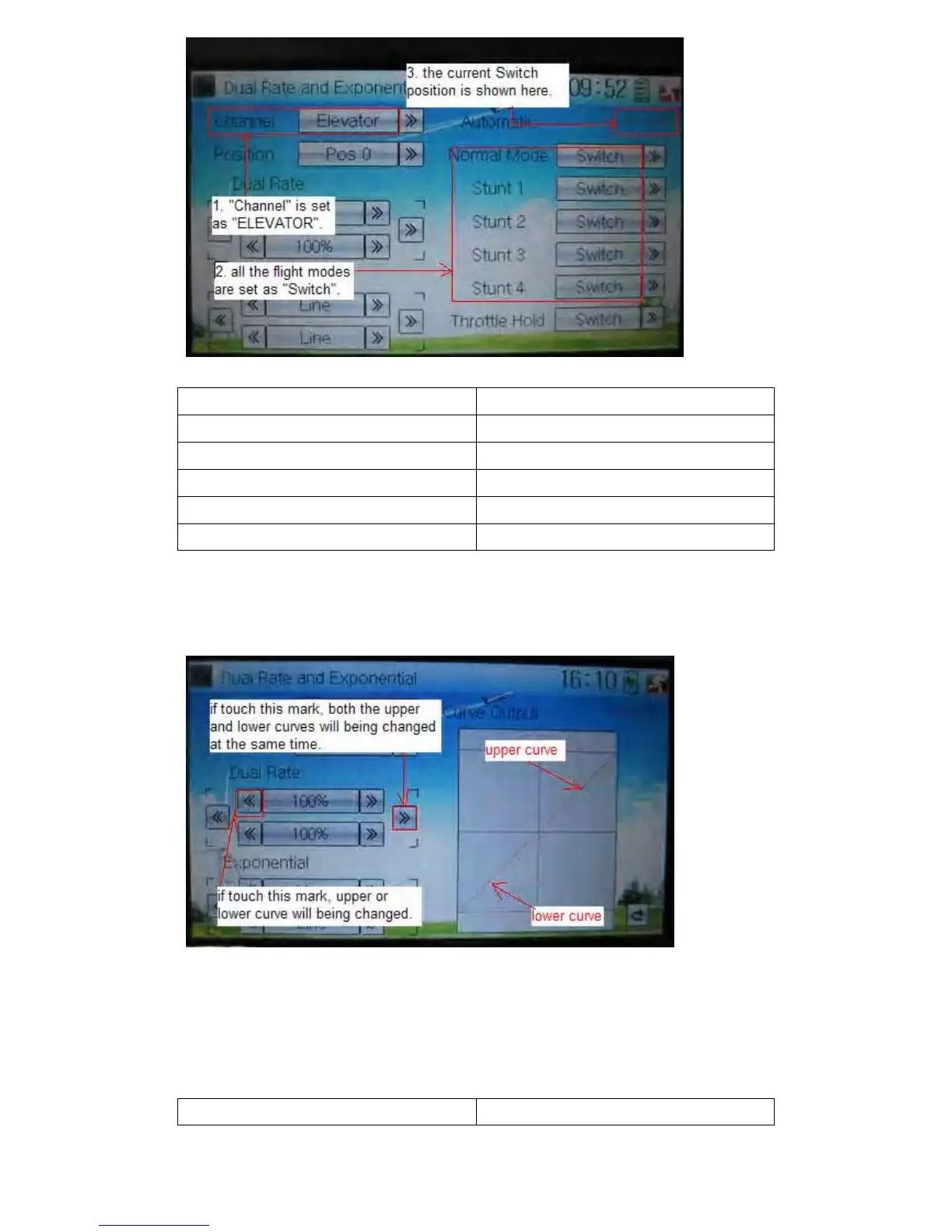
ELEV D/R
“Channel” is set as “Elevator”
All the flight modes are set as “Switch”
The current Switch position is shown here
3) Dual Rate adjustment
It is possible to modify the dual rate value by touching the navigation mark of Dual
Rate.
If touching the navigation mark for just one item to amend the dual rate value, the dual
rate of the corresponding servo will be changed in one direction, while the curve will
being changed in one direction at the right graph.
If touching the navigation mark for both items to amend the dual rate value, the dual
rate of the corresponding servo will be changed while the curve will being changed at
the same time, shown at the right graph. The default setting is 100%.
English Your language



 To Next Page