User Manual for DEVO-12 Page 90 of 238
condition. The first one is to lock the last action data received; the second one is to
execute the pre-set data which is pre-set. The default setting is Servo Hold.
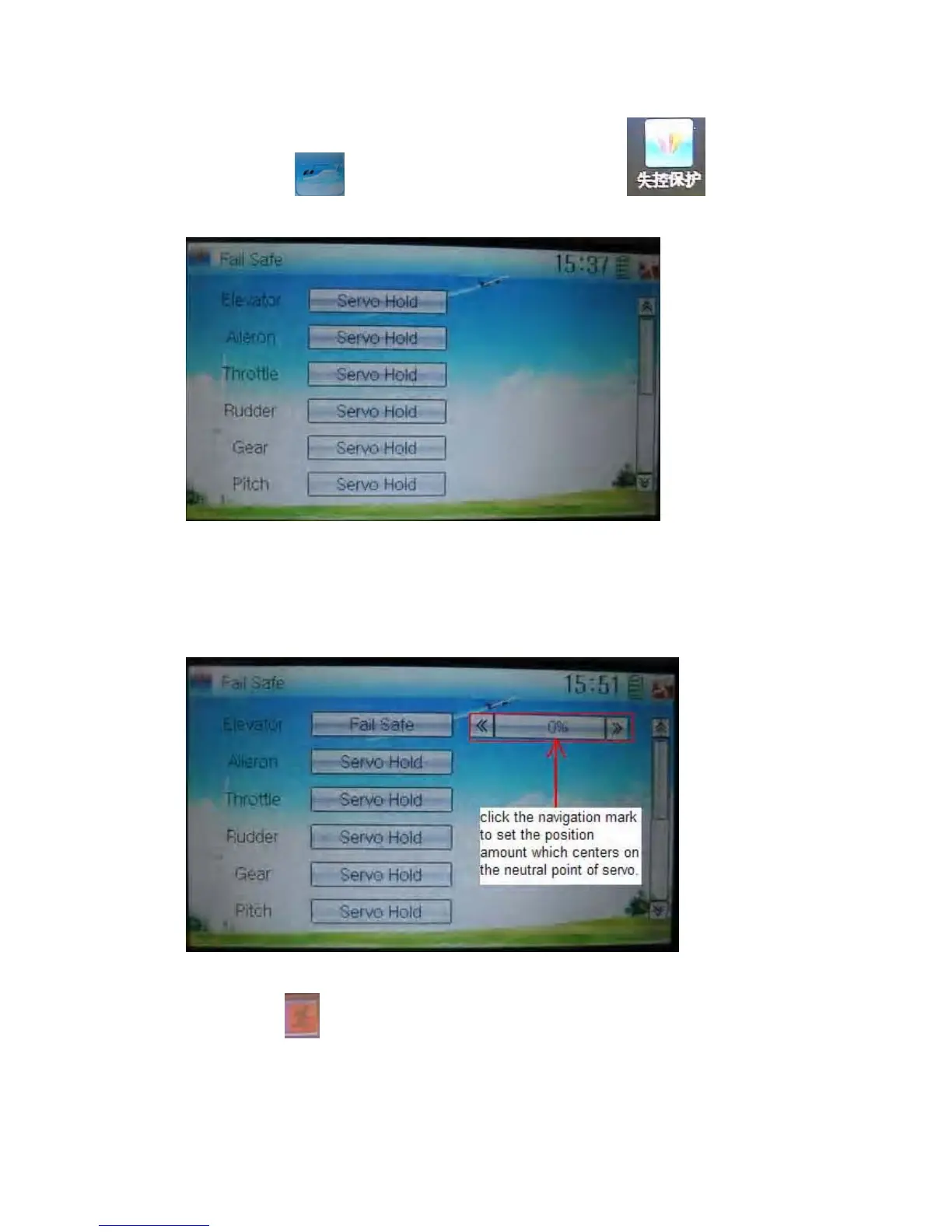
Setting method:
Touch the icon
to enter Function Menu, and then click to enter
the interface of Fail Safe.
Take the item Elevator as an example to explain.
Elevator setting:
Touch the item Elevator and expand a sub-item in its right. Click the left or right
navigation mark to decrease or increase, respectively, the position amount which
centers on the neutral point of servo.
The setting methods for other channels are same as above.
Click the icon
to exit after finished.
Note: checking whether all the actions when fail safe happened are correct is a must
after the setting is finished. It is dangerous to use full throttle, especially after fail safe
taken place.



 To Next Page