EasyManua.ls Logo

Dexcom SEVEN PLUS - Page 137

Dexcom SEVEN PLUS
144 pages
Print Icon
To Next Page IconTo Next Page
To Previous Page IconTo Previous Page
Loading...
SEVEN PLUS User’s Guide | 137
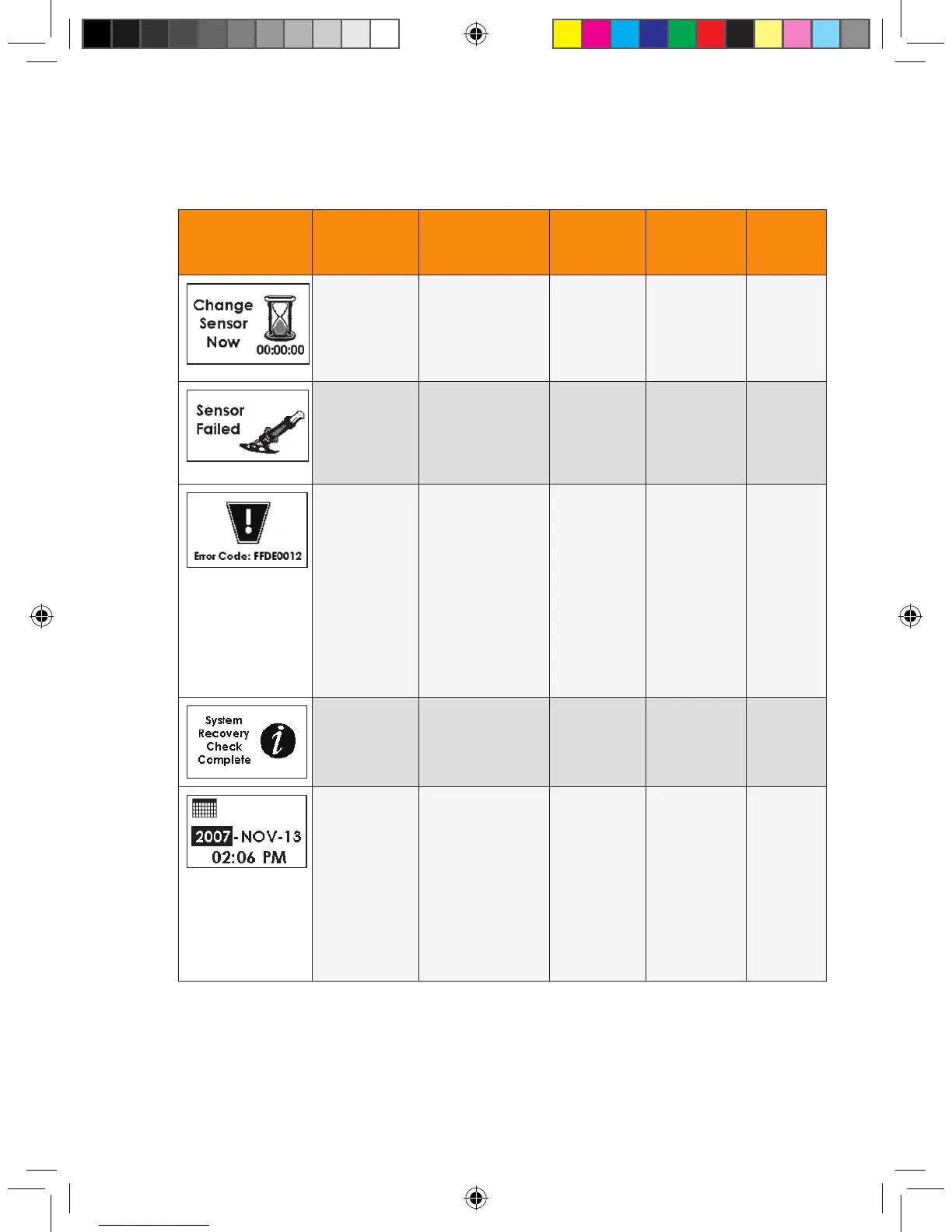
Screen Alert Title Description Re-Alert Clearing
Alerts
Re-Alert
After
Clear
Sensor
Expiration
Alerts
You have worn the
Sensor for 7 days.
You should change
your Sensor at
this time.
2 times in
the next 10
minutes
Press C
button
None
Sensor
Failed Alert
The Sensor is not
working properly (see
Section 8.3, “Sensor
Failed Troubleshoot-
ing”).
2 times in
the next 10
minutes
Press C
button
None
Receiver
Error Alert
There is a
problem with the
Receiver. Write
down the code on
the screen, and
contact
DexCom
Technical
Support at
1-888-SEVENGO
(738-3646).
None. The
Receiver will
beep and
vibrate for 5
seconds and
then will be
silent.
Cannot
clear alert
None.
Cannot
clear the
alert.
System
Recovery Alert
There was a
problem with the
Receiver that it was
able to x itself.
Every 5
minutes
Press C
button
None
Time Loss Alert The Receiver’s
back-up battery
has drained, and
you will need to re-
set the Receiver’s
time. The Time
Loss Alert
automatically takes
you to the Time
Setting Screen.
None Enter
the time
None

Table of Contents

Other manuals for Dexcom SEVEN PLUS

Related product manuals