28 | SEVEN PLUS Continuous Glucose Monitoring System
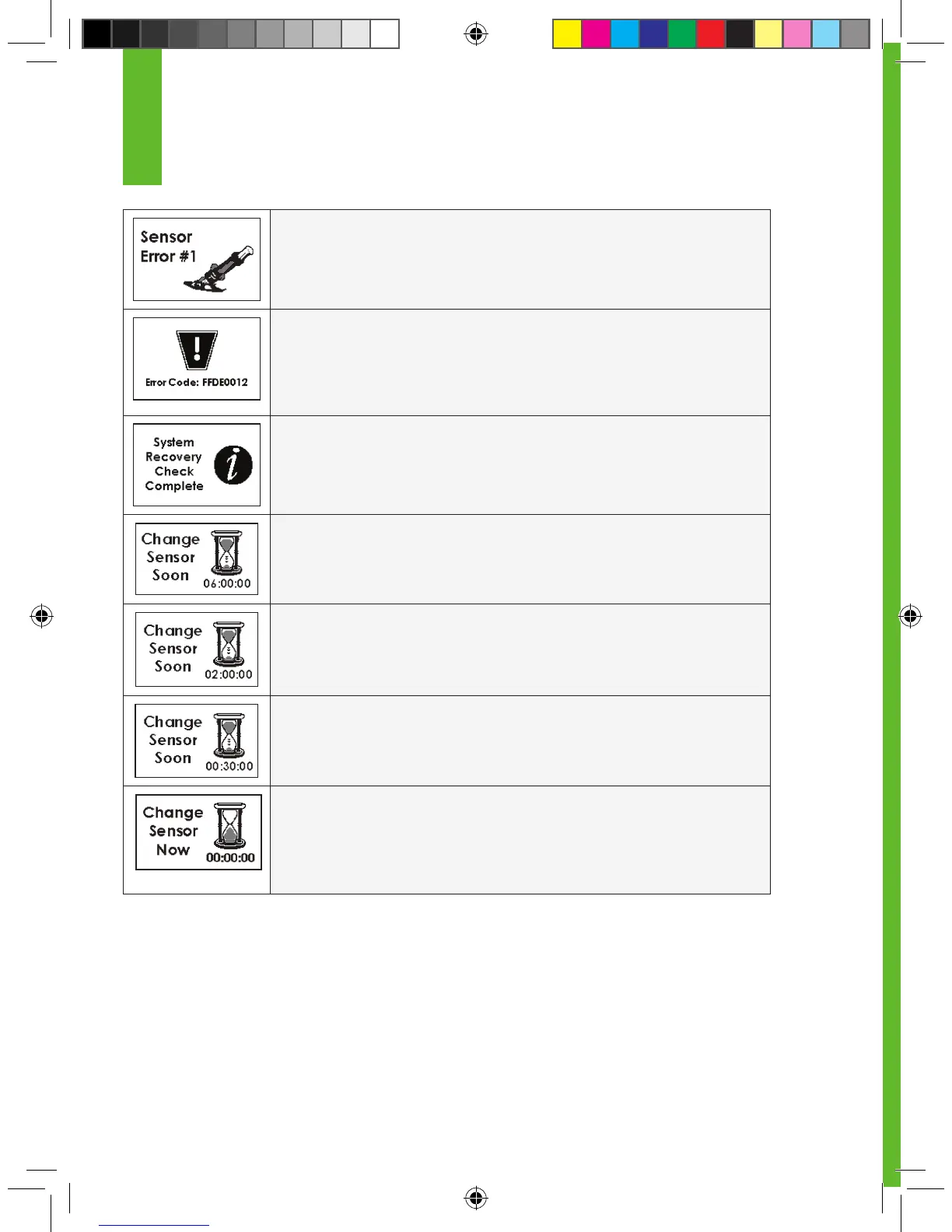
SENSOR ERROR #1: The Sensor is not calibrating correctly. If you see this
screen, wait approximately one hour and then enter at least 1 more ngerstick
reading. If no readings appear up on the Receiver, the Sensor needs to be
replaced.
ERROR CODE: The Receiver may not be working correctly. If you
see this code, write the code down and use your meter to check
your blood glucose readings. Notify DexCom Technical Support at 1-888-SEV-
ENGO (738-3646).
SYSTEM RECOVERY: The Receiver discovered an error that it was able
to x itself. Press the C button to clear this display, and your Sensor Session
(Continuous Glucose Monitoring Session)
will continue.
6-HOUR SENSOR EXPIRATION NOTIFICATION: Your Continuous
Glucose Monitoring Session will end in 6 hours.
2-HOUR SENSOR EXPIRATION NOTIFICATION: Your Continuous
Glucose Monitoring Session will end in 2 hours.
30-MINUTE SENSOR EXPIRATION NOTIFICATION: Your
Continuous Glucose Monitoring Session will end in 30 minutes.
0-HOUR SENSOR EXPIRATION NOTIFICATION: Your
Continuous Glucose Monitoring Session has ended. Once you
clear the alert your Receiver will be notied that the Sensor has been removed.
You should clear this notication and remove your Sensor at this time.
1



 To Next Page