Using the Configuration Menu
18 Chapter 2
Shell Options
The shell program selection determines the interface you see when
establishing a Telnet or SSH session with the Digi CM.
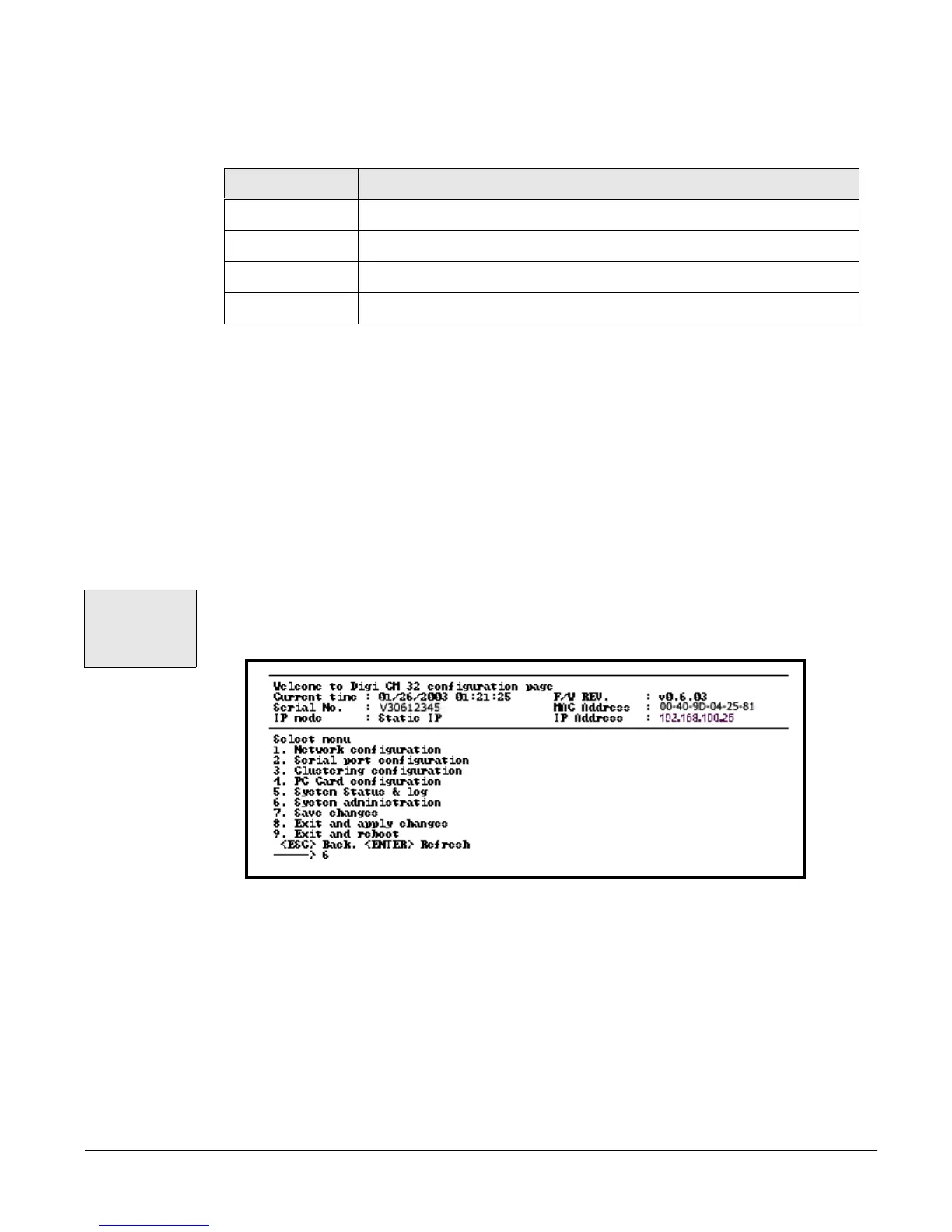
Using the Configuration Menu
The configuration menu presents the same functionality in configuring the Digi
CM as does the web interface excluding the creation of custom menus. The
configuration menu is navigated by using the number representing the menu
item and the ESC key to return to earlier menus. For the sake of clarity, the
menu item names, not their corresponding numbers, will be used to explain
the configuration options.
Use the Save changes option when you are done configuring all your
parameters, then choose Exit and apply changes to have your changes take
effect immediately.
Configuring SSH
1. Access the configuration menu from a Telnet session.
2. Use the username admin and the default password admin.
3. Choose Serial port configuration > choose an individual port number or 0
(zero) for all ports > Host mode configuration > Protocol > SSH.
4. Use the ESC key to return to the main configuration menu.
5. Choose Save changes.
User Group Shell Program Options
root command line
system admin command line, configuration menu, port access menu, custom menus
port admin configuration menu, port access menu, custom menus
user port access menu, custom menus
The Save
changes option
saves changes to
flash memory
only.



 To Next Page