Port Logging
36 Chapter 5
Port Logging
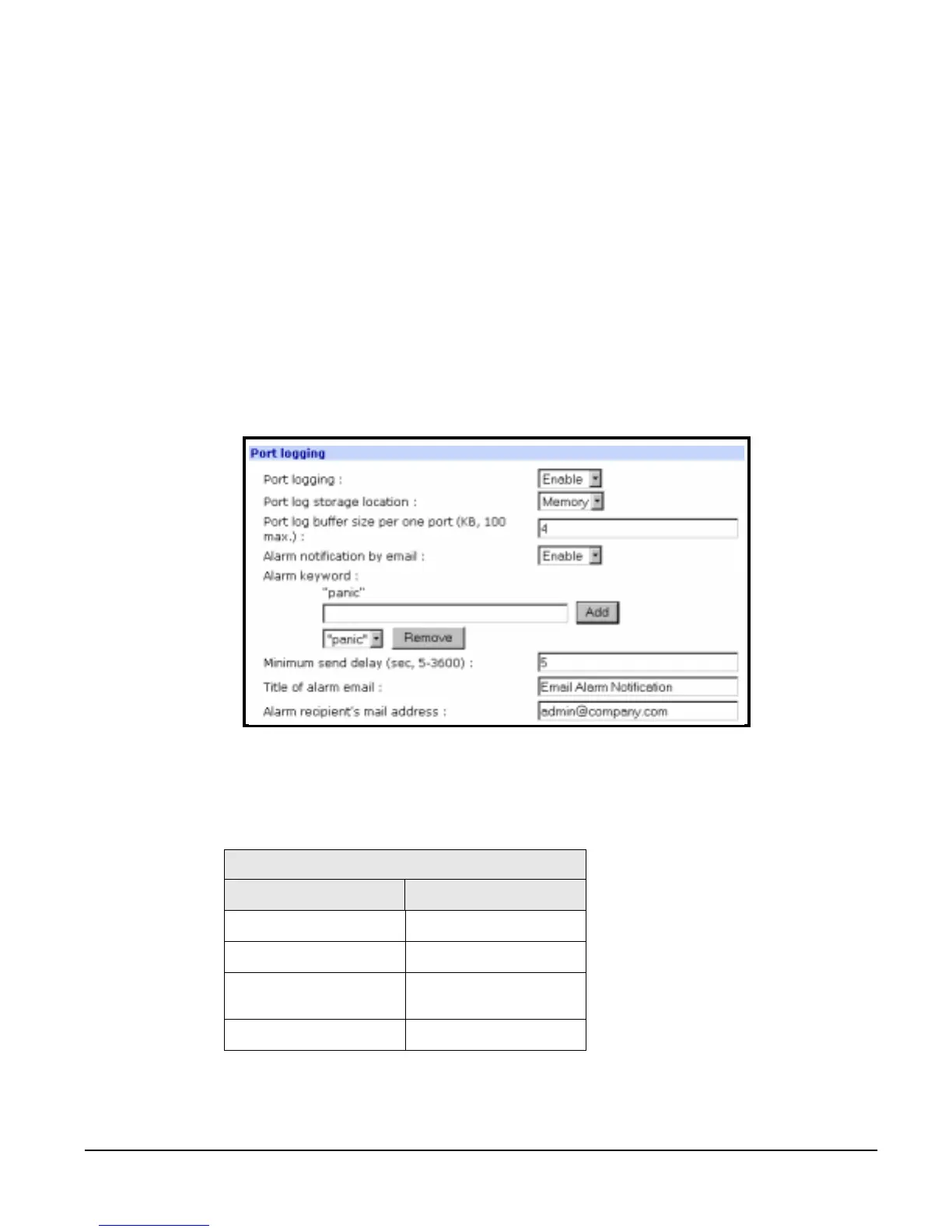
If a serial port is configured for console server mode, the port logging feature
can be enabled. Port logging allows the user to save serial data to the memory
of the Digi CM, a compact-flash card, a syslog server, or to an NFS server. If
the memory is used for port logging, all data will be cleared when the system’s
power is turned off.
Users can define alarm keywords for each serial port and send email alerts to
enable unattended serial data monitoring. To configure a serial port for port
logging in console server mode, do the following:
1. Access the web interface.
2. Under the Serial Port heading choose Configuration.
3. Choose All or the Individual port > Port logging.
4. Configure the settings.
5. Choose Save to flash and Apply changes.
Viewing Port Logs
The port logs can be viewed from the web interface on the Port logging page
or from the location where they have been saved. The following table lists the
file locations of the system logs.
To view the port logs on the NFS server for port number 5, enter the following
command:
more /mnt/nfs/port5data
Port Logfile
Log Storage File Location
Digi memory /tmp/port#data
Compact-flash card /mnt/flash/port#data
Syslog server
must be viewed from
the syslog server
NFS server /mnt/nfs/port#data



 To Next Page