System Administration
Chapter 12 75
4. The system will restore the factory defaults.
The unit will automatically reboot.
Setting Date and Time
Date and time on the Digi CM can either be kept internally or by an NFS
server. To set the parameters for date and time on the Digi CM, do the
following:
1. Access the configuration menu.
2. Choose System administration.
3. Choose Date and Time.
Enter the desired parameters.
4. Choose Save changes.
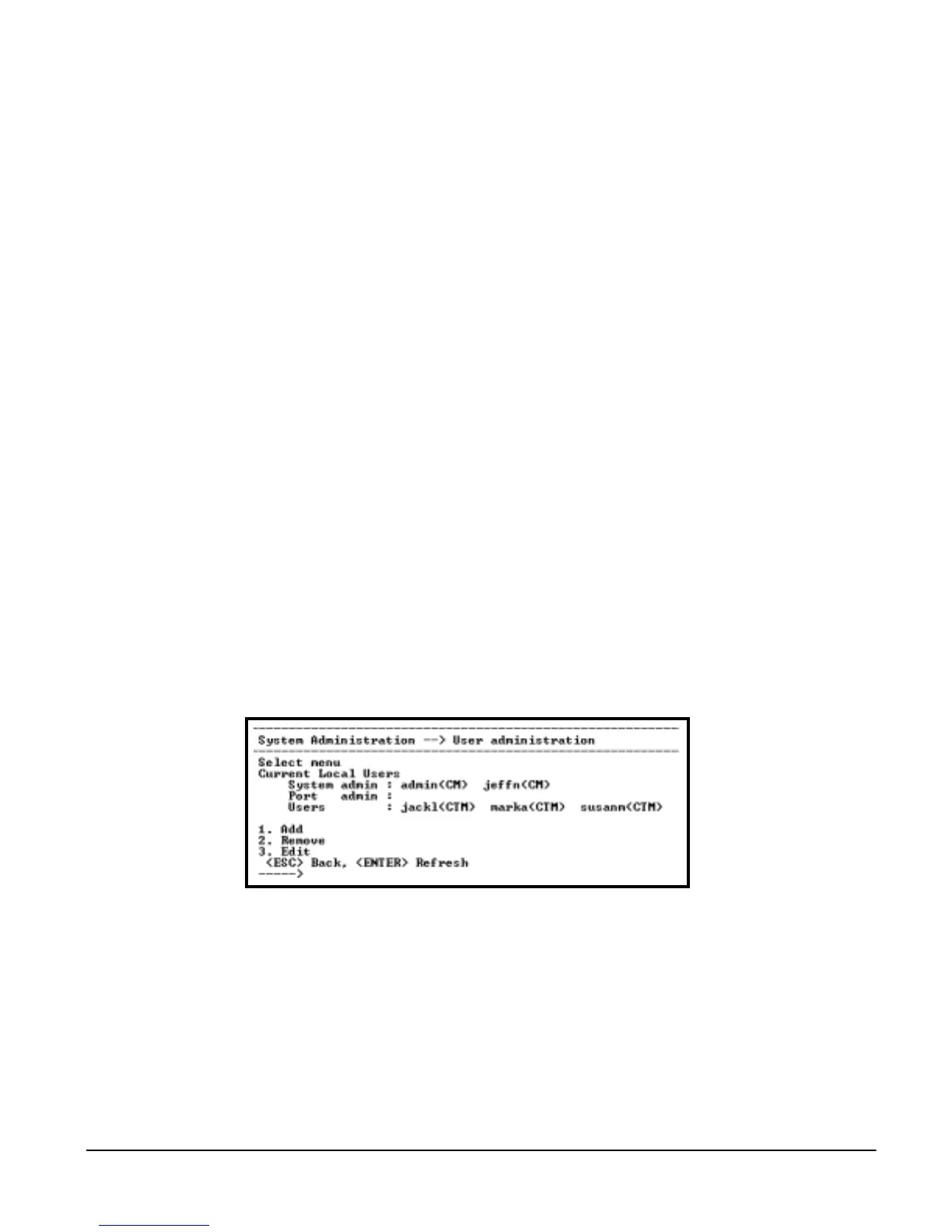
Adding, Editing, and Removing Users
1. Access the configuration menu.
2. Choose System administration > User Administration.
3. Choose Add, Remove, or Edit.
Users and the user groups are conveniently listed at the top of the
configuration screen. The options are:
• Add a user: Assign a name, user group, and a password
• Edit user files: Change user group, password, or their shell
• Remove a user: Remove a user from the system
4. Choose Save changes.
Accessing the Boot Loader Program
The Boot Loader program can be accessed during the boot process. The main
function of the program is to provide a backup means for restoring the
firmware if the Digi CM will no longer boot. It also provides a hardware testing
module which detects and tests hardware components on the unit.
To access the Boot Loader program, do the following:
1. Connect the Ethernet cable from the console port on the rear panel of the
Digi CM to a serial port on a workstation. Use the Ethernet cable packaged



 To Next Page