Adding a Compact-flash Card
22 Chapter 3
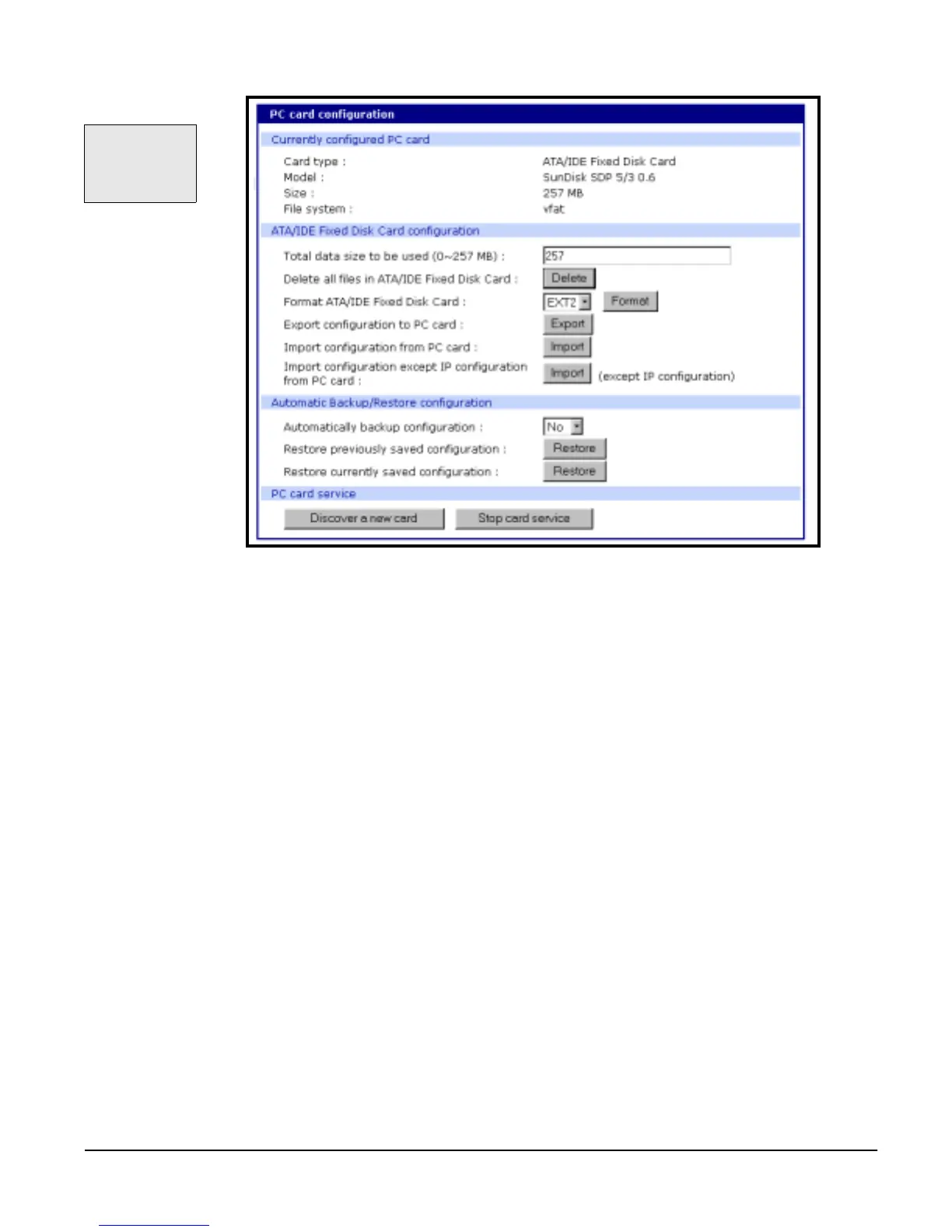
Configuring the Compact-flash Card
• Total data size to be used: Enter the amount of memory you want to assign
to the compact-flash card for configuration files.
• Delete all files in ATA/IDE Fixed Disk Card: Select this button to clear the
compact-flash card of all files.
• Format ATA/IDE Fixed Disk Card: The options are EXT2 or FAT formats.
Select the format option and then select the Format button.
• Export configuration to PC card: Exports the current configuration to the
compact-flash card.
• Import configuration from PC card: Imports the last saved
configuration file from the compact-flash card.
• Import configuration except IP configuration: Imports the last saved config-
uration file from the compact-flash card
excluding the IP settings.
Always select the
Stop card
service button
before removing
a PC card.



 To Next Page