Using the Configuration Menu
74 Chapter 12
Using the Configuration Menu
Firmware Upgrade
Before upgrading firmware from the configuration menu you should have:
• downloaded the firmware to a system on the same subnet
• setup a terminal emulation program that supports Zmodem transfer proto-
col.
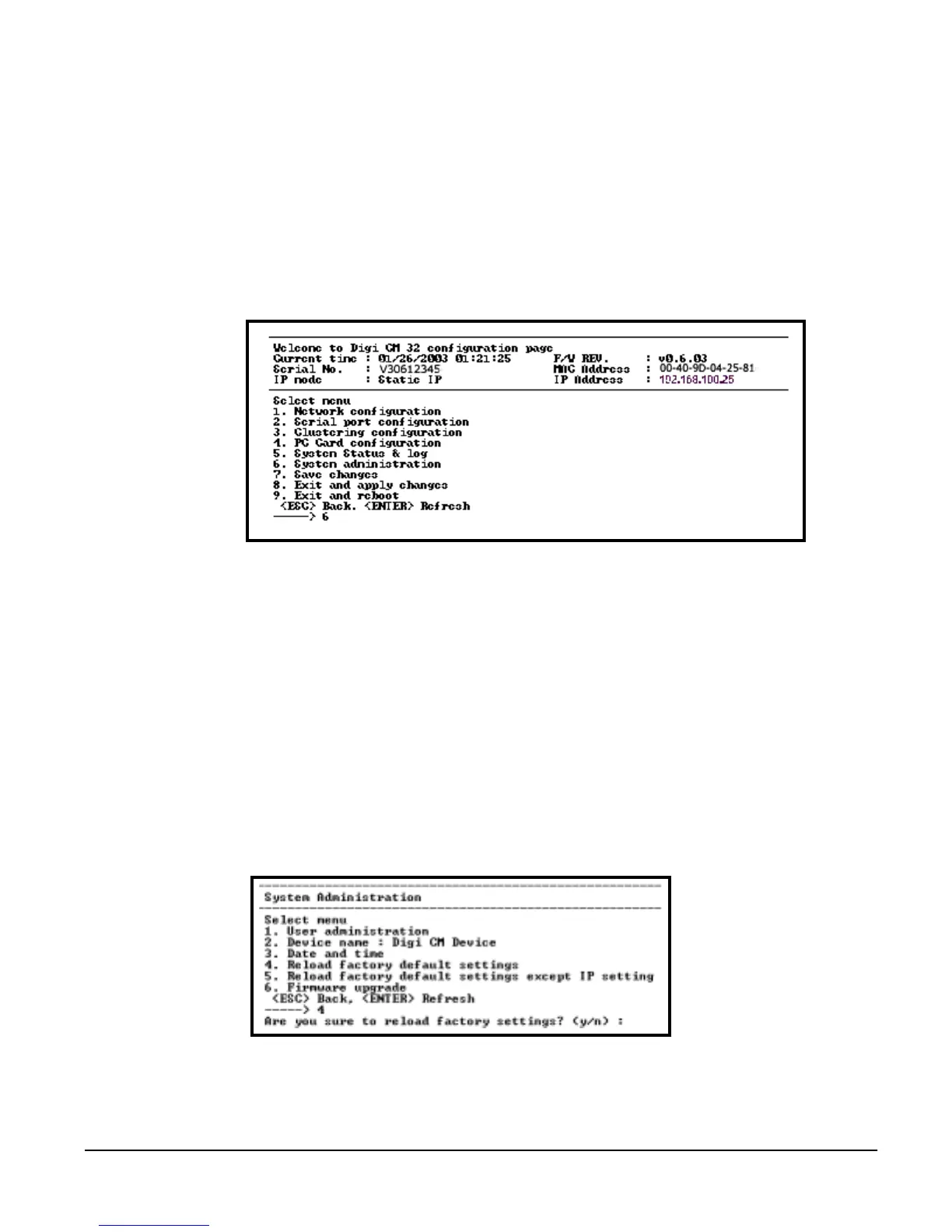
To upgrade the firmware with the configuration menu, do the following:
1. Access the configuration menu.
2. Choose System administration.
3. Choose Firmware upgrade. Enter y for Yes when asked if you want to
upgrade the firmware.
4. If the firmware upgrade is successful, the Digi CM will reboot automatically.
If a Firmware upgrade failed! warning appears, do not reboot the unit but
repeat the upgrade process.
Restoring Factory Defaults
You have two choices to restore the unit to its factory defaults. The options are
reloading all factory defaults or reloading all factory defaults exccept keeping
the IP settings. To restore your unit to the factory defaults, do the following:
1. Access the configuration menu.
2. Choose System administration.
3. Choose either Reload factory default settings or Reload factory default set-
tings except IP settings. Enter y for yes when asked to Reload the default
settings.



 To Next Page