Configuring Network IP Filtering
46 Chapter 7
Console and Web IP Filtering
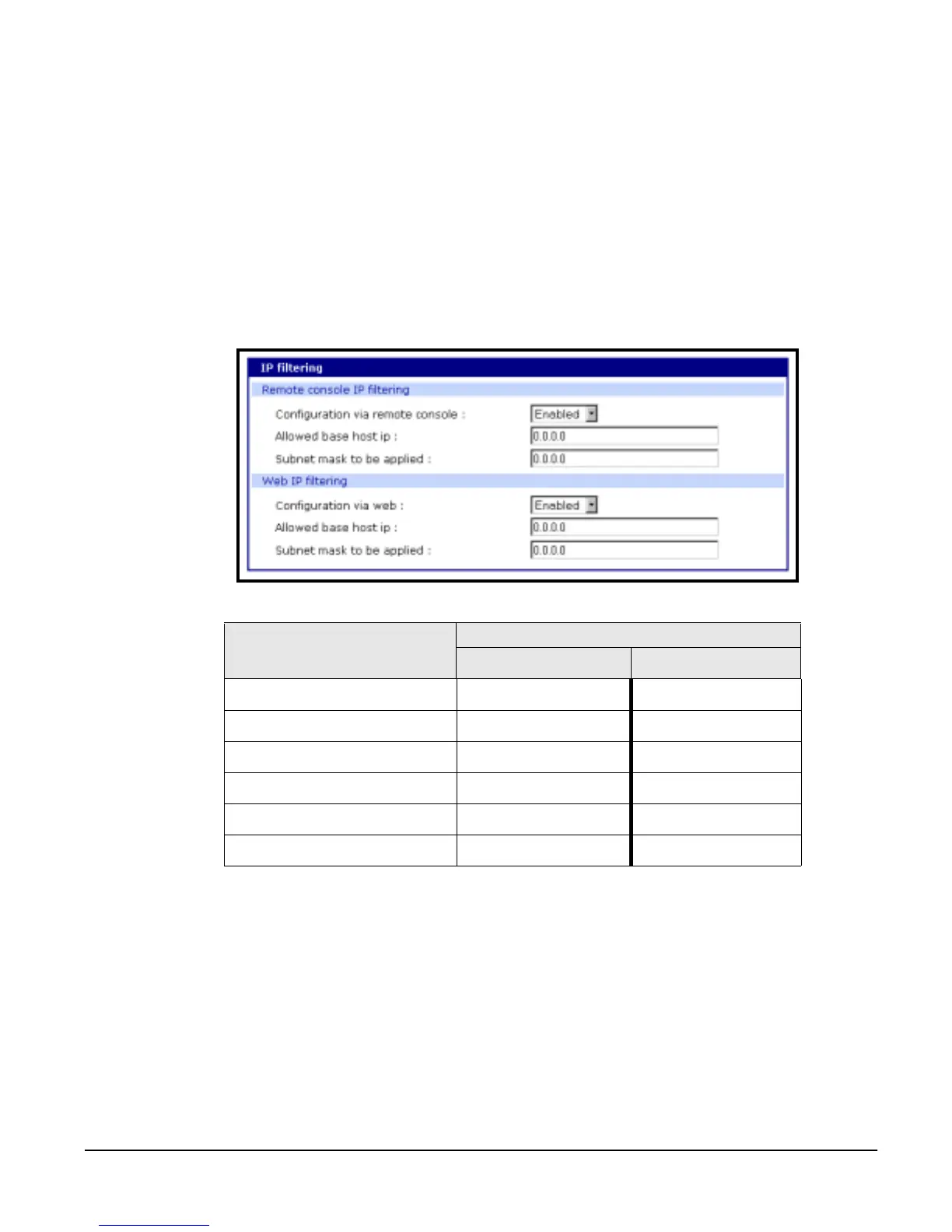
IP filtering is a way of controlling access to the Digi CM from remote hosts. If
the administrator wants to allow specific remote hosts access to the Digi CM,
the administrator must provide the host’s IP address and subnet mask. To
configure the Digi CM for IP filtering, do the following:
1. Access the web interface.
2. Under the Network Configuration heading choose IP filtering.
3. Choose Enabled for either Remote console or Web IP filtering or both.
4. Enter the IP address and subnet mask for the remote host.
5. Choose Save to flash and Apply changes.
The following table displays examples of allowed remote hosts.
Serial Port IP Filtering
You can configure each serial port individually for IP filtering. To configure a
serial port for IP filtering, do the following:
1. Access the web interface.
2. Under the Serial Port heading choose Configuration.
3. Choose All under All port configuration to configure all the ports or a spe-
cific port under Individual port configuration > Port IP filtering.
4. Enter the IP address and subnet mask for the remote host that is allowed
access.
5. Choose Save to flash and Apply changes.
Allowable Hosts
Input format
Base Host IP address Subnet mask
Any host 0.0.0.0 0.0.0.0
192.168.1.120 192.168.1.120 255.255.255.255
192.168.1.1 ~ 192.168.1.254 192.168.1.0 255.255.255.0
192.168.0.1 ~ 192.168.255.254 192.168.0.0 255.255.0.0
192.168.1.1 ~ 192.168.1.126 192.168.1.0 255.255.255.128
192.168.1.129 ~ 192.168.1.254 192.168.1.128 255.255.255.128



 To Next Page