Custom and Default Menus
Chapter 8 55
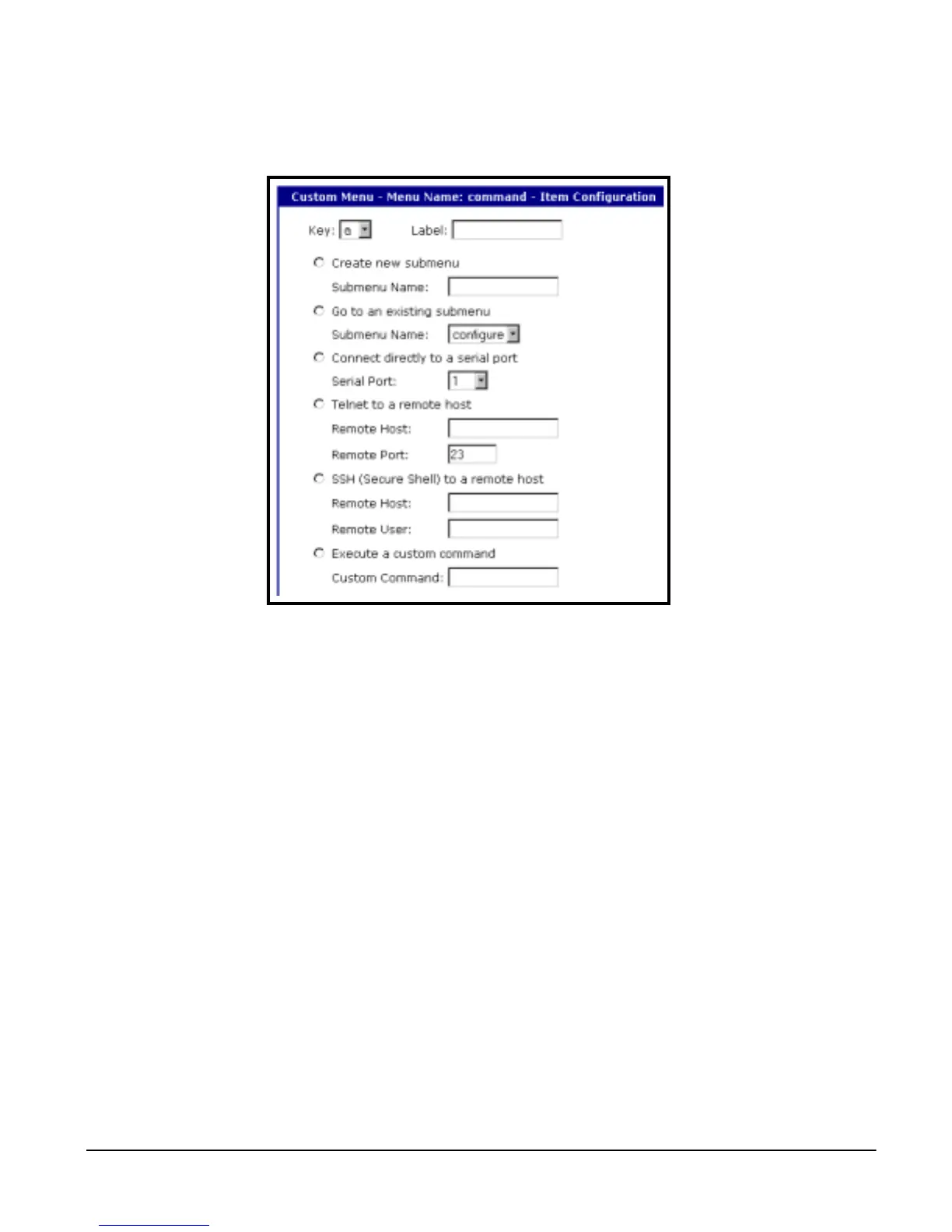
3. Fill in the desired parameters. The parameters are:
• Key: Any letter or number except a value already used by another menu
item
• Label: Label or name for the menu item
• Create new submenu: Assign a name for a new submenu that this
menu item will be assigned or linked to
• Go to existing submenu: Choose an existing submenu from the drop
down menu that this menu item will be assigned or linked to
• Connect directly to a serial port: Connects the user to a specified port
• Telnet to a remote host: Enter the hostname or ip address of a remote
host
• SSH to a remote host: Enter the hostname or ip address of a remote
host and the remote username
• Execute a custom command: Enter a customized command that is any
valid command on the command line interface with acceptable user
privileges
4. Choose Apply.
Repeat this procedure to add more menu items.
Note: You can add or configure submenus by selecting the Submenus hyperlink on the
Menu Configuration page.



 To Next Page