System Administration
Chapter 12 77
5. Login using the username admin and the default password admin.
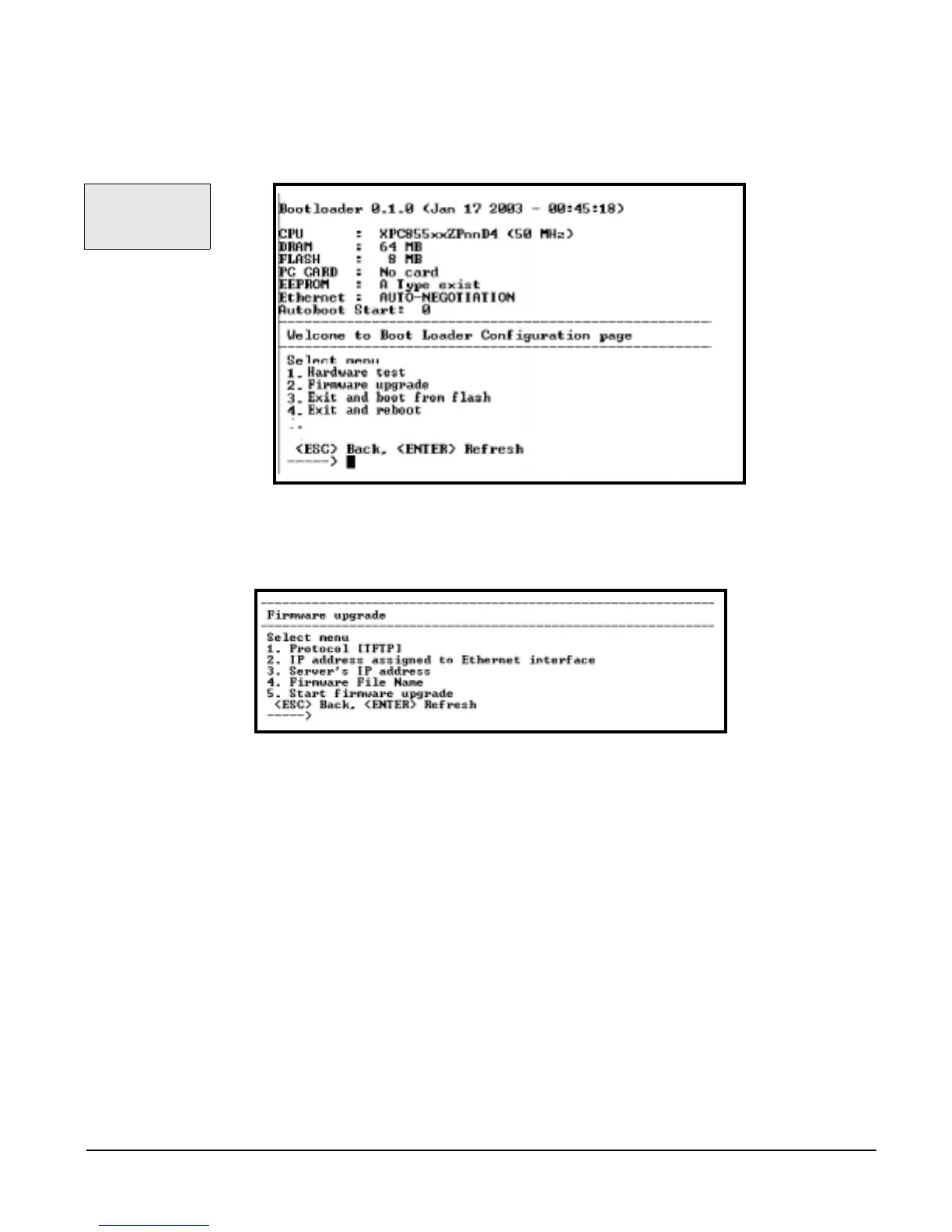
6. Choose Firmware upgrade by entering the number and pressing Enter.
The following screen appears.
7. Enter the information for the first first menu items.
• Protocol: The choices are BOOTP or TFTP
• IP address assigned: Enter the IP address of the Digi CM
• Server’s IP address: The IP address of the BOOTP or TFTP server
• Firmware File Name: The filename for the firmware
Note: Use the ESC key to backup to earlier menu screens.
8. Choose Start firmware upgrade.
The firmware upgrade will take several minutes to process.
9. When the upgrade process is complete, choose ESC to return to the main
menu.
10.Choose Exit and boot from flash.
Use the ESC key to
return to an
earlier menu
screen.



 To Next Page